The best digital note-taking devices for students balance comfortable handwriting with easy ways to save, organize, and revisit class notes. I’d put the reMarkable Paper Pro Move forward as the premium pick for focused writing, while the XPPen Magic Note Pad stands out for students who want an Android tablet and a pen in one device. For a simpler paper-to-digital workflow, the HUION Note is a notable smart-notebook option with real-time and offline sync. The main tradeoff is between paper-like focus, app versatility, and the convenience of digitizing notes written on paper. Read on for how these ten options compare and which type of student each one suits.

Prime made for students and young adults
- Fast, free delivery for dorm and study essentials
- Prime Video and Amazon Music included
- Member-only deals
Key Takeaways
- The lineup splits into two study workflows: smart notebooks such as the XPPen Note Plus and HUION Note capture writing from paper, while E Ink and Android tablets keep notes on a screen.
- The reMarkable Paper Pro Move is the premium-focused choice: its compact color paper tablet format prioritizes a dedicated writing experience over general-purpose tablet flexibility.
- The XPPen Magic Note Pad is the versatility pick: Android gives it a broader app-oriented role than dedicated E Ink devices, though students should weigh that flexibility against a more screen-centered workflow.
- Screen size changes how notes work: the 10.3-inch KloudNote Slim and 10.95-inch XPPen Magic Note Pad offer more room for diagrams and page layouts than the smaller AINOTE Air and reMarkable Move.
- Several products target narrower needs: the Ophaya A5 5-Pack suits multi-notebook paper workflows, Kindle Scribe leans toward reading and annotation, and renewed or like-new listings merit extra condition checks.
| XPPen Note Plus Digital Notebook with Pen |  | Best for Students Who Want Real Paper | Paper size: A5 | Connectivity: Bluetooth 5.3 | Pressure sensitivity: 8192 levels | VIEW LATEST PRICE | See Our Full Breakdown |
| Ophayapen 3-in-1 Smart Pen with Digital Notebook and Writing Board |  | Best for Audio-Linked Lecture Notes | Model: SMP-3 | Included notebook: PU notebook, 60 sheets | Pressure sensitivity: 1024 levels | VIEW LATEST PRICE | See Our Full Breakdown |
| HUION Note Digital Notebook with Real-Time and Offline Sync |  | Best for Notes and Sketching | Notebook size: A5 | Notebook pages: 50 | Connectivity: Bluetooth 5.0 | VIEW LATEST PRICE | See Our Full Breakdown |
| Ophaya Smart Digital Notebook and Pen, A5 5-Pack with Real-Time Sync |  | Best for High-Volume Paper Notes | Notebook size: A5 | Notebook quantity: 5 | Pages per notebook: 124 pages / 62 sheets | VIEW LATEST PRICE | See Our Full Breakdown |
| iFLYTEK AINOTE Air 2 8.2-Inch E Ink Note-Taking Tablet with Stylus (Renewed) |  | Best Compact E Ink Study Tablet | Display: 8.2-inch E Ink | Stylus pressure sensitivity: 4096 levels | Voice transcription languages: 16 | VIEW LATEST PRICE | See Our Full Breakdown |
| reMarkable Paper Pro Move 7.3-Inch Color Paper Tablet Bundle with Marker Plus and Basalt Book Folio |  | Best Compact Paper-Like Note Taker | Display: 7.3-inch Canvas Color | Generation: 1st Generation | Included components: Tablet, Marker Plus, Basalt Book Folio, 6 spare Marker tips, USB-C cable | VIEW LATEST PRICE | See Our Full Breakdown |
| Geniatech KloudNote Slim 10.3-Inch E Ink Digital Notebook with Pen, 64GB, Grey |  | Best for Reading and Document Annotation | Screen: 10.3-inch E Ink | Resolution: 1404 × 1872 at 227 ppi | Processor: 1.8GHz A55 quad-core | VIEW LATEST PRICE | See Our Full Breakdown |
| Amazon Kindle Scribe (32GB) with Premium Pen, Tungsten (Like-New) |  | Best for Course Reading and Handwritten Markup | Display: 10.2-inch glare-free Paperwhite display with built-in light | Resolution: 300 ppi; 16 levels of grayscale | Storage: 32GB | VIEW LATEST PRICE | See Our Full Breakdown |
| XPPen Magic Note Pad 10.95-Inch Android Tablet with Digital Pen | 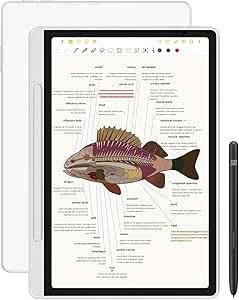 | Best for App-Based Study and Color Notes | Display: 10.95-inch AG nano-etched LCD with TCL NXTpaper 3.0 technology | Display modes and refresh rate: Monochrome LCD, Light Color, and Nature Color; 90 Hz | Color and brightness: 16.7 million colors; 400 nits | VIEW LATEST PRICE | See Our Full Breakdown |
| AISPEECH AINOTE Air 8.4-Inch AI Digital Notebook Tablet |  | Best for Lecture Transcription and Meeting Notes | Display: 8.4-inch soft-color paper-like screen with AG anti-glare and low-blue-light features | Stylus: Electromagnetic pen with 4096 pressure levels | Handwriting recognition: 66 languages | VIEW LATEST PRICE | See Our Full Breakdown |
| digital note taking devices for student | Display |
|---|---|
| XPPen Note Plus Digital Notebo | — |
| Ophayapen 3-in-1 Smart Pen wit | — |
| HUION Note Digital Notebook wi | — |
| Ophaya Smart Digital Notebook | — |
| iFLYTEK AINOTE Air 2 8.2-Inch | 8.2-inch E Ink |
| reMarkable Paper Pro Move 7.3- | 7.3-inch Canvas Color |
| Geniatech KloudNote Slim 10.3- | — |
| Amazon Kindle Scribe | 10.2-inch glare-free Paperwhite display with built-in light |
| XPPen Magic Note Pad 10.95-Inc | 10.95-inch AG nano-etched LCD with TCL NXTpaper 3.0 technology |
| AISPEECH AINOTE Air 8.4-Inch A | 8.4-inch soft-color paper-like screen with AG anti-glare and low-blue-light features |
More Details on Our Top Picks
XPPen Note Plus Digital Notebook with Pen
The XPPen Note Plus suits students who think best on paper but want digital backups for searching and sharing. Its A5 format keeps lecture notes compact, while offline capture and automatic syncing let you keep writing when a phone connection is unavailable. Compared with the HUION Note, it offers more detail on pen pressure sensitivity and accepts compatible paper cores up to 8 mm, giving students more flexibility over the notebook insert. The app adds tagging, search, cloud backup, and PNG or PDF export, which helps turn handwritten class notes into a usable archive. The tradeoff is that capture depends on the dedicated matching pen, and app features require a compatible phone or tablet. Students wanting a standalone screen should look instead at the iFLYTEK AINOTE Air 2.
Pros:- Keeps the familiar feel of real paper while capturing handwriting digitally.
- Stores notes offline and syncs them automatically after reconnecting.
- App tools include tagging, search, cloud backup, and PNG or PDF export.
- Accepts compatible A5 paper cores up to 8 mm thick.
Cons:- Digital capture requires the dedicated compatible ink pen.
- Syncing and app-based organization require a compatible Android or iOS device.
Best for: Students who prefer writing on A5 paper and want searchable, exportable digital copies of lectures.
Not ideal for: Students who want a screen-based device or do not want to carry a compatible phone or tablet for syncing and app features.
- Paper size:A5
- Connectivity:Bluetooth 5.3
- Pressure sensitivity:8192 levels
- Compatible paper core thickness:Up to 8 mm
- Continuous writing time:14 hours
- Battery capacity:1000 mAh
- Supported platforms:Android 10.0 or later; iOS 14.0 or later
- Export formats:PNG, PDF
Our verdict“Choose the XPPen Note Plus if you want paper-first lecture notes with offline capture and a phone-based digital archive.”
Ophayapen 3-in-1 Smart Pen with Digital Notebook and Writing Board
The Ophayapen 3-in-1 Smart Pen is a strong fit for students who want written notes tied to recorded explanations. Its app can link audio playback to writing, so reviewing a difficult lecture point does not depend on deciphering a brief note later. OCR adds searchable notes and handwriting-to-text conversion, while offline storage and exports to PDF, Word, PNG, GIF, and MP4 support different study workflows. Compared with the Ophaya Smart Digital Notebook and Pen 5-Pack, this set includes a writing board and a 60-sheet notebook rather than five notebooks, making it more of a starter kit than a bulk paper supply. The HUION Note also supports audio linked to notes, but the Ophayapen’s broader listed export formats may suit students sharing work across different apps. Its drawbacks are reliance on a mobile device and a limited included notebook.
Pros:- Links audio recordings to writing for more contextual lecture review.
- OCR can convert handwriting to text and make notes searchable.
- Supports offline storage and several sharing formats, including PDF and Word.
- Includes a notebook, writing board, spare refills, and plastic nibs.
Cons:- The included notebook contains only 60 sheets.
- App features require a compatible iOS or Android phone or tablet.
- Pressure sensitivity is 1024 levels, below the XPPen Note Plus’s listed 8192 levels.
Best for: Students who record lectures and want to connect spoken explanations with handwritten notes for later review.
Not ideal for: Students who need a large paper supply in the box or want note capture and review without a compatible phone or tablet.
- Model:SMP-3
- Included notebook:PU notebook, 60 sheets
- Pressure sensitivity:1024 levels
- App:Ophaya Pro+
- Operating system requirements:Android 6.0 or later; iOS 11 or later
- Offline storage:Yes
- Handwriting recognition:OCR handwriting-to-text conversion
- Supported file formats:PDF, Word, PNG, GIF, MP4
Our verdict“Pick this set if audio-linked notes and OCR matter more to your study routine than having a long supply of paper included.”
HUION Note Digital Notebook with Real-Time and Offline Sync
The HUION Note earns its place for students who want handwritten class notes with a second use for diagrams or illustration practice. It captures writing as vector lines in its iOS and Android app, and the included panel lets the notebook work as a graphics tablet after you replace the paper pages. That added mode distinguishes it from the paper-focused XPPen Note Plus, which instead emphasizes paper-core compatibility and detailed app organization. HUION also supports audio synced with notes, useful when a diagram or shorthand needs the lecturer’s explanation. Its A5 notebook has 50 pages, so students taking heavy daily notes may need to plan for replacement paper. Graphics-tablet use also means giving up the notebook pages while the panel is installed, and digital management still depends on the companion app.
Pros:- Captures handwriting digitally while retaining a paper notebook workflow.
- Audio can be synced with notes for context during review.
- Included panel adds a graphics-tablet use beyond ordinary note capture.
- USB-C charging and up to 18 hours of use support extended study sessions.
Cons:- The included A5 notepad has 50 pages, which may not last through a demanding term.
- Graphics-tablet mode requires replacing the notebook pages with the panel.
- Digital capture and note organization depend on the companion mobile app.
Best for: Students who take handwritten notes, sketch diagrams, and want an occasional graphics-tablet mode from the same device.
Not ideal for: Students who need a large built-in paper supply or want to use graphics mode without removing the notebook pages.
- Notebook size:A5
- Notebook pages:50
- Connectivity:Bluetooth 5.0
- App compatibility:iOS and Android
- Battery life:Up to 18 hours of use
- Standby time:About 30 days
- Charging connector:USB-C
- Warranty:1 year
Our verdict“Choose the HUION Note if you want paper-based study notes plus a graphics-tablet option and can accept swapping the pages to use it.”
Ophaya Smart Digital Notebook and Pen, A5 5-Pack with Real-Time Sync
For students who fill notebooks quickly, the Ophaya A5 5-Pack puts paper supply ahead of hardware extras. Five notebooks with 124 pages each give it a clear advantage over the single 60-sheet notebook included with the Ophayapen 3-in-1. The shared Ophaya Pro+ app features—OCR, searchable handwriting, audio-linked notes, offline storage, and exports—make the set suitable for capturing and revisiting course material across a term. Compared with the HUION Note, it offers substantially more included paper but does not list a graphics-tablet mode. This is a better match for students who want to keep writing on paper than for those seeking a screen-based study device. Digital features require a compatible phone or tablet, and the product listing specifies a nonstandard included battery, a detail to check when planning long-term use.
Pros:- Includes five A5 notebooks, each with 124 pages.
- OCR supports searching handwriting and converting it to editable text.
- Audio can be linked to writing for lecture review.
- Offline notes sync when the device reconnects.
Cons:- Digital note features require the Ophaya Pro+ app and a compatible smartphone or tablet.
- The product listing specifies a nonstandard battery, which may make replacement less convenient.
- Unlike the HUION Note, no graphics-tablet mode is listed.
Best for: Students who take extensive handwritten notes across several courses and want multiple notebooks with digital capture.
Not ideal for: Students who want an E Ink screen, a graphics-tablet mode, or a setup that does not rely on an app and compatible mobile device.
- Notebook size:A5
- Notebook quantity:5
- Pages per notebook:124 pages / 62 sheets
- App:Ophaya Pro+
- Minimum operating system:Android 6.0; iOS 11
- Offline storage:Yes; auto-syncs when online
- Export formats:PDF, Word, PNG, GIF, MP4
- Audio-linked notes:Supported
Our verdict“Choose this Ophaya set if you use a lot of paper and want OCR and audio-linked digital notes without moving to a screen-based tablet.”
iFLYTEK AINOTE Air 2 8.2-Inch E Ink Note-Taking Tablet with Stylus (Renewed)
The iFLYTEK AINOTE Air 2 is the screen-based pick for students who want handwriting, reading, and study tools in one compact device. Unlike the paper-and-phone systems from XPPen and HUION, it uses an 8.2-inch E Ink display, so notes and PDFs appear on the device itself rather than depending on paper capture and a companion phone. Its tools include voice transcription in 16 languages, handwriting conversion in 85 languages, translation, meeting summaries, and schedule management. The reading light also helps with eBooks and PDFs in varied lighting. The compact screen is easier to carry but gives less room for lecture slides or wide diagrams than larger devices such as the Geniatech KloudNote Slim 10.3-Inch. Transcription and handwriting conversion cannot run simultaneously, and its renewed condition comes with a 90-day limited warranty.
Pros:- E Ink screen combines note-taking and reading without requiring paper notebooks.
- Handwriting conversion supports 85 languages, while voice transcription supports 16.
- Dual-color reading light has 24 brightness levels for eBooks and PDFs.
- Stylus offers 4096 pressure levels.
Cons:- The 8.2-inch display gives less room for notes and documents than larger tablets.
- Voice transcription and handwriting conversion cannot run at the same time.
- Renewed condition is paired with a 90-day limited warranty.
Best for: Students who want a portable E Ink device for handwritten notes, reading PDFs, and language-support tools in a compact format.
Not ideal for: Students who need a large workspace for slides and diagrams, require simultaneous voice transcription and handwriting conversion, or prefer a new device with a longer stated warranty.
- Display:8.2-inch E Ink
- Stylus pressure sensitivity:4096 levels
- Voice transcription languages:16
- Handwriting conversion languages:85
- Reading light:Dual-color; 24 brightness levels
- Operating system:Android
- Weight:8.16 ounces
- Condition and warranty:Renewed; 90-day limited warranty
Our verdict“Pick the AINOTE Air 2 if portability, E Ink reading, and language tools matter more than a spacious screen or simultaneous transcription modes.”
reMarkable Paper Pro Move 7.3-Inch Color Paper Tablet Bundle with Marker Plus and Basalt Book Folio
The reMarkable Paper Pro Move is the easiest fit here for students who want a dedicated writing device small enough to carry between classes. Its 7.3-inch color display, Marker Plus, and included folio make quick lecture notes and PDF markup feel like the focus, rather than one activity among many tablet apps. Compared with the larger Geniatech KloudNote Slim, it gives up screen space that can help with textbooks and side-by-side documents, but takes up less room in a bag. Folders, tags, and handwriting conversion help keep coursework organized. The main tradeoff is that some cloud, search, editing, and sharing tools require a separate Connect subscription; its stated battery life also assumes about one hour of use per day. Choose it for portable handwritten notes, not as a full-purpose tablet.
Pros:- Compact 7.3-inch color display is suited to carrying between classes.
- Marker Plus and six spare tips support precise handwriting without buying a pen separately.
- Folders, tags, PDF annotation, and handwriting conversion help organize study notes.
- Basalt Book Folio is included for carrying and protecting the tablet.
Cons:- The small screen gives less room for lecture notes and document markup than the 10.3-inch KloudNote Slim.
- Some cloud, search, editing, and sharing features require a separate Connect subscription.
- The up-to-15-day battery estimate is based on one hour of regular use per day.
Best for: Students who take handwritten notes on the move and want a compact, paper-like device with a protective folio included.
Not ideal for: Students who regularly read full-size PDFs or need broad app access, a large writing canvas, or all cloud and sharing features without a separate subscription.
- Display:7.3-inch Canvas Color
- Generation:1st Generation
- Included components:Tablet, Marker Plus, Basalt Book Folio, 6 spare Marker tips, USB-C cable
- Battery life:Up to 15 days based on 1 hour of regular use per day
- Charging:0 to 90% in less than 45 minutes
- Battery:8.99 watt-hours, Lithium-Cobalt
- Model number:RM03A
Our verdict“Pick the reMarkable Paper Pro Move if portability and focused handwriting matter more than a large screen or unrestricted connected features.”
Geniatech KloudNote Slim 10.3-Inch E Ink Digital Notebook with Pen, 64GB, Grey
The KloudNote Slim suits students who split their study time between handwriting, assigned reading, and marking up documents. Its 10.3-inch E Ink screen offers more room for a page than the compact reMarkable Paper Pro Move, while the included pen and 39 templates make it ready for class notes. OCR and recording add ways to search or revisit material, and support for OneDrive and Dropbox gives students familiar options for moving files. The tradeoff is a more modest 2GB of RAM, so this is a better match for focused reading and note work than demanding multitasking. Its 500MB of free Kloudnote cloud storage is limited, even though third-party cloud support helps. Compared with the app-rich XPPen Magic Note Pad, the KloudNote favors E Ink reading over a general-purpose Android tablet experience.
Pros:- 10.3-inch E Ink display gives more room for reading and annotating than the 7.3-inch reMarkable Paper Pro Move.
- Includes a pen and 39 note templates for getting started with class notes.
- OCR, recording, and support for OneDrive and Dropbox can help with organizing study materials.
- Slim 5.3mm body and battery rated for up to 40 hours of use.
Cons:- 2GB of RAM is a modest amount for students who expect to multitask across many apps.
- Only 500MB of free Kloudnote cloud storage is specified.
- PDF books are not supported by the listen-to-books feature.
Best for: Students who read long documents, annotate PDFs, and want a larger E Ink writing area with templates and OCR.
Not ideal for: Students who need fast app switching, extensive built-in cloud storage, or a device for video-heavy coursework and general tablet tasks.
- Screen:10.3-inch E Ink
- Resolution:1404 × 1872 at 227 ppi
- Processor:1.8GHz A55 quad-core
- Memory and storage:2GB RAM, 64GB storage
- Battery:3000mAh; rated for up to 40 hours of use
- Thickness:5.3mm
- Templates and cloud:39 note templates; 500MB free Kloudnote cloud storage; supports OneDrive, Dropbox, and Baidu Network Disk
- Included accessories:Pen and Type-C charging cable
Our verdict“Choose the KloudNote Slim for a roomy E Ink reader and annotator, but look to the XPPen Magic Note Pad if app flexibility matters more.”
Amazon Kindle Scribe (32GB) with Premium Pen, Tungsten (Like-New)
The Kindle Scribe makes the most sense for students who already rely on Kindle books and want handwriting and document markup alongside reading. Its 10.2-inch, 300 ppi glare-free display has built-in lighting, so reading assignments is less dependent on room lighting than on the E Ink KloudNote Slim. The included Premium Pen needs no setup or charging, and note tools can convert, summarize, and revise handwriting. Against the XPPen Magic Note Pad, the Scribe is more focused on reading and writing than running a broad Android app setup. That focus is also its limit: some personal document formats need conversion, and it is not the choice for students who need a full app-based study tablet. This unit is Like-New, with a one-year limited warranty; battery life varies with use.
Pros:- 10.2-inch, 300 ppi glare-free display with built-in light supports reading in varied lighting.
- Premium Pen is included and requires no setup or charging.
- Can combine Kindle reading, handwritten notes, and imported document markup.
- Note tools can convert, summarize, and revise handwritten content.
Cons:- Some personal document formats require conversion before use.
- Less suited to app-based study workflows than the Android XPPen Magic Note Pad.
- Battery runtime varies with activity, including writing and audiobook streaming.
Best for: Students who read Kindle coursework and want a front-lit e-reader that also supports handwriting and document markup.
Not ideal for: Students who need broad Android app support, frequent use of documents in varied personal formats, or a new rather than Like-New device.
- Display:10.2-inch glare-free Paperwhite display with built-in light
- Resolution:300 ppi; 16 levels of grayscale
- Storage:32GB
- Dimensions and weight:7.7 × 9.0 × 0.22 inches; 15.3 oz (433 g), excluding feet
- Included pen:Premium Pen, 0.60 oz (17 g)
- Connectivity:Wi-Fi 5 and Bluetooth 5.2
- Battery life:Up to 12 weeks for reading or 3 weeks for writing under specified usage conditions
- Warranty and condition:Like-New; 1-year limited warranty
Our verdict“Pick the Kindle Scribe if Kindle reading is central to your coursework and you want handwriting without moving to a general-purpose tablet.”
XPPen Magic Note Pad 10.95-Inch Android Tablet with Digital Pen
Among these picks, the XPPen Magic Note Pad is the clearest choice for students who want notes to sit alongside Android apps, online research, and remote classes. Its 10.95-inch 90 Hz LCD and pressure-sensitive X3 Pro Pencil support fluid handwriting and color-rich PDF markup, while 128GB of storage leaves room for apps and course files. Three display modes offer different viewing presentations, but this remains an LCD device, not E Ink; students who prioritize a paper-like reading screen may prefer the KloudNote Slim or Kindle Scribe. The front camera, speakers, and microphones also make it more adaptable for meetings than those dedicated reading-focused devices. The cost of that versatility is a 495g body and the recommendation to avoid running multiple software programs at once. Its etched display also has a narrow viewing angle.
Pros:- Android 14 supports note-taking alongside general tablet apps.
- 10.95-inch, 90 Hz display and 16K-pressure-sensitive X3 Pro Pencil suit detailed, responsive writing.
- Three display modes and 128GB storage support different study materials and app needs.
- 13MP front camera, two speakers, and two microphones support remote classes.
Cons:- LCD is not E Ink, unlike the KloudNote Slim and Kindle Scribe.
- At 495g, it is heavier than the compact reMarkable Paper Pro Move and AISPEECH AINOTE Air.
- The etched-glass screen has a narrow viewing angle, and the product recommends avoiding multiple programs at once.
Best for: Students who take digital notes but also need Android apps, color document markup, and a device for remote meetings.
Not ideal for: Students seeking an E Ink reading experience, a lightweight device for long study sessions, or frequent heavy multitasking.
- Display:10.95-inch AG nano-etched LCD with TCL NXTpaper 3.0 technology
- Display modes and refresh rate:Monochrome LCD, Light Color, and Nature Color; 90 Hz
- Color and brightness:16.7 million colors; 400 nits
- Operating system:Android 14
- Storage:128GB
- Battery and charging:8,000mAh; 20W charger
- Stylus:X3 Pro Pencil (PD04D), 16K pressure sensitivity
- Weight and thickness:495g; 7mm
Our verdict“Choose the XPPen Magic Note Pad if app access and color-rich study work outweigh the benefits of an E Ink display.”
AISPEECH AINOTE Air 8.4-Inch AI Digital Notebook Tablet
The AISPEECH AINOTE Air stands apart for students who need to capture spoken material as well as handwritten notes. Its four-microphone array, offline recording, and AI tools for transcription, translation, meeting summaries, and action items target lectures and group projects more directly than the reMarkable Paper Pro Move, which centers on writing and document organization. The 8.4-inch color paper-like display and 320g weight keep it portable, while support for many document formats suits students working across course packs and e-books. The tradeoff is reliance on connectivity: offline recording is supported, but cloud sync and AI transcription need an internet connection. Its 25-day battery figure is an upper estimate, not a guarantee of a full term between charges. This is a specialized study notebook, not the broad Android app alternative offered by the XPPen Magic Note Pad.
Pros:- AI transcription, summaries, translation, and action-item extraction support lecture and meeting review.
- Four-microphone array with noise reduction and offline recording can capture audio locally.
- Lightweight 320g design includes a stylus and folio case.
- 64GB local storage and broad document-format support accommodate varied study files.
Cons:- Cloud sync and AI transcription require an internet connection after offline recording.
- Up-to-25-day battery life is a stated maximum and may vary with use.
- Its AI-focused workflow is more specialized than the general Android tablet experience of the XPPen Magic Note Pad.
Best for: Students who record lectures, need searchable transcriptions or summaries, and want a lightweight device for notes and varied document formats.
Not ideal for: Students who need AI transcription without internet access, prefer a full-purpose app ecosystem, or want battery life they can predict without regard to usage.
- Display:8.4-inch soft-color paper-like screen with AG anti-glare and low-blue-light features
- Stylus:Electromagnetic pen with 4096 pressure levels
- Handwriting recognition:66 languages
- Transcription and translation:48 languages
- Storage and battery life:64GB local storage; up to 25 days
- Weight:320g
- Connectivity:USB Type-C, Bluetooth 6.0, Wi-Fi 2.4GHz and 5GHz, 5G
- Audio and cameras:4-microphone array with AI noise reduction and 23 ft pickup range; front and rear cameras with FHD 1080p video capture
Our verdict“Choose the AINOTE Air if turning lectures into searchable notes is a priority and you can rely on internet access for its AI tools.”

How We Picked
I compared these devices as tools for student study routines, not as interchangeable gadgets. The main criteria were how naturally each supports handwritten class notes, how notes are saved and revisited, portability for carrying between classes, and whether the device can support tasks beyond writing. I also weighed the practical differences between paper-based capture, dedicated E Ink writing, and Android tablet use, since each asks students to change their habits in a different way.
The order reflects how broadly useful each option appears for student note-taking and how much compromise its intended workflow requires. Devices with a clear note-taking purpose and useful sync or organization features rank ahead of more specialized choices; larger screens and app flexibility count when they solve real study needs, but they do not automatically outrank focused writing tools. I also treated bundle, renewed, and like-new status as buying considerations rather than performance benefits, since condition and included accessories can vary by listing.
Factors to Consider When Choosing Digital Note Taking Devices For Students
Before choosing a device, I’d start with the way you already take notes and the way you need to study from them later. A digital notebook can mean paper that syncs to an app, a dedicated writing tablet, or a general tablet with a stylus; those options differ in setup, flexibility, and how much screen time they add to a school day.
Choose a Workflow You Will Keep Using
The most capable device on paper is a poor fit if it adds friction to every lecture. Smart notebooks preserve the feel of writing on paper, while screen-based devices ask you to write directly on a display. Ask whether you want your handwriting captured as you write, or whether you want notes created and stored entirely on the device. Think about what happens after class too: searching, exporting, sharing, and reviewing can matter more than the act of writing. A common mistake is choosing based on novelty before checking whether the workflow fits how you already organize subjects and assignments.
Match Screen Area to Your Course Notes
Page space matters most when your notes include equations, diagrams, tables, or side-by-side references. A larger writing surface can reduce zooming and page changes, but it takes up more room in a bag and may feel cumbersome for quick notes on the move. Smaller devices can suit reading and short lecture notes, yet leave less room for complex layouts. Consider your usual page style rather than choosing by screen size alone. If you mostly write linear notes, a compact model may be easier to carry; if you sketch or annotate large documents, extra space may save repeated adjustments.
Check How Notes Move Between Devices
Digital notes are useful only if you can get them where you need them for revision and assignments. Before buying, check which export formats and sync methods are supported, and whether your schoolwork depends on a particular computer, phone, or cloud service. Offline access can matter in lecture halls or during travel, while real-time sync may help if you switch devices throughout the day. Do not assume that handwriting capture automatically means searchable text or effortless sharing. Confirm the specific functions you need, especially if you plan to submit annotated pages or keep notes in an existing class folder system.
Decide Whether You Need a Notebook or a Tablet
A dedicated note-taking device can reduce distractions and keep writing at the center of the experience. An Android tablet may handle note apps and other school tasks, but the extra flexibility can bring more notifications, setup decisions, and screen-based habits. A reading-focused device may be a good match if you annotate course material more than you create notes from scratch. Students often overvalue having every app available and undervalue the simplicity of a single-purpose tool. Choose broader functionality only when you can name the school tasks it will replace or support.
Account for the Whole Carry-and-Use Setup
The device is only part of what you bring to class. Check whether the pen, folio, charging accessories, replacement paper, or other supplies are included, and whether the bundle matches how you plan to work. A multi-notebook set can suit students who like separate paper books for each subject, while a tablet-and-folio setup may be more convenient for a single digital workspace. Also think about how often you will need to charge or maintain the system during a busy term. For renewed or like-new products, read the condition details and included-accessory list carefully before making a decision.
Pay for a Need, Not a Spec Sheet
Extra storage, color, a larger display, or broader software access is useful only when it changes your study routine for the better. A student who writes short lecture notes may gain little from a larger tablet, while an art, engineering, or science student may benefit from more page space and flexible annotation. Compare the device’s role with the notebooks or apps you already use and identify what it would replace. Avoid paying for a premium writing setup if your main requirement is simply capturing handwritten pages on paper. Conversely, choosing the cheapest-style workflow can become frustrating if your courses rely on reading, marking up, and organizing digital documents.
Frequently Asked Questions
Should I choose a smart notebook or a tablet for lecture notes?
I’d choose a smart notebook if writing on paper is central to your routine and you mainly want a digital copy of handwritten pages. A tablet makes more sense if you want to write directly on a screen, keep notes in digital folders, or work with course documents in the same device. Compare the capture and review steps, not just the writing surface: a paper workflow may feel familiar but can rely on companion tools, while a tablet keeps the work digital from the start. If you are unsure, list the steps you take after class and choose the option that removes more of them.
Is an E Ink note-taking device suitable as my only school device?
It can be a strong dedicated writing and reading tool, but it may not replace a laptop or general tablet for every course task. Check whether your classes require specific apps, web services, file editing, or video tools before relying on an E Ink device as your main screen. A focused device can help keep lecture notes separate from distractions, yet that focus also means fewer general-purpose options than an Android tablet. For many students, an E Ink notebook works best alongside a computer rather than as a complete school setup.
Does a bigger screen matter for student notes?
A larger writing area helps when you sketch, solve multi-step problems, annotate full pages, or keep several kinds of information together. It may not make much difference for short, linear lecture notes, where portability can matter more than page size. Consider how often you use diagrams and whether you like seeing a full page without zooming. Bigger screens also occupy more bag space, so the best fit depends on both your course materials and your daily commute. If possible, compare the device dimensions with the notebooks or tablet you already carry.
What should I check before buying a renewed or like-new note-taking device?
Read the listing details for the device’s condition, return terms, included pen, and any folio or charging accessories. A missing stylus or accessory can change the setup you need, even when the device itself is suitable. Check that the model supports the note-taking features you expect, since condition labels do not describe software capability. Also confirm what warranty or support applies to that particular listing. For a school tool you plan to use every day, a clear return path and a complete accessory list can matter as much as the device category.
Can I use one device for both handwritten notes and reading course PDFs?
Many screen-based note devices are designed to combine writing with document reading, but the experience depends on display size, file handling, and annotation support. A small screen may be convenient to carry yet less comfortable for full-page PDFs or dense textbooks. A larger tablet can improve page visibility, while a dedicated reading device may be less suited to other school apps. Check whether you can export annotated files in a format your instructors or classmates can open. If PDF work is a major part of your courses, treat it as a core requirement rather than an occasional extra.
Conclusion
For a best overall choice, I’d start with the reMarkable Paper Pro Move if focused handwriting on a dedicated paper-style tablet is your priority. The best value-style fit depends on whether you prefer paper capture or a screen: compare the XPPen Note Plus and HUION Note for smart-notebook workflows, and check what each package includes. Students who want a premium, versatile setup should look at the XPPen Magic Note Pad, while the Kindle Scribe is a more specific match for readers who also want to annotate. For beginners, a familiar paper-based option such as the HUION Note may feel less disruptive than changing entirely to a tablet workflow. Choose the KloudNote Slim or a larger-screen tablet for diagram-heavy courses, the Ophaya A5 5-Pack for separate paper notebooks by subject, and an AINOTE model only after confirming its features and listing details match your needs.