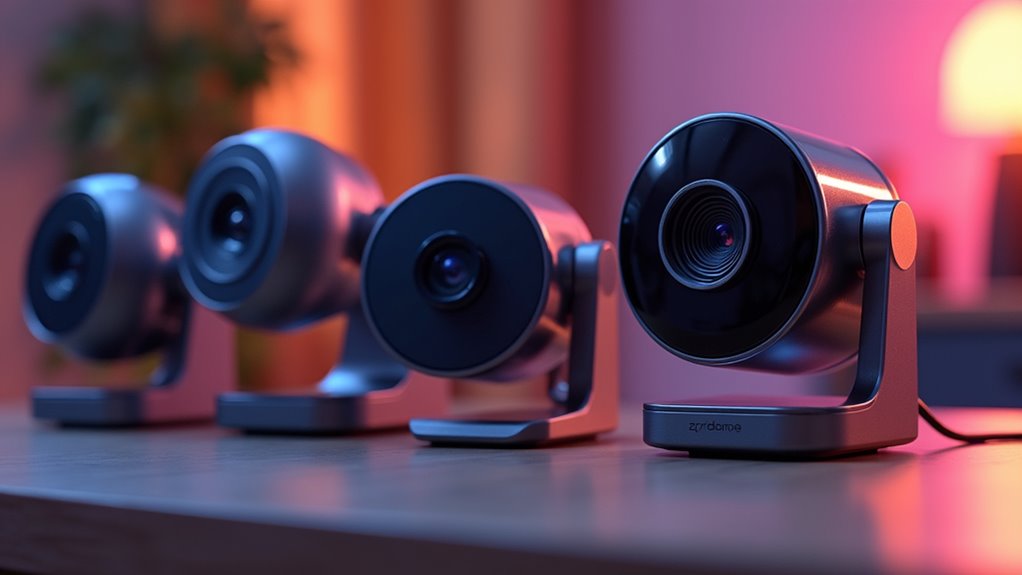

Webcams have become essential tools for remote work, streaming, and virtual meetings. The best models offer sharp video quality, reliable microphones, and user-friendly features, but they vary widely in price and capabilities. The Logitech Brio 101 stands out as the overall top pick for its balance of quality and affordability, while the Logitech Brio Ultra 4K caters to professional streamers needing ultra-high resolution. Buyers often face tradeoffs between resolution, ease of use, and price—higher-end models deliver more features but come at a premium. Keep reading for a detailed comparison that will help you find the best webcam for your needs.

Prime made for students and young adults
- Fast, free delivery for dorm and study essentials
- Prime Video and Amazon Music included
- Member-only deals
Complete the kit



Key Takeaways
- Higher-resolution webcams, like 4K models, are ideal for professional content creators but may be overkill for casual use.
- Built-in microphones with noise cancellation significantly improve call quality, especially in noisy environments.
- Auto light correction and low-light performance are key features that enhance video clarity in varied lighting conditions.
- Plug-and-play connectivity remains the standard, but some high-end webcams offer advanced settings via dedicated software.
- Budget webcams often sacrifice features like auto-focus and wide-angle lenses, making them less versatile for varied setups.
| NexiGo N60 1080P Webcam with Microphone, Privacy Cover, USB HD Camera for Video Calls and Streaming |  | Best Overall for Versatile Use | Resolution: 1920 x 1080 at 30fps | Lens: 3.6mm glass lens | Microphone: Built-in noise-canceling microphone | VIEW ON AMAZON | See Our Full Breakdown |
| Logitech Brio 101 Full HD 1080p Webcam for Streaming and Meetings – Black |  | Best for Environmentally Conscious Users | Resolution: Full HD 1080p | Brightness Boost: RightLight up to 50% | Microphone: Built-in microphone | VIEW ON AMAZON | See Our Full Breakdown |
| Logitech Brio 505 Full HD 1080p Business Webcam with Auto Light Correction |  | Best for Professional Video Calls with Auto-Features | Resolution: Full HD 1080p | Auto Light Correction: Yes | Microphones: Dual noise reduction | VIEW ON AMAZON | See Our Full Breakdown |
| 1080P HD Webcam with Microphone, Noise Cancellation, Privacy Cover, Wide-Angle Lens, Auto Light Correction, Plug & Play USB Webcam for Laptop, Desktop, PC, Mac, Zoom, Skype, Streaming |  | Best for Wide-Angle & All-Around Use | Resolution: 1080P HD | Lens: Wide-Angle | Microphone: Noise-Canceling | VIEW ON AMAZON | See Our Full Breakdown |
| Logitech C270 720p Webcam |  | Best for Budget HD Video | Video Resolution: 720p at 30 fps | Field of View: 55° | Light Correction: RightLight 2 | VIEW ON AMAZON | See Our Full Breakdown |
| Logitech C920x HD Pro PC Webcam Full 1080p/30fps Video |  | Best Overall for Versatile Content Creation | Resolution: Full HD 1080p at 30 fps | Autofocus: Yes | Lighting Adjustment: Yes | VIEW ON AMAZON | See Our Full Breakdown |
| Webcam 1080P with Microphone & Privacy Cover for PC/Laptop, USB Plug & Play, Auto Light Correction |  | Best for Beginners Needing Easy Setup and Privacy | Sensor Type: CMOS | Video Resolution: FHD | Focus Type: Fixed | VIEW ON AMAZON | See Our Full Breakdown |
| EMEET C960 1080P Webcam with Microphone, 2 Mics, 90° FOV, Computer Camera | 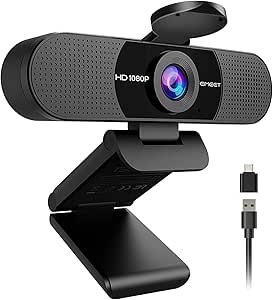 | Best for Wide-Angle, Versatile Conference Use | Resolution: 1920x1080p | Field of View: 90° | Microphones: 2 omnidirectional | VIEW ON AMAZON | See Our Full Breakdown |
| Logitech C922x HD Pro Webcam for PC and Mac |  | Best for Streamers and Content Creators | Video Resolution: Full HD 1080p at 30fps or 720p at 60fps | Autofocus: Yes | Light Correction: Yes | VIEW ON AMAZON | See Our Full Breakdown |
| Anker PowerConf C200 2K Webcam for PC/Laptop/Mac with Low-Light Correction |  | Best for Professional-Grade Video in Dim Lighting | Resolution: 2K Ultra-Clear | Audio: AI Noise Cancellation with dual mics | Low-Light Performance: Superior | VIEW ON AMAZON | See Our Full Breakdown |
| Logitech Brio Ultra 4K HD Webcam for Streaming and Meetings – Black |  | Best for Professional-Grade Video and Security Features | Resolution: 4K at 30 fps | Field of View: 65°, 78°, 90° presets | Microphones: Dual omnidirectional with noise-canceling | VIEW ON AMAZON | See Our Full Breakdown |
| 1080P FHD Webcam with Microphone, Privacy Cover, Wide-Angle Lens, Auto Light Correction, Plug and Play USB for PC, Laptop, Mac, Zoom, Skype |  | Best for Everyday Video Calls and Basic Streaming | Resolution: 1080p | Lens: Wide Angle | Microphone: Noise-Reducing Built-In Microphone | VIEW ON AMAZON | See Our Full Breakdown |
| webcam | Resolution | Compatibility |
|---|---|---|
| NexiGo N60 1080P Webcam with M | 1920 x 1080 at 30fps | USB 2.0/3.0, Mac OS X 10.7+, Windows 7/8/10/11, Android 4.0+, Linux 2.6.24, Chrome OS 29.0.1547, Ubuntu 10.04+ |
| Logitech Brio 101 Full HD 1080 | Full HD 1080p | USB A |
| Logitech Brio 505 Full HD 1080 | Full HD 1080p | Microsoft Teams, Zoom, Google Meet, Chromebook, Windows, macOS, ChromeOS |
| 1080P HD Webcam with Microphon | 1080P HD | — |
| Logitech C270 720p Webcam | — | Windows, Mac, Nintendo Switch |
| Logitech C920x HD Pro PC Webca | Full HD 1080p at 30 fps | Windows 11, Mac |
| Webcam 1080P with Microphone & | — | Multiple OS, Plug & Play |
| EMEET C960 1080P Webcam with M | 1920x1080p | — |
| Logitech C922x HD Pro Webcam f | — | PC, Mac, Nintendo Switch 2 |
| Anker PowerConf C200 2K Webcam | 2K Ultra-Clear | Windows 7+, macOS 10.11+ |
| Logitech Brio Ultra 4K HD Webc | 4K at 30 fps | — |
| 1080P FHD Webcam with Micropho | 1080p | — |
More Details on Our Top Picks
NexiGo N60 1080P Webcam with Microphone, Privacy Cover, USB HD Camera for Video Calls and Streaming
The NexiGo N60 stands out for delivering reliable 1080p video quality combined with a noise-canceling microphone, making it a solid choice for both professional and casual settings. Its plug-and-play compatibility across multiple operating systems simplifies setup, while the included privacy cover enhances security when not in use. Compared with the Logitech C270, the N60 offers sharper image clarity but lacks a built-in privacy shutter, making it slightly less convenient for quick security. Its main tradeoff is limited support for gaming consoles like Xbox, which can be a drawback for casual streamers seeking console compatibility. This webcam is best suited for users needing a straightforward, high-quality camera for video calls, streaming, and remote work, but not for gamers looking for console support.Pros:- Clear 1080p video with sharp image quality
- Built-in noise-canceling microphone improves audio clarity
- Plug-and-play with broad OS support
Cons:- No compatibility with gaming consoles like Xbox or PlayStation
- Requires firmware updates for optimal audio performance
Best for: Remote workers and streamers seeking dependable 1080p video with simple setup
Not ideal for: Console gamers who want a webcam compatible with Xbox or PlayStation
- Resolution:1920 x 1080 at 30fps
- Lens:3.6mm glass lens
- Microphone:Built-in noise-canceling microphone
- Compatibility:USB 2.0/3.0, Mac OS X 10.7+, Windows 7/8/10/11, Android 4.0+, Linux 2.6.24, Chrome OS 29.0.1547, Ubuntu 10.04+
- Privacy Cover:Yes
Our verdict“This webcam offers a great balance of quality and ease of use for professionals and streamers not concerned with console compatibility.”
Logitech Brio 101 Full HD 1080p Webcam for Streaming and Meetings – Black
The Logitech Brio 101 offers crisp 1080p video with Brightness Boost and shadow reduction, making it ideal for professional video calls and streaming in well-lit or uneven lighting conditions. Its privacy shutter adds a layer of security, and its compatibility with major platforms like Zoom and Teams makes it versatile for remote work. Compared to the NexiGo N60, the Brio 101 emphasizes eco-friendliness, using 77% recycled plastic and FSC-certified packaging, but it lacks the flexibility of USB-C connectivity that some users prefer for faster data transfer. The main tradeoff is its basic feature set, lacking advanced controls or zoom functions, which could be limiting for power users. This model makes sense for professionals who prioritize eco-friendly materials and straightforward plug-and-play use for conferencing.Pros:- Sharp 1080p video with enhanced brightness and shadow control
- Privacy shutter for security
- Made with 77% recycled plastic and FSC standards
Cons:- Limited to USB A, no USB-C option for faster transfer
- Basic feature set with no zoom or pan controls
Best for: Professionals seeking a reliable, eco-friendly webcam for meetings and streaming
Not ideal for: Gamers or content creators needing advanced features like zoom or 4K resolution
- Resolution:Full HD 1080p
- Brightness Boost:RightLight up to 50%
- Microphone:Built-in microphone
- Compatibility:USB A
- Material:77% post-consumer recycled plastic
Our verdict“This webcam is perfect for eco-conscious professionals who want dependable video quality for remote meetings without advanced streaming features.”
Logitech Brio 505 Full HD 1080p Business Webcam with Auto Light Correction
The Logitech Brio 505 provides dependable 1080p video with auto light correction, making it suitable for professional environments where lighting varies. Its dual noise reduction microphones ensure clear communication, and auto-framing features help keep focus on the speaker. Compared to the Logitech Brio 101, this model adds auto light correction and auto-framing, making it more suitable for dynamic environments. However, it still remains limited to 1080p resolution and doesn’t include 4K or zoom features, which some advanced users might seek. Its straightforward setup and compatibility with platforms like Teams and Zoom make it a good choice for remote professionals requiring consistent image quality and ease of use.Pros:- 1080p video with auto light correction for consistent quality
- Auto-framing keeps the subject centered
- Dual noise reduction microphones enhance audio clarity
Cons:- Limited to 1080p resolution, no 4K option
- No advanced zoom or pan controls
Best for: Business professionals needing reliable auto-correcting webcam for frequent meetings
Not ideal for: Content creators or streamers seeking high-resolution, customizable video options
- Resolution:Full HD 1080p
- Auto Light Correction:Yes
- Microphones:Dual noise reduction
- Privacy Shutter:Yes
- Compatibility:Microsoft Teams, Zoom, Google Meet, Chromebook, Windows, macOS, ChromeOS
- Sustainability:59% post-consumer recycled plastic
Our verdict“This webcam is a solid choice for professionals who want auto-enhanced video quality with minimal fuss for daily meetings.”
1080P HD Webcam with Microphone, Noise Cancellation, Privacy Cover, Wide-Angle Lens, Auto Light Correction, Plug & Play USB Webcam for Laptop, Desktop, PC, Mac, Zoom, Skype, Streaming
This 1080p webcam excels in providing a broad field of view with its wide-angle lens, making it ideal for group calls or content creation that benefits from a larger visual capture. Its noise-canceling microphone and auto light correction ensure clear video and audio in various lighting conditions. Compared with the Logitech C270, it offers a wider perspective but lacks the refined image quality and autofocus features found in higher-end models like the NexiGo N60. The main drawback is the absence of built-in storage or advanced zoom, limiting customization for professional streaming. This pick suits users who need a versatile camera for video calls, streaming, or recording in multi-person setups.Pros:- Vivid 1080p video with Auto Light Correction
- Wide-angle lens for broader perspective
- Noise-canceling microphone enhances audio
Cons:- No autofocus or zoom features for close-up detail
- Limited advanced controls or settings
Best for: Content creators or team users needing a wide-angle view for group calls or streaming
Not ideal for: Users seeking detailed, close-up video or advanced features like autofocus
- Resolution:1080P HD
- Lens:Wide-Angle
- Microphone:Noise-Canceling
- Light Correction:Auto Light Correction
- Privacy Cover:Yes
Our verdict“Ideal for users who need a wide field of view for group video calls or multi-person streaming without complex features.”
Logitech C270 720p Webcam
The Logitech C270 offers reliable 720p video quality that remains clear for everyday video calls and streaming. Its 55° field of view and auto light correction help produce decent images in typical lighting, making it suitable for casual users. Compared with the more advanced 1080p models like the NexiGo N60 or Logitech Brio 505, the C270’s lower resolution limits sharpness but keeps costs down, making it a good choice for basic needs. Its adjustable clip simplifies mounting on various devices, yet it’s less suited for professional streaming or high-quality content creation. This webcam is best for users who prioritize affordability and simplicity over resolution and advanced features.Pros:- Decent 720p video quality for standard calls
- Auto light correction improves image in different lighting
- Adjustable clip for flexible mounting
Cons:- Limited to 720p resolution, not suitable for high-quality streaming
- May not be compatible with all devices or newer systems
Best for: Casual users or students looking for an inexpensive webcam for video calls
Not ideal for: Content creators or professionals requiring crisp, high-resolution video
- Video Resolution:720p at 30 fps
- Field of View:55°
- Light Correction:RightLight 2
- Microphone:Built-in noise-reducing
- Compatibility:Windows, Mac, Nintendo Switch
Our verdict“This webcam provides a cost-effective solution for casual users who need basic HD video quality for everyday calls and meetings.”
Logitech C920x HD Pro PC Webcam Full 1080p/30fps Video
The Logitech C920x HD Pro stands out for delivering consistently sharp 1080p video at 30 fps, making it ideal for both professional streaming and casual video calls. Its autofocus and automatic lighting adjustment ensure clear images regardless of lighting conditions, a step up from the more basic webcams like the Logitech C270. The dual stereo microphones produce natural sound, but it lacks a privacy shutter, which could be a concern for privacy-conscious users. While the 30 fps limit at full HD is sufficient for most uses, it doesn’t support higher frame rates like 60 fps, which some gamers might prefer. This webcam offers a balanced mix of video quality and features, though the need for software for background effects adds a slight complexity for less tech-savvy users.
Pros:- Sharp 1080p video at 30 fps with autofocus
- Automatic lighting correction for varied environments
- Dual stereo microphones for natural sound
- Includes background removal software
Cons:- No built-in privacy shutter for added security
- Limited to 30 fps at full HD, not suitable for high-speed gaming
Best for: Content creators and professionals who want high-quality video with reliable autofocus and sound for streaming or conferences.
Not ideal for: Users seeking a webcam with built-in lighting or a privacy shutter for enhanced security and convenience.
- Resolution:Full HD 1080p at 30 fps
- Autofocus:Yes
- Lighting Adjustment:Yes
- Microphones:Dual stereo mics
- Includes:3-month XSplit VCam license
- Compatibility:Windows 11, Mac
Our verdict“This webcam is well-suited for users who prioritize video quality and audio clarity for streaming and video calls without the need for advanced features like 4K or built-in privacy shutters.”
Webcam 1080P with Microphone & Privacy Cover for PC/Laptop, USB Plug & Play, Auto Light Correction
This webcam offers 1080p resolution with HDR, providing crisp images in a variety of lighting conditions, comparable to the EMEET C960 but with a more straightforward plug-and-play experience. The built-in noise-canceling microphone and privacy shutter make it especially appealing for home users concerned about security and sound clarity. Its fixed focus may limit flexibility for close-up or distant shots, unlike the adjustable focus of the EMEET C960. While it lacks advanced features like wide-angle views or zoom, its simple design and reliable auto light correction make it perfect for everyday video conferencing, especially for those new to webcams.
Pros:- 1080p HDR video with auto light correction
- Built-in noise-canceling microphone
- Privacy shutter for security
- Plug-and-play USB connectivity
Cons:- Fixed focus limits versatility for different distances
- Basic design without zoom or wide-angle features
Best for: Home users and remote workers who prioritize easy setup, privacy, and decent image quality without extra complexity.
Not ideal for: Professional content creators or streamers requiring adjustable focus or wide-angle shots for more dynamic content.
- Sensor Type:CMOS
- Video Resolution:FHD
- Focus Type:Fixed
- Special Features:HDR, Noise-Canceling Microphone
- Privacy:Sliding lens cover
- Compatibility:Multiple OS, Plug & Play
Our verdict“This webcam suits users seeking straightforward, high-quality video with privacy features for daily meetings or casual streaming.”
EMEET C960 1080P Webcam with Microphone, 2 Mics, 90° FOV, Computer Camera
The EMEET C960 excels with its broad 90° field of view and dual omnidirectional microphones, making it an excellent choice for team meetings or group calls. Its fixed focus and automatic light adjustment ensure clear images across different lighting environments, similar to the Anker PowerConf C200 but with a narrower resolution of 1080p rather than 2K. The wide-angle lens can capture more in the frame, though it might introduce distortion if used too close. Its plug-and-play USB connection and compatibility across multiple platforms make it a reliable, user-friendly option for professional and personal use, especially where a wide shot is needed.
Pros:- Wide 90° field of view for group coverage
- Dual omnidirectional microphones for clear audio
- Automatic light correction for consistent image quality
- Plug-and-play USB connectivity
Cons:- Does not support higher resolutions like 2K or 4K
- No zoom or pan features for framing flexibility
Best for: Small team meetings or group calls where capturing a wide scene is more important than ultra-high resolution.
Not ideal for: Individuals seeking high-resolution detail or a camera with zoom capabilities for close-up shots or solo streaming.
- Resolution:1920x1080p
- Field of View:90°
- Microphones:2 omnidirectional
- Focus Type:Fixed
- Connectivity:USB Type-A & A-to-C
- Special Features:Auto Light Correction
Our verdict“Ideal for collaborative settings where capturing multiple speakers or a wide scene takes precedence over ultra-fine detail.”
Logitech C922x HD Pro Webcam for PC and Mac
The Logitech C922x is a popular choice for streamers thanks to its flexible video options—offering 1080p at 30 fps or 720p at 60 fps—making it more adaptable than the C920x for fast-paced content. Its autofocus and light correction are similar, but the C922x’s ability to switch frame rates for different scenarios gives it an edge for dynamic content. The stereo microphones produce clearer, richer sound, and the included 3-month XSplit VCam license simplifies background editing, unlike the more basic options. However, it shares the same privacy shutter absence as the C920x, which might be a dealbreaker for some users. Overall, it’s tailored for creators who need higher frame rate options and background editing tools in a reliable package.
Pros:- 1080p at 30 fps or 720p at 60 fps for versatile streaming
- Autofocus and light correction ensure clear images
- Stereo microphones for richer sound
- Includes background removal software
Cons:- No privacy shutter included
- Somewhat bulky design for portable use
Best for: Streamers, professional content creators, and those who want flexible video frame rate options for live content.
Not ideal for: Casual users or those seeking an ultra-compact webcam, as it tends to be somewhat bulky and more feature-rich than necessary for basic needs.
- Video Resolution:Full HD 1080p at 30fps or 720p at 60fps
- Autofocus:Yes
- Light Correction:Yes
- Microphones:Stereo dual mics
- Included Software:3-month XSplit VCam license
- Compatibility:PC, Mac, Nintendo Switch 2
Our verdict“This webcam is best suited for streamers and creators needing flexible frame rates and background editing capabilities in a reliable, feature-rich device.”
Anker PowerConf C200 2K Webcam for PC/Laptop/Mac with Low-Light Correction
The Anker PowerConf C200 delivers 2K resolution, offering superior detail compared to most 1080p webcams, making it particularly appealing for professional video calls and presentations. Its AI noise-canceling microphones improve audio clarity, matching the sound quality of the more premium options like the Logitech Brio. The standout feature is its low-light performance, which is often a weak point in competing webcams; it performs remarkably well even in poorly lit environments. The adjustable viewing angles provide flexibility for framing, but the higher price point reflects its advanced features. Compared with the C960, the C200’s higher resolution and enhanced low-light capabilities make it better suited for high-stakes professional use, though it might be overkill for casual users.
Pros:- Stunning 2K ultra-clear video quality
- Effective AI noise cancellation microphones
- Exceptional low-light performance
- Flexible adjustable viewing angles
Cons:- Higher price compared to 1080p alternatives
- No built-in lighting or zoom features
Best for: Remote professionals and executives who need high-resolution video and excellent performance in low-light conditions.
Not ideal for: Casual users or budget-conscious buyers who do not require 2K resolution or advanced noise cancellation.
- Resolution:2K Ultra-Clear
- Audio:AI Noise Cancellation with dual mics
- Low-Light Performance:Superior
- Viewing Angles:65°, 78°, 95°
- Privacy:Sliding lens cover
- Compatibility:Windows 7+, macOS 10.11+
Our verdict“This webcam makes the most sense for professionals demanding high resolution and reliable performance in varying lighting conditions.”
Logitech Brio Ultra 4K HD Webcam for Streaming and Meetings – Black
The Logitech Brio Ultra 4K stands out for delivering stunning 4K resolution, which makes it ideal for content creators or professionals who need crisp, detailed video quality. Compared with the 1080p options like the 1080P FHD Webcam, it offers much sharper visuals but comes at a higher price point, making it less accessible for casual users. Its adjustable field of view and HDR lighting adjustment ensure versatile framing and consistent image quality across different environments. The inclusion of Windows Hello facial recognition adds a layer of security and convenience that 1080p webcams typically lack, but this feature requires compatible hardware. The dual noise-canceling microphones improve audio clarity, yet the large size and premium price could be downsides for those with limited desk space or tighter budgets. This webcam is best suited for professionals, streamers, or remote workers who prioritize high-quality video and advanced features and are willing to invest accordingly.
Pros:- Stunning 4K video quality with excellent color accuracy
- Supports Windows Hello facial recognition for quick login
- Adjustable field of view and customizable controls via app
- Excellent lighting adjustment with HDR and RightLight 3
Cons:- Premium price may be prohibitive for casual users
- Requires USB 3.0 port for optimal performance
- Large size may not fit smaller or cluttered setups
Best for: Professionals, streamers, or content creators needing high-resolution video with security features
Not ideal for: Casual users or students on a budget who only need basic video quality and simple setup
- Resolution:4K at 30 fps
- Field of View:65°, 78°, 90° presets
- Microphones:Dual omnidirectional with noise-canceling
- Lighting Adjustment:RightLight 3, HDR
- Windows Hello Support:Yes
- Privacy Shutter:Attachable, flip-up design
Our verdict“This webcam is ideal for professionals and streamers seeking premium quality and security features, provided they’re willing to pay a premium price.”
1080P FHD Webcam with Microphone, Privacy Cover, Wide-Angle Lens, Auto Light Correction, Plug and Play USB for PC, Laptop, Mac, Zoom, Skype
The 1080P FHD Webcam offers a balanced combination of good video quality and user-friendly features, making it a strong choice for everyday users and online meeting participants. Unlike the Logitech Brio, which provides 4K resolution, this model sticks to 1080p, but with a wider lens that captures more of your surroundings, which is beneficial for group calls or small presentations. Its automatic light correction ensures decent visuals in various lighting conditions, though it won’t match the advanced HDR capabilities of higher-end models. The built-in noise-canceling microphone and privacy cover enhance security and clarity, yet it lacks the premium features like facial recognition or customizable controls found in more expensive webcams. This pick makes the most sense for users who want reliable HD video without paying for unnecessary extras, especially in home or small office setups.
Pros:- High-definition 1080p video with a wide-angle lens
- Built-in noise-canceling microphone for clear communication
- Automatic light correction for various lighting conditions
- Privacy cover for security and peace of mind
Cons:- Limited to 1080p resolution, not 4K
- Requires a USB connection, which may not suit wireless setups
- No advanced features like facial recognition or app customization
Best for: Home users, students, or small business professionals needing dependable 1080p video with privacy features
Not ideal for: Content creators or streamers who require ultra-high resolution or advanced customization options
- Resolution:1080p
- Lens:Wide Angle
- Microphone:Noise-Reducing Built-In Microphone
- Light Correction:Automatic Light Correction Technology
- Privacy Cover:Yes
- Connectivity:USB 2.0/3.0/3.1, OTG
Our verdict“This webcam offers reliable HD video quality and security features, perfect for everyday video calls and online meetings on a budget.”

How We Picked
The webcams in this roundup were evaluated based on several key criteria: video quality, ease of use, build quality, microphone performance, and value for money. We prioritized models that offer consistent, sharp images with minimal setup, and included features like auto light correction and privacy covers. Durability and compatibility across operating systems were also considered, ensuring users can rely on these webcams for both professional and casual needs. The ranking reflects a combination of performance, versatility, and user experience, aiming to help buyers find options that fit different budgets and use cases.Factors to Consider When Choosing Webcams
When choosing a webcam, it’s important to consider several factors beyond just resolution. The right model depends on your specific needs—whether you prioritize streaming quality, ease of use, or affordability. Understanding these key considerations can help you avoid common pitfalls, such as buying a webcam with high resolution but poor low-light performance or one that isn’t compatible with your device. Here are some critical factors to keep in mind:Resolution and Frame Rate
Higher resolution webcams, like 4K models, provide sharper images, which is beneficial for professional streaming or recording. However, they often require more powerful hardware and may increase bandwidth demands during live sessions. For most casual or business use, 1080p at 30fps offers a good balance of quality and performance, ensuring smooth video without stressing your system. Consider your primary use—if you stream or record professionally, investing in higher resolution could be worthwhile, but for everyday calls, 720p or 1080p is usually sufficient.
Low-Light Performance
Good low-light capabilities prevent your video from looking grainy or dark when lighting conditions aren’t ideal. Features like auto light correction and enhanced sensors help maintain clarity in dim environments. Many budget webcams lack this feature, leading to less professional-looking results in typical home or office settings. If you often work in variable lighting, prioritizing webcams with low-light enhancement can significantly improve your video quality without additional lighting equipment.
Built-in Microphone Quality
Audio quality is just as important as video, especially for meetings and content creation. Look for webcams with microphones that feature noise cancellation and stereo sound. Models with multiple microphones can better capture your voice from different angles and reduce background noise. Poor microphone quality can lead to frustrating audio experiences, so don’t overlook this feature if clear communication matters to you.
Ease of Use and Compatibility
Plug-and-play models that work seamlessly with Windows, Mac, and Linux simplify setup and reduce frustration. Some webcams come with dedicated software for adjusting settings like zoom, pan, or focus, which can enhance your experience but also add complexity. Consider whether you need advanced controls or prefer a straightforward setup—especially if you’re a beginner. Compatibility with popular video conferencing platforms like Zoom, Skype, and Teams is also essential for hassle-free use.
Price and Value
While premium webcams offer features like 4K resolution and wide-angle lenses, many users find that high-quality 1080p models meet their needs at a more accessible price point. Budget options can suffice for basic video calls, but they often lack features like autofocus, privacy covers, or good low-light performance. Balance your budget against your priorities—sometimes spending a bit more yields significant improvements in quality and longevity, making it a smarter investment.
Frequently Asked Questions
Should I prioritize resolution or microphone quality in my webcam?
Both are important, but the decision depends on your primary use. If you’re streaming or recording videos professionally, higher resolution can make a noticeable difference in image clarity. Conversely, if clear audio is vital for meetings or podcasts, investing in a webcam with a high-quality microphone or an external mic might be better. In most cases, a balanced approach—good resolution combined with decent microphone performance—is the best way to ensure a professional appearance and sound.
Is 4K webcam worth the extra cost for casual use?
For casual video calls or meetings, 4K webcams often provide more detail than necessary, and the benefits may not justify the additional expense. They require more powerful hardware and higher bandwidth, which can lead to lag or dropped frames if your system isn’t robust. Unless you plan to produce professional content or need ultra-high resolution for specific tasks, a 1080p model will generally serve you well and save money.
Do I need a webcam with a privacy cover?
Including a privacy cover is a simple way to protect your privacy when the webcam isn’t in use. While not strictly necessary, it offers peace of mind—especially if your device is connected to the internet constantly. Many webcams now include built-in covers or sliding shutters, which are inexpensive but effective features that can prevent accidental or malicious access to your camera feed.
How important is low-light performance for everyday use?
Low-light performance can significantly improve your video quality in dim environments, making your image clearer and more professional-looking. If you often work from home or in rooms with poor lighting, investing in a webcam with good low-light correction is worthwhile. Without this feature, your video may appear grainy or dark, which can detract from your professionalism and engagement during calls.
Are external microphones necessary if my webcam has a built-in mic?
Built-in microphones are convenient, but they often fall short in noisy environments or for high-quality audio needs. An external microphone can dramatically improve sound clarity and reduce background noise, especially for podcasts, streaming, or important meetings. If you rely heavily on audio quality, pairing your webcam with an external mic is a smart upgrade that can make a noticeable difference.
Conclusion
For most users, the Logitech C920x HD offers a compelling blend of quality and affordability, making it ideal for everyday video calls and casual streaming. The Logitech Brio 101 makes sense for those seeking a step up without breaking the bank, especially if auto light correction and decent resolution matter. Professionals or content creators wanting the best quality should consider the Logitech Brio Ultra 4K, despite its higher price. Beginners will appreciate straightforward, reliable models like the NexiGo N60, while power users with specific needs may prefer high-end options with advanced features. Ultimately, your choice should align with your primary use case, budget, and performance expectations.
As an affiliate, we earn on qualifying purchases.Halloween Picks

Govee Outdoor Halloween Projector Light with 3D Effects

27FT Giant Inflatable Pumpkin Lighted Outdoor Halloween Decor

MGparty 14.5FT Halloween Inflatable Walk-in Pumpkin House with LED Lights