For most students, the Amazon Kindle Paperwhite (2024, 16 GB) is the best overall choice: its larger screen, adjustable warm light, and waterproof design suit long reading sessions and busy campus routines. The basic Kindle (2024) is a simpler, more compact pick for students focused on assigned reading, while the Kindle Scribe stands out for readers who want to mark up documents and take handwritten notes. The main tradeoffs are screen size, color versus monochrome, note-taking tools, and whether a bundle or premium feature set adds real value to your routine. This roundup compares all 15 listings, including overlapping editions, bundles, and refurbished models. Read on for the full breakdown and guidance on matching a Kindle to your study habits.

Prime made for students and young adults
- Fast, free delivery for dorm and study essentials
- Prime Video and Amazon Music included
- Member-only deals
Key Takeaways
- The standard 2024 Paperwhite is the strongest all-around student fit: it balances a roomy 7-inch screen with reading-focused features without adding the Scribe’s larger size or note-taking complexity.
- The basic Kindle is the clearest portability choice: its 6-inch display is easier to carry between classes, but the smaller reading area may feel less comfortable for long sessions or dense pages.
- Color is a specialized advantage, not a universal upgrade: Colorsoft models can make color-coded material and illustrated books easier to browse, while monochrome Kindles remain better suited to text-heavy reading.
- The Scribe serves a different study routine: its 11-inch screen and Premium Pen support document markup and handwritten notes, but it is less convenient as a small everyday reading device.
- Several entries are near-duplicates or bundles: Paperwhite Signature editions repeat across the list, and covers, chargers, or docks should be weighed against whether a student already owns compatible accessories.
| Amazon Kindle Paperwhite (2024, 16 GB) – 7-inch Display, Black |  | Best Overall for Student Reading | Generation: 12th Generation, 2024 release | Display: 7-inch Paperwhite, 300 ppi, 16-level grayscale | Storage: 16 GB | VIEW LATEST PRICE | See Our Full Breakdown |
| Amazon Kindle Colorsoft Signature Edition (2024), 32GB, Metallic Black |  | Best for Color Study Notes | Condition: Refurbished, tested and certified to look and work like new | Display: 7-inch Colorsoft; 300 ppi black and white, 150 ppi color | Storage: 32 GB | VIEW LATEST PRICE | See Our Full Breakdown |
| Amazon Kindle (2024, 16 GB) E-Reader, Black |  | Best Compact Pick | Model: Kindle, 11th Generation, 2024 release | Display: 6-inch glare-free display, 300 ppi, 16-level grayscale | Storage: 16 GB | VIEW LATEST PRICE | See Our Full Breakdown |
| Kindle Paperwhite Signature Edition (2024), 32 GB, Metallic Black | 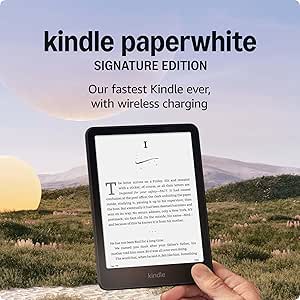 | Best Premium Refurbished Pick | Model: Kindle Paperwhite Signature Edition, 12th Generation, 2024 | Condition: Certified refurbished | Display: 7-inch Paperwhite, 300 ppi, 16-level grayscale | VIEW LATEST PRICE | See Our Full Breakdown |
| Kindle Paperwhite 16GB Bundle with Plant-Based Leather Cover and 9W Power Adapter |  | Best Ready-to-Study Bundle | Generation: 12th Generation, 2024 release | Display: 7-inch Paperwhite, 300 ppi, built-in adjustable light | Storage: 16 GB | VIEW LATEST PRICE | See Our Full Breakdown |
| Amazon Kindle Paperwhite (12th Generation, 2024), 16 GB, 7-inch Display, Black |  | Best Overall for Campus Reading | Display: 7-inch Paperwhite display, 300 ppi | Storage: 16 GB | Weight: 7.4 oz (211 g) | VIEW LATEST PRICE | See Our Full Breakdown |
| Amazon Kindle (16 GB, 11th Generation, 2024) – Refurbished, Black |  | Best Compact Refurbished Pick | Condition: Certified refurbished | Generation: 11th Generation (2024 release) | Display: 6-inch glare-free display, 300 ppi, built-in adjustable light, 16-level grayscale | VIEW LATEST PRICE | See Our Full Breakdown |
| Kindle Paperwhite Signature Edition Bundle, 32 GB, Jade, with Fabric Cover and Wireless Charging Dock |  | Best Ready-to-Use Premium Bundle | Model: Kindle Paperwhite Signature Edition (12th Generation, 2024) | Storage: 32 GB | Display: 7-inch Paperwhite display, 300 ppi, 16-level grayscale | VIEW LATEST PRICE | See Our Full Breakdown |
| Amazon Kindle Colorsoft 16 GB E-Reader with 7-Inch Color Display |  | Best for Color-Coded Study Notes | Display: 7-inch Colorsoft display with built-in light | Resolution: 300 ppi black and white; 150 ppi color | Storage: 16 GB | VIEW LATEST PRICE | See Our Full Breakdown |
| Amazon Kindle Paperwhite Signature Edition (2024), 32 GB, Metallic Black |  | Best Premium Standalone Reader | Generation: 12th Generation, 2024 release | Display: 7-inch Paperwhite display, 300 ppi, 16-level grayscale | Storage: 32 GB | VIEW LATEST PRICE | See Our Full Breakdown |
| Amazon Kindle (2024, 11th Generation), 16 GB, Matcha, Like-New Refurbished |  | Best Refurbished Compact Pick | Model: Kindle, 11th Generation, 2024 release | Condition: Like-new refurbished; tested and certified | Display: 6-inch, 300 ppi, glare-free, adjustable built-in light, 16-level grayscale | VIEW LATEST PRICE | See Our Full Breakdown |
| Amazon Kindle Scribe 32GB, 11-Inch Display with Front Light and Premium Pen, Graphite |  | Best for Handwritten Notes and PDFs | Generation: 3rd Generation | Display: 11-inch Paperwhite display, 300 ppi, built-in light, 16-level grayscale | Storage: 32 GB (23 GB available to user) | VIEW LATEST PRICE | See Our Full Breakdown |
| Amazon Kindle (Newest Model), 16 GB, 6-inch Display, Ube |  | Best for Simple, Everyday Reading | Display: 6-inch, glare-free front display | Storage: 16 GB | Battery life: Up to 6 weeks per charge | VIEW LATEST PRICE | See Our Full Breakdown |
| Kindle Paperwhite Bundle (16 GB, Raspberry) with Fabric Cover and 9W Power Adapter |  | Best Complete Kit for Campus | Generation: 12th Generation, 2024 release | Display: 7-inch Paperwhite, 300 ppi, built-in adjustable light | Storage: 16 GB | VIEW LATEST PRICE | See Our Full Breakdown |
| Kindle Paperwhite (16 GB) with 6.8-inch Display and Adjustable Warm Light |  | Best Previous-Generation Paperwhite | Generation: 11th generation, 2021 release | Display: 6.8-inch, 300 ppi, glare-free, 16-level grayscale | Storage: 16 GB | VIEW LATEST PRICE | See Our Full Breakdown |
| kindle e-readers for student | Display | Storage | Battery life | Weight |
|---|---|---|---|---|
| Amazon Kindle Paperwhite | 7-inch Paperwhite, 300 ppi, 16-level grayscale | 16 GB | Up to 12 weeks under specified usage conditions | 7.4 oz (211 g) |
| Amazon Kindle Colorsoft Signat | 7-inch Colorsoft; 300 ppi black and white, 150 ppi color | 32 GB | Up to 8 weeks under specified reading conditions | 7.7 oz (219 g) |
| Amazon Kindle | 6-inch glare-free display, 300 ppi, 16-level grayscale | 16 GB | Up to 6 weeks under specified reading conditions | 5.56 oz (158 g) |
| Kindle Paperwhite Signature Ed | 7-inch Paperwhite, 300 ppi, 16-level grayscale | 32 GB | Up to 12 weeks under specified usage conditions | 7.5 oz (214 g) |
| Kindle Paperwhite 16GB Bundle | 7-inch Paperwhite, 300 ppi, built-in adjustable light | 16 GB | Up to 12 weeks under specified use conditions | 7.4 oz (211 g) |
| Amazon Kindle Paperwhite | 7-inch Paperwhite display, 300 ppi | 16 GB | Up to 12 weeks under specified usage conditions | 7.4 oz (211 g) |
| Amazon Kindle | 6-inch glare-free display, 300 ppi, built-in adjustable light, 16-level grayscale | 16 GB | Up to 6 weeks per charge | 5.56 oz (158 g) |
| Kindle Paperwhite Signature Ed | 7-inch Paperwhite display, 300 ppi, 16-level grayscale | 32 GB | Up to 12 weeks with half an hour of daily reading, wireless off, and light setting at 13 | 7.5 oz (214 g) |
| Amazon Kindle Colorsoft 16 GB | 7-inch Colorsoft display with built-in light | 16 GB | Up to 8 weeks based on 30 minutes of reading per day, wireless off, and light setting at 13 | 7.6 oz (215 g) |
| Amazon Kindle Paperwhite Signa | 7-inch Paperwhite display, 300 ppi, 16-level grayscale | 32 GB | Up to 12 weeks per charge under specified conditions | 7.5 oz (214 g) |
| Amazon Kindle | 6-inch, 300 ppi, glare-free, adjustable built-in light, 16-level grayscale | 16 GB | Up to 6 weeks under specified conditions | 5.56 oz (158 g) |
| Amazon Kindle Scribe 32GB | 11-inch Paperwhite display, 300 ppi, built-in light, 16-level grayscale | 32 GB (23 GB available to user) | Up to 12 weeks reading or 3 weeks writing under specified conditions | — |
| Amazon Kindle | 6-inch, glare-free front display | 16 GB | Up to 6 weeks per charge | — |
| Kindle Paperwhite Bundle | 7-inch Paperwhite, 300 ppi, built-in adjustable light | 16 GB | Up to 12 weeks under specified conditions | 7.4 oz (211 g) |
| Kindle Paperwhite | 6.8-inch, 300 ppi, glare-free, 16-level grayscale | 16 GB | Up to 10 weeks under specified conditions | 7.23 oz (205 g) |
More Details on Our Top Picks
Amazon Kindle Paperwhite (2024, 16 GB) – 7-inch Display, Black
For students who want one e-reader for assigned books, leisure reading, and commuting, I’d put the 2024 Kindle Paperwhite first. Its 7-inch, 300 ppi screen gives pages more room than the basic 2024 Kindle, while remaining glare-free for reading outside or near classroom windows. Adjustable white-to-amber lighting and Dark Mode also make late-night reading easier to tailor without switching devices. The 16 GB capacity suits a sizable digital library, and the long stated battery life means fewer charging interruptions during a busy term. IPX8 waterproofing adds peace of mind around a water bottle or on a rainy walk. The tradeoff is that it lacks the Colorsoft’s color highlighting and the Signature Edition’s 32 GB storage and auto-adjusting light; students who mainly read novels may not need either upgrade.
Pros:- 7-inch, 300 ppi glare-free screen offers more reading space than the basic 2024 Kindle.
- Adjustable white-to-amber lighting and Dark Mode support reading across different study schedules.
- IPX8 waterproofing suits commuting and reading near drinks.
- 16 GB storage and up to 12 weeks of stated battery life support an extensive reading routine.
Cons:- No color display for color-coded notes or graphics.
- Lacks the Signature Edition’s 32 GB storage and auto-adjusting front light.
- Bluetooth audiobook streaming reduces battery life.
Best for: Students who read a mix of course materials and novels and want a roomy, waterproof screen without the extra features of a premium edition.
Not ideal for: Students who need color-coded highlights for illustrated material or regularly carry large document collections that would benefit from 32 GB storage.
- Generation:12th Generation, 2024 release
- Display:7-inch Paperwhite, 300 ppi, 16-level grayscale
- Storage:16 GB
- Weight:7.4 oz (211 g)
- Battery life:Up to 12 weeks under specified usage conditions
- Charging:USB-C; fully charges in less than 2.5 hours with a 9 W adapter
- Waterproofing:IPX8; tested in 2 m of fresh water for 60 minutes
- Connectivity:2.4 GHz and 5.0 GHz Wi-Fi
Our verdict“Choose this Paperwhite if you want a well-rounded student reader with a larger screen and waterproofing, but do not need color or premium storage features.”
Amazon Kindle Colorsoft Signature Edition (2024), 32GB, Metallic Black
When color is part of how a student studies, the Kindle Colorsoft Signature Edition fills a role the monochrome Paperwhite cannot: it supports four-color highlighting on a 7-inch display. That can help readers distinguish themes, categories, or lecture annotations at a glance, while 32 GB leaves more room for books and documents than the standard Paperwhite’s 16 GB. Its waterproof build and automatic front lighting add everyday flexibility, and wireless charging is available with a separately sold dock. I’d choose it over the Paperwhite when color annotation has a clear purpose, not just because it is the more feature-rich device. Color renders at 150 ppi rather than the 300 ppi black-and-white resolution, and battery life is stated at up to eight weeks, below the Paperwhite’s up to 12 weeks. This unit is also refurbished, a condition that may not suit students who prefer new devices.
Pros:- Color display supports highlighting in four colors, unlike the monochrome Paperwhite.
- 32 GB storage provides twice the capacity of the standard 16 GB Paperwhite.
- IPX8 waterproofing and auto-adjusting front lighting support varied study settings.
- Supports USB-C and optional wireless charging.
Cons:- Color resolution is 150 ppi, lower than the 300 ppi black-and-white display.
- Stated battery life is up to eight weeks, compared with up to 12 weeks for the Paperwhite.
- Refurbished condition and separately sold wireless charging dock may not suit every buyer.
Best for: Students who organize reading with color-coded highlights and want extra storage for a larger digital library.
Not ideal for: Students who mostly read plain-text books, prioritize the longest stated battery life, or want to avoid buying a refurbished device.
- Condition:Refurbished, tested and certified to look and work like new
- Display:7-inch Colorsoft; 300 ppi black and white, 150 ppi color
- Storage:32 GB
- Weight:7.7 oz (219 g)
- Battery life:Up to 8 weeks under specified reading conditions
- Charging:USB-C; wireless charging supported with a separately sold dock
- Waterproofing:IPX8; tested in 2 m of fresh water for 60 minutes
- Warranty:1-year limited warranty
Our verdict“Pick the Colorsoft if color highlighting will support your study habits; otherwise, the standard Paperwhite offers longer stated battery life for simpler reading.”
Amazon Kindle (2024, 16 GB) E-Reader, Black
The 2024 Kindle is the simplest fit for students who value a light bag and straightforward reading over a larger screen. At 5.56 ounces, it is lighter than the 7-inch Paperwhite, so carrying it between lectures or reading one-handed feels like the priority of this design. Its 6-inch glare-free display still provides 300 ppi text, adjustable front lighting, and Dark Mode, while 16 GB holds a substantial library. That makes it a capable choice for novels, assigned reading, and text-first study material. The tradeoff is less screen area and a shorter stated battery life—up to six weeks versus the Paperwhite’s up to 12. It also lacks the Paperwhite’s waterproofing and adjustable warm lighting. Some personal document formats may require conversion, so students relying on varied course files should check compatibility before choosing it.
Pros:- Lightweight 5.56-ounce design is easier to carry than the 7-inch Paperwhite.
- 6-inch glare-free 300 ppi display keeps text crisp.
- Adjustable front light, Dark Mode, and flexible text settings support different reading preferences.
- 16 GB storage provides ample room for a digital book collection.
Cons:- Smaller display offers less room for dense course material than the Paperwhite.
- No IPX8 waterproofing or adjustable warm lighting.
- Stated battery life is up to six weeks, shorter than the Paperwhite’s up to 12 weeks; some document formats need conversion.
Best for: Students who commute with a small bag, read mostly text, and prefer a lighter, more compact device to a larger-screen reader.
Not ideal for: Students who need waterproofing, a larger display for dense pages, or straightforward support for a wide range of personal document formats.
- Model:Kindle, 11th Generation, 2024 release
- Display:6-inch glare-free display, 300 ppi, 16-level grayscale
- Storage:16 GB
- Weight:5.56 oz (158 g)
- Battery life:Up to 6 weeks under specified reading conditions
- Charging:USB-C; approximately 4 hours from a computer or 2 hours with a 9 W adapter
- Accessibility:VoiceView screen reader over Bluetooth audio; adjustable font and layout settings
- Materials:75% recycled plastics and 90% recycled magnesium
Our verdict“Choose the compact Kindle if low carry weight matters more than a larger, waterproof screen and longer stated battery life.”
Kindle Paperwhite Signature Edition (2024), 32 GB, Metallic Black
For students who keep a large digital library and want fewer lighting adjustments, the Paperwhite Signature Edition adds practical upgrades over the standard 16 GB Paperwhite. Its 32 GB capacity is useful for holding more books and documents, while the auto-adjusting front light responds to surrounding conditions instead of relying on manual changes. It retains the 7-inch, 300 ppi screen, waterproofing, and up to 12 weeks of stated battery life, so the core reading experience stays close to the regular Paperwhite. Wireless charging is supported, though the dock is sold separately. The main caveat is its certified refurbished condition; students set on an unrefurbished device may prefer the standard Paperwhite. Compared with the Colorsoft, this model gives up color highlighting but offers the sharper monochrome reading format and longer stated battery life.
Pros:- 32 GB storage offers twice the capacity of the standard 16 GB Paperwhite.
- Auto-adjusting front light reduces the need to change brightness manually.
- 7-inch, 300 ppi display and IPX8 waterproofing suit everyday campus reading.
- Supports wireless charging and has up to 12 weeks of stated battery life.
Cons:- Certified refurbished condition may not appeal to students seeking a new device.
- Wireless charging dock is sold separately.
- No color display for color-coded notes or illustrated material.
Best for: Students with large ebook or document libraries who want automatic lighting and extra storage in a refurbished waterproof reader.
Not ideal for: Students who want a new device, need color-coded highlights, or do not expect to use the extra storage and automatic lighting.
- Model:Kindle Paperwhite Signature Edition, 12th Generation, 2024
- Condition:Certified refurbished
- Display:7-inch Paperwhite, 300 ppi, 16-level grayscale
- Storage:32 GB
- Weight:7.5 oz (214 g)
- Lighting:Auto-adjusting front light
- Battery life:Up to 12 weeks under specified usage conditions
- Waterproofing:IPX8; tested in 2 m of fresh water for 60 minutes
- Warranty:1-year limited warranty
Our verdict“Choose this Signature Edition if extra storage and automatic lighting matter enough to justify a refurbished device over the standard Paperwhite.”
Kindle Paperwhite 16GB Bundle with Plant-Based Leather Cover and 9W Power Adapter
Students who want the key accessories sorted from the start may prefer this Paperwhite bundle to the standalone 16 GB model. It includes a plant-based leather cover and a 9 W power adapter alongside the same 7-inch, 300 ppi, waterproof reading device. The cover helps protect a reader that will spend time in backpacks, while the included adapter gives students a direct charging option without sourcing one separately. Against the Paperwhite Signature Edition, this bundle skips 32 GB storage, auto-adjusting lighting, and wireless charging; its advantage is a simpler package focused on everyday essentials. The core device still offers adjustable lighting, USB-C charging, and up to 12 weeks of stated battery life. Students who already own a suitable cover or adapter may find the bundled items less useful, and the 16 GB capacity is not the larger option in this lineup.
Pros:- Includes a plant-based leather cover to protect the device in a student bag.
- Includes a 9 W power adapter as well as a USB-C charging cable.
- 7-inch, 300 ppi glare-free display has adjustable lighting.
- IPX8 waterproofing and up to 12 weeks of stated battery life suit regular daily reading.
Cons:- 16 GB storage is less than the 32 GB Signature Edition.
- No auto-adjusting front light or wireless charging support listed.
- Included cover and adapter add little value for students who already have compatible accessories.
Best for: Students buying their first e-reader who want a protective cover and charging adapter included for campus and home use.
Not ideal for: Students who already own a cover and adapter, need more than 16 GB of storage, or want the Signature Edition’s automatic light and wireless charging.
- Generation:12th Generation, 2024 release
- Display:7-inch Paperwhite, 300 ppi, built-in adjustable light
- Storage:16 GB
- Weight:7.4 oz (211 g)
- Battery life:Up to 12 weeks under specified use conditions
- Charging:USB-C; fully charges in less than 2.5 hours with a 9 W adapter
- Waterproofing:IPX8; tested in 2 m of fresh water for 60 minutes
- Included items:Kindle Paperwhite, plant-based leather cover, 9 W power adapter, USB-C charging cable, Quick Start Guide
Our verdict“Choose this bundle if you want a Paperwhite with a cover and adapter ready to use, but pick the Signature Edition for more storage and automatic lighting.”
Amazon Kindle Paperwhite (12th Generation, 2024), 16 GB, 7-inch Display, Black
The standard Kindle Paperwhite is my strongest all-around choice for students who want a dedicated reader that can move between dorm, library, and commute. Its 7-inch, 300 ppi screen keeps text crisp, while adjustable white-to-amber lighting helps with late-night reading without adding the extra storage features of the Signature Edition. Compared with the smaller refurbished Kindle, the Paperwhite gives more room for page text and adds IPX8 waterproofing, useful for reading near a pool or carrying through wet weather. The tradeoff is that it weighs more and lacks wireless charging and automatic light adjustment. Its 16 GB capacity is ample for books, but students who keep a large collection of audiobooks or documents may prefer the 32 GB Signature Edition. Battery life can also fall with heavier use or Bluetooth audio.
Pros:- 7-inch, 300 ppi glare-free display gives text crisp detail
- Adjustable white-to-amber lighting suits varied study environments
- IPX8 waterproofing adds protection around water and in wet weather
- USB-C charging and up to 12 weeks of battery life under specified conditions
Cons:- No wireless charging or auto-adjusting front light
- Heavier and larger than the 6-inch refurbished Kindle
- Battery life decreases with use, including Audible streaming over Bluetooth
Best for: Students who want a sharp, larger-screen reader for coursework and leisure reading, with lighting flexibility and water protection.
Not ideal for: Students prioritizing the lightest carry or wireless charging; the smaller refurbished Kindle is more compact, while Signature Edition models add wireless charging.
- Display:7-inch Paperwhite display, 300 ppi
- Storage:16 GB
- Weight:7.4 oz (211 g)
- Battery life:Up to 12 weeks under specified usage conditions
- Charging:USB-C; fully charges in less than 2.5 hours with a 9W adapter
- Waterproofing:IPX8; tested in 2 meters of fresh water for 60 minutes
- Connectivity:2.4 GHz and 5.0 GHz Wi-Fi
- Accessibility:VoiceView screen reader over Bluetooth audio; Dark Mode; adjustable text settings
Our verdict“Choose this Paperwhite for a balanced student reader with a roomy sharp screen and water protection, but skip it if wireless charging or minimum carry weight matters most.”
Amazon Kindle (16 GB, 11th Generation, 2024) – Refurbished, Black
For a student who wants the smallest, simplest device in this group, the refurbished Kindle keeps the focus on reading rather than extras. Its 5.56-ounce body is easier to slip into a small bag than the 7-inch Paperwhite, and its 6-inch, 300 ppi display still gives text fine detail. Adjustable front lighting and dark mode make it practical for reading in a library or before sleep. Compared with the standard Paperwhite, though, this Kindle gives up the larger screen, warm-light adjustment, and waterproofing; it is also a certified refurbished device, so buyers should be comfortable choosing refurbished over new. The included one-year limited warranty offers some coverage, but the stated battery life is shorter than the Paperwhite’s. Its 16 GB storage remains generous for a reading-first student.
Pros:- Light 5.56-ounce design is easy to carry between classes
- 6-inch, 300 ppi glare-free display with adjustable front light
- 16 GB storage accommodates a large digital book collection
- Includes a one-year limited warranty
Cons:- Certified refurbished condition may not suit buyers who want a new device
- No waterproofing or adjustable warm-light feature listed
- Up to six weeks of battery life is shorter than the Paperwhite’s stated maximum
Best for: Students who carry a reader daily, prefer a compact 6-inch device, and are comfortable buying a certified refurbished model.
Not ideal for: Students who read near water, want a larger page area for long sessions, or need warm-light adjustment; the Paperwhite is better equipped for those needs.
- Condition:Certified refurbished
- Generation:11th Generation (2024 release)
- Display:6-inch glare-free display, 300 ppi, built-in adjustable light, 16-level grayscale
- Storage:16 GB
- Weight:5.56 oz (158 g)
- Battery life:Up to 6 weeks per charge
- Charging:USB-C; approximately 4 hours via computer or 2 hours with a 9W adapter
- Warranty:1-year limited warranty
Our verdict“Pick this refurbished Kindle if compact size and a crisp reading screen matter more than waterproofing, warm lighting, or a new-device purchase.”
Kindle Paperwhite Signature Edition Bundle, 32 GB, Jade, with Fabric Cover and Wireless Charging Dock
This bundle suits students who want a premium Paperwhite setup in one package: the 32 GB Signature Edition, Jade fabric cover, and wireless charging dock arrive together. The 7-inch, 300 ppi display matches the standard Paperwhite for sharp text, while its auto-adjusting front light can respond to changing study spaces without repeated manual tweaks. Compared with the 16 GB Paperwhite, the extra capacity gives more room for a broad library, and the dock makes topping up simpler when the reader has a regular desk spot. The cover also protects the device and folds back for one-handed reading. Those extras make it less appealing to students who want the lowest-complexity or lightest setup: the reader itself weighs 7.5 ounces before the cover, and its battery estimate depends on specified light and wireless settings. Waterproofing helps, but the cover and dock do not replace careful handling.
Pros:- 32 GB storage provides more room than the 16 GB Paperwhite
- Auto-adjusting front light adapts to changing surroundings
- Wireless charging dock and Jade fabric cover are included
- IPX8 waterproof design and 300 ppi display
Cons:- The cover adds bulk and weight beyond the 7.5-ounce reader
- Battery life varies with reading habits, lighting, and Bluetooth audio use
- Extra storage may be unnecessary for students who mainly read standard ebooks
Best for: Students who keep a large library, read in changing light, and want a cover and wireless charging dock included with the reader.
Not ideal for: Students seeking a light, minimal carry or who do not need more than 16 GB; the standard Paperwhite is a simpler option.
- Model:Kindle Paperwhite Signature Edition (12th Generation, 2024)
- Storage:32 GB
- Display:7-inch Paperwhite display, 300 ppi, 16-level grayscale
- Weight:7.5 oz (214 g)
- Battery life:Up to 12 weeks with half an hour of daily reading, wireless off, and light setting at 13
- Charging:USB-C; wireless charging supported
- Waterproofing:IPX8; tested for immersion in 2 meters of fresh water for 60 minutes
- Included items:Kindle Paperwhite Signature Edition, Jade fabric cover, wireless charging dock, USB-C charging cable, Quick Start Guide
Our verdict“Choose this bundle if you want the Signature Edition’s storage and automatic lighting with the dock and cover already included.”
Amazon Kindle Colorsoft 16 GB E-Reader with 7-Inch Color Display
The Kindle Colorsoft is the most distinct choice here for students who use color to sort highlights or read illustrated material. Five highlight colors can make passages easier to distinguish by topic, while the 7-inch display retains 300 ppi for black-and-white content. That makes it more useful for color-coded study than the standard 16 GB Paperwhite, whose monochrome screen keeps text crisp but cannot show colored highlights. The tradeoff is that color resolution drops to 150 ppi, so colored graphics and text will not look as detailed as black-and-white pages. It also has a shorter stated battery life—up to eight weeks versus up to 12 weeks for the Paperwhite—under its specified conditions. For students who mostly read plain text and rarely use color, the standard Paperwhite is the more straightforward fit.
Pros:- Five highlight colors support visual organization of reading
- Black-and-white content displays at 300 ppi
- Adjustable lighting and dark mode support different study settings
- IPX8 waterproofing and 16 GB storage
Cons:- Color content has a lower 150 ppi resolution
- Up to eight weeks of stated battery life is shorter than the Paperwhite’s
- Color features offer limited benefit for students who read only plain text
Best for: Students who rely on colored highlights or read books with diagrams and images, and want a waterproof 7-inch reader.
Not ideal for: Students who mainly read text and value the longest stated battery life or sharper monochrome-only value; the Paperwhite is a better match.
- Display:7-inch Colorsoft display with built-in light
- Resolution:300 ppi black and white; 150 ppi color
- Storage:16 GB
- Weight:7.6 oz (215 g)
- Battery life:Up to 8 weeks based on 30 minutes of reading per day, wireless off, and light setting at 13
- Charging:USB-C; fully charges in less than 2.5 hours with a 9 W USB power adapter
- Waterproofing:IPX8; tested in 2 meters of fresh water for 60 minutes
- Connectivity:2.4 GHz and 5.0 GHz Wi-Fi
Our verdict“Choose Colorsoft if colored highlights and illustrated reading are central to your study routine; otherwise, the monochrome Paperwhite offers a longer stated battery life.”
Amazon Kindle Paperwhite Signature Edition (2024), 32 GB, Metallic Black
For students who want the Signature Edition’s upgrades but do not need a bundled cover or dock, this 32 GB Paperwhite Signature Edition is the cleanest premium choice. It pairs the familiar 7-inch, 300 ppi Paperwhite screen with an auto-adjusting front light, wireless charging support, and double the storage of the standard 16 GB Paperwhite. That extra space is most useful to students building a large library or keeping more audio content available; for a modest ebook collection, it may go unused. Compared with the Jade bundle, this model arrives without a charging dock or cover, so buyers can choose accessories separately but must source them if needed. The waterproof design and long stated battery life suit a busy schedule, though Bluetooth audiobook streaming and other usage patterns can shorten that battery estimate.
Pros:- 32 GB storage exceeds the standard Paperwhite’s 16 GB
- Auto-adjusting front light responds to surrounding conditions
- Wireless charging support offers an alternative to USB-C
- Waterproof design with up to 12 weeks of battery life under specified conditions
Cons:- Wireless charging dock is sold separately
- No cover is included
- Battery life decreases with audiobook streaming and other usage
Best for: Students who want 32 GB, automatic lighting, and wireless charging support in a standalone reader, without a bundled cover or dock.
Not ideal for: Students who want accessories included or only need basic ebook storage; the bundled Signature Edition includes a dock and cover, while the standard Paperwhite offers fewer extras.
- Generation:12th Generation, 2024 release
- Display:7-inch Paperwhite display, 300 ppi, 16-level grayscale
- Storage:32 GB
- Weight:7.5 oz (214 g)
- Battery life:Up to 12 weeks per charge under specified conditions
- Charging:USB-C; fully charges in under 2.5 hours with a 9 W adapter; supports wireless charging
- Waterproofing:IPX8; tested to withstand immersion in 2 m of fresh water for 60 minutes
- Connectivity:2.4 GHz and 5.0 GHz Wi-Fi; Bluetooth audio
Our verdict“Pick this standalone Signature Edition if you want its storage and charging upgrades but prefer to choose accessories yourself.”
Amazon Kindle (2024, 11th Generation), 16 GB, Matcha, Like-New Refurbished
For students who want a light reader for commutes, study breaks, and reading assignments, this 5.56-ounce Kindle is the most portable choice in this group. Its 6-inch, 300 ppi glare-free display and adjustable front light make text easy to read indoors or outside, while dark mode and adjustable fonts let students tailor the screen to long sessions. The 16 GB storage leaves room for a substantial personal library, and the stated battery life of up to six weeks means fewer charging interruptions.
Compared with the larger Kindle Paperwhite Bundle, this refurbished model is easier to carry but lacks its waterproof design and larger screen. Its like-new refurbished condition and one-year limited warranty are worth weighing against a new device, and it is designed for reading rather than handwriting notes or working through document-heavy coursework. Students who need to annotate class PDFs should look at the Kindle Scribe instead.
Pros:- Compact 5.56-ounce design is easy to carry between classes.
- 300 ppi glare-free display, adjustable front light, and dark mode support varied reading settings.
- 16 GB storage holds a large collection of books.
- Includes a one-year limited warranty.
Cons:- Refurbished condition may not suit students who want a new device.
- The 6-inch screen is less comfortable for large documents than the Kindle Scribe’s 11-inch display.
- VoiceView is available in English only, and the device does not support ad-hoc or peer-to-peer Wi-Fi.
Best for: Students who mainly read books and assigned texts, want a small device for a backpack or commute, and are comfortable choosing a certified refurbished Kindle.
Not ideal for: Students who need a large screen for coursework PDFs, want to handwrite notes, or prefer a new device over a refurbished one.
- Model:Kindle, 11th Generation, 2024 release
- Condition:Like-new refurbished; tested and certified
- Display:6-inch, 300 ppi, glare-free, adjustable built-in light, 16-level grayscale
- Storage:16 GB
- Dimensions:6.2 × 4.3 × 0.32 inches
- Weight:5.56 oz (158 g)
- Battery life:Up to 6 weeks under specified conditions
- Connectivity:2.4 GHz and 5.0 GHz Wi-Fi
- Warranty:1-year limited warranty
Our verdict“Choose this refurbished Kindle if portable, focused book reading matters more than a large screen or handwritten coursework notes.”
Amazon Kindle Scribe 32GB, 11-Inch Display with Front Light and Premium Pen, Graphite
When coursework involves annotating readings, marking up documents, or keeping handwritten notes beside an ebook, the 11-inch Kindle Scribe offers a different kind of student utility from the smaller readers here. Its large, glare-free 300 ppi screen gives PDFs and page layouts more room, while the included Premium Pen supports writing without needing a charge. Handwriting conversion, document annotation, and note tools make it better suited to active study than the Kindle Paperwhite (16 GB), which is a simpler option for reading books.
The tradeoff is size: at 14.1 ounces before adding the pen, the Scribe takes up more backpack space than the compact 6-inch Kindle models. Its 32 GB storage and broad document-format support help students who import course materials, but it remains an e-reader and note device rather than a full laptop replacement. Battery life is also stated differently for reading and writing—up to 12 weeks for reading or three weeks for writing—so frequent note-taking may mean more charging than a reading-only routine.
Pros:- 11-inch, 300 ppi display gives documents and notes more working space than standard Kindle screens.
- Included Premium Pen supports handwriting without charging and has an eraser and shortcut button.
- Handwriting conversion and document annotation suit active study.
- Supports a broad range of document and image formats, including PDF, DOCX, and EPUB.
Cons:- Larger and heavier than the 6-inch Kindle and Paperwhite models in this lineup.
- Stated battery life drops from up to 12 weeks of reading to up to 3 weeks of writing.
- VoiceView is available in English only, and ad-hoc or peer-to-peer Wi-Fi is not supported.
Best for: Students who regularly read and annotate PDFs, want handwritten notes in the same device, and can trade pocketable size for a larger workspace.
Not ideal for: Students who mainly read novels, need a lightweight everyday carry, or expect a Kindle to replace a laptop for coursework.
- Generation:3rd Generation
- Display:11-inch Paperwhite display, 300 ppi, built-in light, 16-level grayscale
- Storage:32 GB (23 GB available to user)
- Device weight:14.1 oz (400 g)
- Premium Pen weight:0.6 oz (17 g)
- Battery life:Up to 12 weeks reading or 3 weeks writing under specified conditions
- Connectivity:2.4 GHz and 5.0 GHz Wi-Fi
- Supported formats:AZW3, AZW, TXT, PDF, MOBI, PRC, DOCX, DOC, HTML, EPUB, RTF, JPEG, GIF, PNG, BMP, AAX
- Included:Kindle Scribe, Premium Pen, USB-C charging cable, replacement tips
Our verdict“Pick the Scribe if handwritten annotation and room for coursework documents matter more than a compact reading device.”
Amazon Kindle (Newest Model), 16 GB, 6-inch Display, Ube
This 6-inch Kindle is a straightforward fit for students who want a dedicated reader for books and assigned reading without paying for note-taking features they may not use. The glare-free display with adjustable brightness keeps the focus on text, while 16 GB of storage and up to six weeks of stated battery life support a sizeable library and long stretches between charges. Its replaceable battery is a practical distinction from the refurbished Amazon Kindle (2024, 11th Generation): students planning to keep a reader for years may value the option to swap the battery when needed.
The compact size makes it easier to carry than the Kindle Paperwhite Bundle, but this model does not offer the listed 7-inch screen, waterproofing, or warm-light controls of that bundle. Its faster book-opening claim is compared with the previous Kindle, not with every device in this roundup. The wireless page-turn remote is sold separately, so it is an add-on rather than an included study convenience. With no detailed accessibility or connectivity information provided here, students with specific requirements should check those details before choosing.
Pros:- Thin, lightweight 6-inch design is easy to carry to class.
- Glare-free display with adjustable brightness supports reading in different lighting.
- Replaceable battery offers a way to refresh the device over time.
- Stated battery life is up to six weeks per charge.
Cons:- Wireless page-turn remote is sold separately.
- Lacks the larger display and waterproof design listed for the Kindle Paperwhite Bundle.
- Warm-light controls and detailed accessibility specifications are not provided in the product data.
Best for: Students seeking a compact, book-focused reader with a replaceable battery and no need for a large screen or handwriting tools.
Not ideal for: Students who read near water, want warm-light adjustment, or need a larger display for dense documents and PDFs.
- Display:6-inch, glare-free front display
- Storage:16 GB
- Battery life:Up to 6 weeks per charge
- Battery:Replaceable
- Page-turn speed:Books open 30% faster than the previous Kindle
- Color:Ube
- Wireless page turning:Supported with a separately sold remote
Our verdict“Choose this model for uncomplicated, portable book reading, especially if a replaceable battery matters more than Paperwhite extras.”
Kindle Paperwhite Bundle (16 GB, Raspberry) with Fabric Cover and 9W Power Adapter
This bundle is a strong campus-ready choice for students who want the reader, protection, and charging adapter in one package. The 7-inch, 300 ppi display provides more reading area than the 6-inch Kindles, while adjustable lighting and waterproof construction suit study sessions in varied settings. The fabric cover folds back for one-handed reading and wakes or sleeps the device, making it more practical to carry and use between classes than the standalone Kindle Paperwhite (16 GB).
Its stated battery life of up to 12 weeks is longer than the older Paperwhite’s up-to-10-week claim, though actual use affects runtime. The included 9W adapter and cover make the bundle more ready to use than a basic reader package, but the 7.4-ounce device is heavier than the compact Kindle models. Students who write directly on readings should choose the Kindle Scribe; this Paperwhite is designed for reading, not pen-based annotation. Its 16 GB capacity is ample for books, but it does not match the Scribe’s 32 GB storage for heavier document collections.
Pros:- 7-inch, 300 ppi display gives more reading room than the 6-inch Kindle models.
- Waterproof design suits reading near pools, baths, or in rainy conditions.
- Fabric cover folds back for one-handed use and wakes or sleeps the Kindle.
- Bundle includes a 9W power adapter and USB-C cable.
Cons:- At 7.4 ounces, it weighs more than the compact Kindle options.
- 16 GB storage is less than the 32 GB Kindle Scribe’s listed capacity.
- Battery life varies with use, and VoiceView is available in English only.
Best for: Students who want a larger waterproof reader with a protective cover and charging adapter included for daily campus use.
Not ideal for: Students who need handwriting and PDF annotation, prioritize the lightest possible device, or want more than 16 GB of storage.
- Generation:12th Generation, 2024 release
- Display:7-inch Paperwhite, 300 ppi, built-in adjustable light
- Storage:16 GB
- Dimensions:5 × 7 × 0.3 inches
- Weight:7.4 oz (211 g)
- Battery life:Up to 12 weeks under specified conditions
- Connectivity:Dual-band 2.4 GHz and 5.0 GHz Wi-Fi
- Included items:Kindle Paperwhite, fabric cover, 9W power adapter, USB-C charging cable, Quick Start Guide
- Warranty:1-year limited warranty and service
Our verdict“Choose this bundle if you want a larger waterproof Paperwhite that arrives with its cover and charging adapter, not a device for handwritten notes.”
Kindle Paperwhite (16 GB) with 6.8-inch Display and Adjustable Warm Light
Students who want a waterproof reader with a roomier screen but do not need the newest Paperwhite bundle may prefer this 11th-generation Paperwhite. Its 6.8-inch, 300 ppi display is larger than the basic Kindle’s 6-inch screen, and adjustable warm light lets students shift the screen from white to amber for evening reading. The IPX8 waterproofing adds reassurance around water, while 16 GB provides room for a substantial book collection. Compared with the newer Kindle Paperwhite Bundle, this model has a slightly smaller 6.8-inch display and a shorter stated battery life of up to 10 weeks, but it remains a capable reading-focused alternative.
Unlike the bundle, this listing does not include a fabric cover or 9W adapter, so students may need to source those separately. It also lacks the Scribe’s pen input and large document workspace, making it less suited to active PDF annotation. For students who mostly read ebooks and want warm-light adjustment, it balances useful Paperwhite features without moving to a note-taking device.
Pros:- 6.8-inch, 300 ppi glare-free display offers more reading space than a basic 6-inch Kindle.
- Adjustable warm light shifts the screen shade from white to amber.
- IPX8 waterproofing is tested for immersion in fresh water up to 2 meters for 60 minutes.
- USB-C charging and 16 GB storage support everyday ebook reading.
Cons:- Older 11th-generation model with a smaller display than the 2024 Kindle Paperwhite Bundle.
- Cover and 9W adapter are not listed as included.
- Battery life varies with usage and is stated as up to 10 weeks, versus up to 12 weeks for the newer bundle.
Best for: Students who want a waterproof, warm-light reader for books and assigned text, and do not need a bundled cover or pen input.
Not ideal for: Students who want the newest 7-inch Paperwhite bundle, need a cover and adapter included, or plan to handwrite notes on PDFs.
- Generation:11th generation, 2021 release
- Display:6.8-inch, 300 ppi, glare-free, 16-level grayscale
- Storage:16 GB
- Dimensions:6.9 × 4.9 × 0.32 inches
- Weight:7.23 oz (205 g)
- Battery life:Up to 10 weeks under specified conditions
- Waterproofing:IPX8; tested in 2 m of fresh water for 60 minutes
- Connectivity:2.4 GHz and 5.0 GHz Wi-Fi; Bluetooth audio
- Charging:USB-C; approximately 5 hours from a computer or under 2.5 hours with a 9W adapter
Our verdict“Pick this Paperwhite if warm-light adjustment and waterproofing matter more than having the newest bundle, its larger screen, or included accessories.”
How We Picked
I ranked these Kindle e-readers around student use rather than treating every listing as a distinct upgrade. The main criteria were reading comfort for long assignments, portability between home and campus, lighting and display flexibility, storage, durability, and whether a model adds useful study tools such as color or pen input. I also considered bundle contents and refurbished condition as practical buying tradeoffs, not performance advantages.
The standard 2024 Paperwhite leads because it offers the best balance for a broad range of reading-heavy students. The basic Kindle ranks well for portability and straightforward use, while Signature and Colorsoft models move up for buyers with specific needs rather than as automatic upgrades. The Scribe is aimed at document annotation and handwriting, so its larger format makes it a specialist pick. Listings with the same core device are grouped by their meaningful differences—such as storage, finish, bundle, or condition—rather than being treated as wholly different e-readers.
| kindle e-readers for student | Waterproofing |
|---|---|
| Amazon Kindle Paperwhite | IPX8; tested in 2 m of fresh water for 60 minutes |
| Amazon Kindle Colorsoft Signat | IPX8; tested in 2 m of fresh water for 60 minutes |
| Amazon Kindle | — |
| Kindle Paperwhite Signature Ed | IPX8; tested in 2 m of fresh water for 60 minutes |
| Kindle Paperwhite 16GB Bundle | IPX8; tested in 2 m of fresh water for 60 minutes |
| Amazon Kindle Paperwhite | IPX8; tested in 2 meters of fresh water for 60 minutes |
| Amazon Kindle | — |
| Kindle Paperwhite Signature Ed | IPX8; tested for immersion in 2 meters of fresh water for 60 minutes |
| Amazon Kindle Colorsoft 16 GB | IPX8; tested in 2 meters of fresh water for 60 minutes |
| Amazon Kindle Paperwhite Signa | IPX8; tested to withstand immersion in 2 m of fresh water for 60 minutes |
| Amazon Kindle | — |
| Amazon Kindle Scribe 32GB | — |
| Amazon Kindle | — |
| Kindle Paperwhite Bundle | — |
| Kindle Paperwhite | IPX8; tested in 2 m of fresh water for 60 minutes |
Factors to Consider When Choosing Kindle E-readers For Students
Choosing a Kindle for school is less about selecting the most feature-packed model and more about matching the device to the material you actually read. I would start with your course formats and daily routine, then decide whether a larger display, color, or pen input solves a real problem.
Match the Screen to Your Course Material
A Kindle works best for books and other reflowable text, where you can adjust font size and margins. PDFs, scanned readings, diagrams, and wide tables can be more awkward on smaller screens because pages may need frequent zooming or movement. A larger display can reduce that friction, but it also takes up more space in a bag and can be less comfortable to hold one-handed. Before choosing, check whether your instructors provide EPUB-compatible books, PDFs, or web-based course readings. A common mistake is buying for novels and then expecting every academic document to behave like a Kindle book. If PDFs dominate your coursework, prioritize screen area and annotation workflow over compactness.
Choose Portability for Your Actual Study Day
Think about where you read most: at a desk, on a bus, between lectures, or in bed. A compact Kindle is easy to carry and pull out for short reading blocks, while a larger Paperwhite gives more room for text and may be more comfortable during extended sessions. The best fit depends on whether your day rewards pocketable convenience or fewer page turns and a more spacious layout. A protective cover adds weight, so account for the whole carry setup rather than comparing device dimensions alone. Students who already bring a laptop and notebooks may prefer the lighter reader; students who read for hours may welcome the extra screen area. Do not pay for a larger model if it will mostly stay in your room.
Treat Color as a Course-Specific Feature
Color displays can help with illustrated books, charts, maps, and color-coded highlights, but they do not automatically improve every reading session. Most conventional course books and novels rely on text, where a monochrome screen is often entirely adequate. Consider how much of your assigned material uses color to convey meaning rather than decoration. If color matters only occasionally, a dedicated color model may be less useful than putting that budget toward storage, a case, or another study tool. Also check how the Kindle handles your specific file types before relying on it for lecture slides or complex diagrams. The common mistake is treating color support as a substitute for a tablet when coursework requires interactive apps or frequent web research.
Decide Whether You Need Handwritten Notes
Pen input can be valuable when you regularly annotate documents, write reflections, or keep handwritten study notes alongside reading. It is less compelling if your notes already live in a laptop, phone, or paper notebook, since adding another system can split your work across devices. The Scribe’s larger screen is better suited to document-focused tasks than quick reading on the move. Check how your course materials can be imported and what annotation options are available for those files before relying on a Kindle as a study notebook. A reader is not a full replacement for a laptop when you need collaboration, specialized software, or rapid switching between sources. Choose handwriting features only when they match a repeatable part of your study routine.
Compare Bundles and Refurbished Listings Carefully
Bundles can simplify setup when they include a cover or charging accessory you would otherwise need, but included extras do not make the e-reader itself more capable. Check which device generation and storage size are inside the bundle, since similar listing names can describe different configurations. Refurbished or like-new units may appeal to students who care more about basic reading than having a new device, but condition, warranty, and return terms deserve close attention. A refurbished listing is not automatically the same buying experience as a new model, even when the named hardware appears similar. Avoid paying twice for accessories you already own or will not carry. Compare the exact contents and condition before deciding between a standalone Kindle and a bundle.
Prioritize Features You Will Use Every Week
It is easy to focus on storage or premium labels, but study fit usually comes down to how often a feature removes friction. Warm lighting can make evening reading more comfortable, waterproofing can matter around pools or shared living spaces, and wireless charging may be convenient if you already use that setup. More storage is useful for a large library, audiobooks, or downloaded materials, though many students mainly keep a few current books on the device. Make a short list of recurring needs before comparing Signature editions and standard models. That keeps one appealing specification from overshadowing a more relevant need, such as screen size or document handling. The best choice is the Kindle that supports your routine without adding features you rarely use.
Frequently Asked Questions
Is a Kindle a practical replacement for a tablet for college reading?
A Kindle can be a strong companion for books and supported reading files, especially when long text sessions matter more than multitasking. It is not a full tablet replacement for courses that require interactive websites, video lectures, specialized apps, or frequent switching between documents. PDFs and scanned readings may also feel constrained on smaller e-reader screens. Many students use a Kindle for focused reading and keep a laptop or tablet for research and coursework that needs a broader software toolkit. Check your course platforms and file formats before relying on an e-reader as your only screen.
Should I choose the Paperwhite or the basic Kindle for commuting to campus?
The basic Kindle is the more natural fit if carrying as little as possible matters most and your reading is mainly books or straightforward text. The Paperwhite’s larger screen can be more comfortable for longer sessions and dense pages, which may matter if you read between classes for extended stretches. Think about your typical reading block, not just the walk to campus: a few minutes on transit and an hour in the library call for different priorities. A case can also change the weight and bulk of either setup. Choose the smaller model for convenience, or the Paperwhite if reading comfort is worth the added size.
Can a Kindle handle the PDFs and lecture notes I receive for class?
It can handle some document-reading needs, but the result depends on the file and screen size. Reflowable text is generally easier to read than fixed-page PDFs with small print, columns, or diagrams. Larger screens help with page layout and annotation, while a compact Kindle may require more zooming and movement. Before buying, check which formats your instructors use and whether you can send or convert those files in a way that preserves layout. If you routinely write on lecture notes or work with complex slides, a larger pen-enabled device or a tablet may suit that task better.
Is a Colorsoft Kindle worth choosing for textbooks with charts and illustrations?
It may be a better match when color carries useful information in your books, such as maps, diagrams, or color-coded material. If most assigned reading is plain text, color may add little to your daily study experience compared with a standard Kindle. Also distinguish reading illustrated books from editing or interacting with course materials: color on an e-reader does not provide the same workflow as a tablet. Look at sample pages from the types of books you actually use and decide whether color changes how easily you understand them. That check is more useful than choosing color simply because it is a newer display option.
Should I buy a refurbished Kindle or a new bundle with accessories?
Compare the exact device, condition, included accessories, and return or warranty terms rather than choosing by listing label alone. A refurbished Kindle can be sensible for straightforward reading if the seller clearly explains its condition and support. A bundle can be a better fit when its cover or charging accessory matches what you need, but extras are not valuable if you already own them. Confirm the model generation and storage, since similar product names can conceal different configurations. For a device you plan to use throughout several school years, confidence in condition and support may matter more than receiving accessories in one package.
Conclusion
For most students, I recommend the Amazon Kindle Paperwhite (2024, 16 GB) as the best overall pick because it balances a generous reading area with practical everyday use. The basic Kindle is the best value-minded and beginner-friendly choice for readers who want a simple, portable device for books and text. For a premium setup, look at a Paperwhite Signature Edition when its added storage or charging convenience fits your routine, rather than paying for the label alone. Choose the Kindle Scribe for a specific need—larger-format document reading and handwritten annotation—and consider Colorsoft if color diagrams and illustrations are a regular part of your reading. If you mainly work with interactive course material or complex PDFs, keep a tablet or laptop in your study setup instead of expecting any Kindle to replace it.