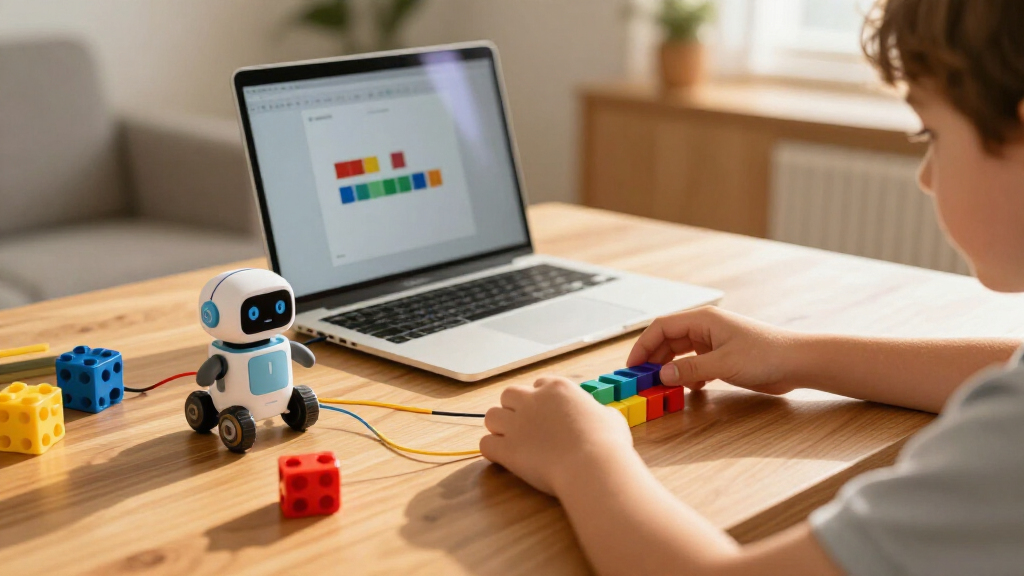
Coding kits for kids range from screen-free tile-based robots for five-year-olds to full C++ electronics projects for teens, and the right pick depends almost entirely on your child’s age and how much screen time you want involved. The Makeblock mBot stands out as the best overall choice because it balances an approachable drag-and-drop interface with real hardware that grows into Python coding. For younger kids, the Osmo Coding Family Bundle blends physical blocks with on-screen play, while the MatataStudio Nous AI Kit pushes older kids toward genuine AI and Python work. The main tradeoff you’ll face is between immediate fun with shallow learning and steeper curves with lasting skills — plus how much assembly, app setup, and ongoing subscription cost you’re willing to take on. Read on for the full breakdown, including who each kit suits and who should skip it.

Prime made for students and young adults
- Fast, free delivery for dorm and study essentials
- Prime Video and Amazon Music included
- Member-only deals
Key Takeaways
- Age fit was the single biggest differentiator: kits like the Ozobot and Osmo bundle work for ages 5+ with no reading required, while the Base Kit C++ box, Nous AI robot, and ACEBOTT QD106 realistically need ages 10–12+ to avoid frustration.
- Screen time splits the category cleanly — Osmo, Ozobot, and the Thames & Kosmos Chameleon teach coding logic with almost no screen dependency, whereas CodaKid and the Base Kit are almost entirely screen-based.
- Rebuildability predicted long-term value: 3-in-1 or 4-in-1 kits (mBot Ranger, ACEBOTT robot arm) held attention for months, while single-build kits like the Mech-5 often ended up on a shelf after the first week.
- Subscription access was the most common hidden cost — CodaKid’s 12-month access and several app-driven kits lose functionality when subscriptions lapse, unlike one-purchase kits like Snap Circuits Jr.
- Block coding is the industry on-ramp: nearly every kit here uses Scratch-style blocks before text code, so a child who outgrows one block-coding kit can move sideways or upward without starting over.
| Makeblock mBot STEM Coding Robot for Kids Ages 8-12 |  | Best Overall | Age Range: 8-12 years | Programming: Scratch and Arduino via free Makeblock apps | Build Time: Under 15 minutes | VIEW LATEST PRICE | See Our Full Breakdown |
| Ozobot Ozo at Home STEM Coding Robot Kit for Kids Ages 5+ |  | Best for the Youngest Coders | Recommended Age: 5 years and up | Activities: 27 guided activities | Programming Methods: Color codes (screen-free) and Blockly | VIEW LATEST PRICE | See Our Full Breakdown |
| Teach Tech Mech-5 STEM Coding Robot Building Kit for Kids Ages 10+ |  | Best Screen-Free Engineering Build | Age Range: Ages 10+ | Coding Method: Mechanical coding wheel with snap-on buttons | Power Source: Water, wind, or solar — no batteries | VIEW LATEST PRICE | See Our Full Breakdown |
| Osmo Coding Family Bundle for Kids, 3 Games, Ages 5-10+ |  | Best Tablet-Based Learning System | Age Range: 5-10+ | Included Games: Coding Awbie, Coding Jam, Coding Duo | Coding Blocks: 31 physical blocks | VIEW LATEST PRICE | See Our Full Breakdown |
| Snap Circuits Jr. SC-100 STEM Electronics Kit – 100+ Projects, Ages 8+ |  | Best Value for Electronics Fundamentals | Age Range: 8+ | Number of Projects: 100+ | Components: 28-32 snap-together pieces | VIEW LATEST PRICE | See Our Full Breakdown |
| Let’s Start Coding Base Kit – Real C++ Coding & Electronics Projects |  | Best for Real Code | Age Range: 8–13 years | Programming Language: C++ | Number of Projects: 60+ | VIEW LATEST PRICE | See Our Full Breakdown |
| Makeblock mBot Ranger 3-in-1 Coding Robot Building Kit |  | Best Build Variety | Age Range: 8–12 years | Robot Forms: Tank, self-balancing bird, racing car | Mainboard: Me Auriga | VIEW LATEST PRICE | See Our Full Breakdown |
| Osmo Coding Kit for Ages 5-10+ |  | Best for Youngest Learners | Age Range: 5–10+ years | Physical Blocks: 31 coding blocks | Included Apps: 3 (Coding Awbie, Coding Jam, Coding Duo) | VIEW LATEST PRICE | See Our Full Breakdown |
| ACEBOTT 4-in-1 Programmable Robot Arm and Tank Car Kit |  | Best for Teens Ready to Tinker | Configurations: 4 modular robot styles (car, tank, arm car, arm tank) | Robotic Arm: 5DOF programmable arm | Controller: ESP32 | VIEW LATEST PRICE | See Our Full Breakdown |
| Thames & Kosmos My Robotic Pet: Coding Chameleon STEM Kit |  | Best Screen-Free Pick | Length: 15 inches | Sensors: Color sensor and infrared sensor | Lighting: RGB LEDs | VIEW LATEST PRICE | See Our Full Breakdown |
| Playz Coding Learning Kit for Kids Ages 8–12 |  | Best Screen-Free Introduction to Coding Concepts | Brand: Playz | Subject: Computer science | Recommended age: 8–12 years | VIEW LATEST PRICE | See Our Full Breakdown |
| CodaKid Coding Box for Kids – Minecraft Modding & Java Game Design Activity, Ages 9+ |  | Best for Minecraft-Obsessed Kids | Age range: 9+ | Programming language: Java | Platform compatibility: Windows PC and Mac | VIEW LATEST PRICE | See Our Full Breakdown |
| HPROMOT STEM Robotic Arm Building Kit for Kids and Teens, 1029 Pieces |  | Best Big-Build Engineering Project | Brand: HPROMOT | Model number: T2007 | Age range: 8–16 years | VIEW LATEST PRICE | See Our Full Breakdown |
| ACEBOTT QD106 Programmable Robot Car Kit for Kids |  | Best Grow-With-Me Coding Path | Brand: ACEBOTT | Model: QD106 | Controller: ESP32 | VIEW LATEST PRICE | See Our Full Breakdown |
| MatataStudio Nous AI Coding Robot STEM Kit for Kids Ages 12+ |  | Best Premium Pick for Learning AI | Brand: MatataStudio | Model: Nous AI Set | Recommended age: 12+ | VIEW LATEST PRICE | See Our Full Breakdown |
More Details on Our Top Picks
Makeblock mBot STEM Coding Robot for Kids Ages 8-12
The mBot earns the top spot because it balances building, coding, and play better than anything else in this lineup. Unlike the Teach Tech Mech-5, which limits programming to physical button combinations, the mBot introduces Scratch and Arduino coding through free apps, so kids can drag blocks as beginners and graduate to real code later. Assembly takes under 15 minutes, which keeps early frustration low compared with multi-hour builds like the Mech-5 or the mBot Ranger. The real differentiator is expandability: over 100 add-on modules and LEGO compatibility mean this kit grows with a child’s interest instead of being outgrown in a season. The tradeoff is that batteries aren’t included and younger kids will need adult help bridging from remote-control fun to actual programming concepts.
Pros:- Assembles in under 15 minutes with clear instructions
- Teaches both Scratch block coding and real Arduino programming
- Line-following and obstacle-avoidance modes give immediate play value
- Expandable with 100+ modules and LEGO compatible parts
Cons:- Batteries for the robot and remote are not included
- Younger children may need adult support to move past remote-control play into coding
Best for: Kids 8-12 who want a build-it-once robot that keeps teaching new skills for years
Not ideal for: Families avoiding screen time — the coding side depends on app- or computer-based software
- Age Range:8-12 years
- Programming:Scratch and Arduino via free Makeblock apps
- Build Time:Under 15 minutes
- Functions:Remote control, line-following, obstacle avoidance
- Expandability:100+ electronic modules, LEGO compatible
- Included:Robot kit, coding cards, lessons; batteries not included
Our verdict“The most complete package for a first programmable robot — buy it if you want one kit that scales from beginner to serious coding.”
Ozobot Ozo at Home STEM Coding Robot Kit for Kids Ages 5+
Most kits in this roundup start at age 8 or 10, which makes the Ozobot Ozo at Home the clear entry point for kindergartners and early elementary kids. Its smartest design move is the screen-free first step: kids draw color codes with markers on the magnetic board, and the robot responds instantly — a concrete cause-and-effect lesson no app can match at age five. The 27 guided activities then progress to Blockly programming, so the kit has a genuine second act on a tablet or computer. Compared with the Osmo Coding Family Bundle, Ozobot needs no tablet at all to start, though the protective case mentioned in the title isn’t confirmed in the included components. The catch: once the activities run out, there’s less hardware expansion than the Makeblock ecosystem offers.
Pros:- Works completely screen-free with color-code markers
- 27 activities progress from hands-on play to Blockly coding
- Magnetic tiles and two-sided board structure independent play
- Builds sequencing, logic, and problem-solving at an early age
Cons:- Blockly stage requires a computer or tablet
- Advertised protective case is not confirmed among included components
- Limited hardware expandability compared with modular kits
Best for: Parents of 5-7 year olds who want screen-free coding play before any tablet use
Not ideal for: Older kids 10+ who will outgrow marker-based coding quickly
- Recommended Age:5 years and up
- Activities:27 guided activities
- Programming Methods:Color codes (screen-free) and Blockly
- Includes:Ozo at Home robot, charging cable, color-code markers, magnetic tiles, two-sided board
- Material:Plastic
- Dimensions:9 x 7.5 x 2 inches
Our verdict“The best first coding kit for the pre-reader set — start here if your child is 5-7 and not ready for app-based programming.”
Teach Tech Mech-5 STEM Coding Robot Building Kit for Kids Ages 10+
The Mech-5 occupies a unique niche: it’s the only kit here where programming happens entirely with your hands. Kids snap coding buttons onto a mechanical wheel to program throws, lifts, kicks, and drawings — no screen, no app, and no batteries, since it runs on water, wind, or solar power. That makes it the anti-mBot: where Makeblock teaches software, the Mech-5 teaches mechanical engineering — gears, linkages, and cause-and-effect you can watch happen. The assembly itself is a multi-hour project, which is a feature for patient builders and a dealbreaker for impatient ones. The genuine limitation is ceiling: unlike Scratch- or Arduino-based kits, coding depth stops at preset button combinations, so a motivated coder will eventually need something like the mBot to keep growing.
Pros:- Completely screen-free and battery-free — powered by water, wind, or sun
- Deep multi-hour build teaches genuine mechanical engineering principles
- Robot performs satisfying physical actions: throw, lift, kick, draw
- Snap-button coding system makes programming tangible and visible
Cons:- Multi-hour assembly may frustrate younger or less patient kids
- Coding limited to preset button combinations with no true programmable flexibility
Best for: Tweens 10+ who love building machines and learn best with their hands, away from screens
Not ideal for: Kids who want real software programming — the coding wheel is mechanical, not programmable logic
- Age Range:Ages 10+
- Coding Method:Mechanical coding wheel with snap-on buttons
- Power Source:Water, wind, or solar — no batteries
- Actions:Throw, lift, kick, draw and other hands-on movements
- Brand:Teach Tech (Snap Circuits sub brand)
- Focus:Mechanical engineering and introductory coding
Our verdict“Pick the Mech-5 for a screen-obsessed household that wants engineering learning with zero devices involved.”
Osmo Coding Family Bundle for Kids, 3 Games, Ages 5-10+
The Osmo Coding Family Bundle takes the opposite approach from the Mech-5: it merges 31 physical coding blocks with three tablet games, so kids arrange tangible commands while the screen brings them to life. That hybrid model suits kids who are motivated by characters and stories — Coding Awbie for basics, Coding Jam for music, and Coding Duo for cooperative two-player puzzles. Compared with the Ozobot kit, Osmo offers more content variety and cooperative play, but it’s locked into the tablet ecosystem from day one. The real friction is hidden cost: the Osmo Base and a compatible iPad or Fire tablet are required and sold separately, so check your device before buying. Families without a supported tablet should skip this entirely and look at Ozobot or the mBot instead.
Pros:- Three games span beginner to advanced coding challenges
- Physical blocks keep hands busy while the screen provides feedback
- Covers coding, logic, music, patterns, and problem-solving
- Coding Duo supports cooperative play and teamwork
Cons:- Osmo Base and compatible tablet are required and not included
- Only works with supported iPad and Fire tablet models
- No robotics or electronics — coding exists purely on-screen
Best for: Families who already own a compatible iPad or Fire tablet and want game-based coding with physical blocks
Not ideal for: Households without a supported iPad or Fire tablet — the kit simply won’t function
- Age Range:5-10+
- Included Games:Coding Awbie, Coding Jam, Coding Duo
- Coding Blocks:31 physical blocks
- Compatibility:Supported iPads (iOS 15+) and Fire tablets (Fire OS 7-8)
- Required Accessories:Osmo Base and compatible tablet (sold separately)
- Connectivity:No Wi-Fi required for gameplay
Our verdict“A great fit if you already have a compatible tablet and a child who learns through games — otherwise the hardware requirements make it a poor first choice.”
Snap Circuits Jr. SC-100 STEM Electronics Kit – 100+ Projects, Ages 8+
While every other kit here teaches coding, the Snap Circuits Jr. SC-100 teaches what coding controls: actual circuits. Kids build over 100 projects — alarms, a musical doorbell, a flying saucer — by snapping color-coded components onto a plastic grid with no tools and no soldering. That safety-first design makes it the best low-risk introduction to electronics for the 8-and-up crowd, and it costs less than any robot in this roundup. It pairs naturally with the Teach Tech Mech-5, which shares the Snap Circuits family DNA, but offers far more projects per dollar. The limits are real, though: everything runs on low-voltage battery power, project complexity has a hard ceiling, and there’s no programming at all — kids who want to write code need the mBot alongside it, not instead of it.
Pros:- 100+ projects deliver exceptional variety for the price
- No soldering or tools — pieces snap together safely
- Color-coded, numbered components make independent building easy
- Compatible with other Snap Circuits kits for expansion
Cons:- Low-voltage battery power caps project complexity
- No coding or programming component whatsoever
- Plastic parts may wear down with heavy long-term use
Best for: Budget-conscious parents who want to teach circuit basics before investing in a programmable robot
Not ideal for: Kids specifically asking to learn coding — this kit teaches electronics, not programming
- Age Range:8+
- Number of Projects:100+
- Components:28-32 snap-together pieces
- Assembly:No tools or soldering required
- Power Source:Batteries required (low voltage)
- Expandability:Compatible with other Snap Circuits kits
Our verdict“The smartest cheap entry point into hands-on electronics — buy it as a foundation, then add a programmable robot like the mBot later.”
Let’s Start Coding Base Kit – Real C++ Coding & Electronics Projects
Most kids’ coding kits soften the experience with blocks or app-based puzzles, but this option goes straight to authentic C++ programming on real electronic components. With over 60 guided projects and video walkthroughs, it bridges the gap between toy and tool in a way the Osmo Coding Kit never attempts. Compared with the Snap Circuits Jr. SC-100, which teaches circuit logic without actual code, this kit makes the jump to typed programming feel achievable rather than intimidating. The no subscription, no install model means lessons live in the browser on Windows, Mac, or Chromebook — a relief for families wary of recurring fees. The tradeoff is hardware dependency: there’s no tablet or phone support, and the USB-A cable may need an adapter on newer laptops. Kids who want a robot to drive around will also find the projects fairly stationary.
Pros:- Teaches genuine C++ rather than simplified block code
- Over 60 projects with video walkthroughs provide months of structured learning
- No subscriptions or software installs — runs in the browser on Windows, Mac, and Chromebook
- Recognized STEM kit with real electronic components and a programmable microcontroller
Cons:- Requires a compatible computer and internet connection; no tablet or smartphone support
- USB-A cable may need an adapter for newer USB-C laptops
Best for: Kids 8–13 who are ready to move beyond block coding into typed, text-based programming with real hardware
Not ideal for: Tablet-only households or kids who want a mobile robot to drive — this kit needs a computer and focuses on circuits, not vehicles
- Age Range:8–13 years
- Programming Language:C++
- Number of Projects:60+
- Compatibility:Windows, Mac, Chromebook
- Subscriptions Required:None
- Manufacturer:Let’s Start Coding
- Model Number:Base-Kit-2019
Our verdict“The strongest choice for a kid who has outgrown drag-and-drop coding and wants to write real C++ on real electronics.”
Makeblock mBot Ranger 3-in-1 Coding Robot Building Kit
Where the standard Makeblock mBot gives you one rover, the Ranger delivers three distinct robots in one kit — a tank, a self-balancing bird, and a three-wheel racer — so the build itself stays interesting long after the first assembly. The Me Auriga mainboard carries an unusually rich sensor suite, including a gyroscope, ultrasonic, line-tracking, and temperature sensors, giving kids more to program than simpler kits like the Teach Tech Mech-5. Its metal construction and strong motors handle grass and carpet where plastic rivals stall, and the path from Scratch blocks to Arduino code supports genuine progression. The downsides are practical: six AA batteries aren’t included (a real cost over time), and younger builders will likely need an adult for the first rebuild between forms.
Pros:- Three rebuildable robot configurations keep construction and play fresh
- Progresses from Scratch block coding to Arduino for real skill growth
- Sturdy metal parts and powerful motors handle multiple terrains
- Wide sensor array (gyroscope, ultrasonic, line-tracking, light, temperature) enables varied programs
Cons:- Requires six AA batteries that are not included
- Reassembly between robot forms can frustrate younger children without adult help
Best for: Kids 10+ who want a durable, rebuildable robot that works indoors and outdoors and grows with their coding skills
Not ideal for: Families avoiding battery costs and consumables — six AAs per session add up, and there’s no rechargeable pack included
- Age Range:8–12 years
- Robot Forms:Tank, self-balancing bird, racing car
- Mainboard:Me Auriga
- Programming Languages:Scratch, Arduino (mBlock5)
- Sensors:Ultrasonic, line-tracking, 2 light sensors, gyroscope, temperature, Bluetooth
- Battery Type:6 AA batteries (not included)
Our verdict“The pick when one robot isn’t enough — a rugged, sensor-rich kit that rebuilds into three machines.”
Osmo Coding Kit for Ages 5-10+
For the 5-to-7 crowd that most kits skip, this option turns coding logic into physical play — kids snap together 31 tangible blocks to command characters on screen, making abstract sequencing something they can hold. The three included apps cover coding puzzles, music composition, and collaborative problem-solving, which is broader than the single-purpose focus of the Ozobot at Home kit. Unlike the Let’s Start Coding Base Kit, no typing or reading fluency is needed, and gameplay works fully offline once apps are installed. The catch is hardware: an iPad is required and not included, which can double the real cost for non-Apple households. Compared with the screen-free Thames & Kosmos chameleon, Osmo trades pure unplugged play for richer visual and audio feedback — a matter of preference, not superiority.
Pros:- Physical coding blocks make abstract programming concepts concrete for pre-readers
- Three diverse apps teach coding logic, music creation, and collaboration
- Works offline with no Wi-Fi required during gameplay
- Real-time visual and audio feedback rewards experimentation
Cons:- Requires a compatible iPad that is not included
- Kids outgrow it by age 10 or so, with no path to real text-based code
Best for: Ages 5–8 who are too young for typed code or complex builds but ready to learn sequencing and logic through hands-on play
Not ideal for: Households without a compatible iPad — the kit is nonfunctional without one, and the added hardware cost is substantial
- Age Range:5–10+ years
- Physical Blocks:31 coding blocks
- Included Apps:3 (Coding Awbie, Coding Jam, Coding Duo)
- Components:Osmo Base, reflector, 31 coding blocks, 3 game apps
- Compatibility:iPad models running iOS 15 or later
- Wi-Fi Required:No (offline gameplay)
Our verdict“The gentlest entry point into coding for early elementary kids — as long as an iPad is already in the house.”
ACEBOTT 4-in-1 Programmable Robot Arm and Tank Car Kit
This kit earns its place by doing something none of the simpler kits attempt: a 5DOF robotic arm that can be mounted on a tank chassis, opening up grab-and-carry programming challenges the mBot Ranger can’t touch. With four build configurations, an ESP32 controller, and compatibility with both Arduino and Scratch, it sits closer to the MatataStudio Nous AI kit in ambition than to entry-level toys. The 16 guided tutorials walk builders through assembly and code, and control via IR remote or phone app means it’s playable before deep coding begins. The tradeoffs mirror its complexity — beginners will need adult guidance, and some instructions and code must be downloaded from the manufacturer’s website rather than arriving in a printed manual, which complicates gift-giving or offline households.
Pros:- Four modular build styles including a 5DOF programmable robotic arm
- ESP32 controller with Arduino and Scratch compatibility grows with skill level
- 16 guided tutorials structure the learning path
- Dual control options — IR remote and iOS/Android app — allow play before coding
Cons:- Assembly and coding can overwhelm true beginners without adult guidance
- Some instructions and code files must be downloaded from the manufacturer’s website
Best for: Teens and tweens with some building experience who want a serious robotics challenge with a functional arm
Not ideal for: First-time builders or gift-givers expecting everything in the box — instructions and code require downloads, and beginners will need adult help
- Configurations:4 modular robot styles (car, tank, arm car, arm tank)
- Robotic Arm:5DOF programmable arm
- Controller:ESP32
- Coding Compatibility:Arduino and Scratch
- Tutorials:16 guided tutorials
- Control Methods:IR remote and iOS/Android app
- Tracks:Rubber tank treads
Our verdict“A step-up kit for young builders who have mastered basic robots and want a real programmable arm to engineer.”
Thames & Kosmos My Robotic Pet: Coding Chameleon STEM Kit
In a roundup full of apps and accounts, this build stands out as the one kit that runs entirely on physical action cards — no tablet, phone, or computer needed. The 15-inch chameleon senses colors, reacts to touch, and shifts its RGB lighting, giving kids a pet-like payoff that pure circuit kits like the Snap Circuits Jr. SC-100 can’t match emotionally. Its three play modes (Coding, Wild, and Pet) extend life beyond the initial programming lessons, and the 48-page manual teaches real assembly skills rather than snapping pre-made pieces. Compared with the Osmo Coding Kit, it trades app-driven variety for genuine unplugged play — ideal for screen-time-conscious families. The honest drawback: adult help is expected for ages 8 and up, and independent play really starts around 12, so it skews older than its toy-like look suggests.
Pros:- Completely screen-free coding using physical action cards
- Three play modes, including color-changing and touch-reactive behavior
- Teaches robotics and engineering through genuine hands-on assembly
- 48-page manual explains building and core concepts in kid-friendly language
Cons:- Adult assistance recommended for assembly even at ages 8 and up
- Limited long-term coding depth compared with Arduino or C++ based kits
Best for: Screen-time-conscious families who want a charming, fully unplugged introduction to coding and robotics
Not ideal for: Parents expecting an independent activity for an 8-year-old — assembly realistically needs an adult until around age 12
- Length:15 inches
- Sensors:Color sensor and infrared sensor
- Lighting:RGB LEDs
- Play Modes:Coding, Wild, and Pet
- Manual:48 pages
- Recommended Age:8+ with adult help; 12+ independent
- Screens Required:None (screen-free)
Our verdict“The best fully unplugged option — a buildable, programmable pet that teaches coding logic without a single screen.”
Playz Coding Learning Kit for Kids Ages 8–12
Most kits in this roundup put a screen between the child and the code, but this option takes the opposite approach: kids learn binary logic, encryption, and algorithms through physical crafts like binary necklaces, sorting races, and pixel art projects. Compared with the Osmo Coding Family Bundle, which needs an iPad, this kit works anywhere with zero setup or batteries — a genuine advantage for road trips or classrooms short on devices. The tradeoff is depth. There’s no actual programming here, just the conceptual foundations underneath it, so a motivated 11-year-old will outgrow it quickly. The 30+ components and illustrated guide make independent play realistic, though the conflicting age guidance (8–12 on the box, 6–12+ in some listings) suggests the publisher isn’t sure who it’s for either. Think of it as a gateway product, not a destination.
Pros:- Fully screen-free learning with no device, app, or battery requirements
- More than 30 components across varied activities keeps interest alive
- Illustrated guide supports independent play without constant adult help
- Equally at home in a classroom or at the kitchen table
Cons:- Teaches coding concepts, not actual programming — limited long-term runway
- Conflicting age guidance (8–12 vs. 6–12+) makes it hard to judge fit
Best for: Parents of 6–9 year olds who want unplugged coding basics before investing in a robot or app-based kit
Not ideal for: Kids who already code with Scratch or own a robot like the Makeblock mBot — the conceptual content will feel elementary
- Brand:Playz
- Subject:Computer science
- Recommended age:8–12 years
- Included items:30+ tools, ingredients, and parts; illustrated instruction guide
- Activities:Binary necklaces, encryption devices, sorting races, mystery mazes, pixelated pictures
- Screen required:No
- Setting:Home or classroom
Our verdict“A smart first step for younger kids who need coding fundamentals before touching real software.”
CodaKid Coding Box for Kids – Minecraft Modding & Java Game Design Activity, Ages 9+
This is the only kit in the lineup that teaches a real professional programming language — Java — and it gets kids there through a Trojan horse: Minecraft modding. Instead of moving a robot like the Makeblock mBot, children build custom monsters, tools, and items for a game they already love, guided by self-paced video lessons and online mentor support. That mentor access is the standout differentiator; when code breaks, a real person helps, which most kits (including the Base Kit Computer Coding Game) can’t offer. The tradeoffs are real: it demands a Windows PC or Mac, an internet connection, and a recurring-cost mindset since access runs 12 months. And it’s a one-trick platform — a kid who’d rather build circuits than mod games should look at Snap Circuits Jr. instead. But for converting screen time into skill, nothing else here competes.
Pros:- Teaches genuine Java programming, not just drag-and-drop logic
- Live online mentor support helps kids past frustrating bugs
- 22+ courses and 90+ hours of projects offer serious depth
- No prior programming knowledge needed to start
Cons:- Requires a Windows PC or Mac plus a reliable internet connection
- Locked to Minecraft modding rather than a broader coding platform
- Access expires after 12 months, creating a renewal decision
Best for: Kids 9+ who already play Minecraft and are ready for a first real programming language
Not ideal for: Tablet-only households or families seeking a general coding curriculum beyond Minecraft
- Age range:9+
- Programming language:Java
- Platform compatibility:Windows PC and Mac
- Access duration:12 months
- Number of courses:22+
- Project hours included:90+
- Support:Online mentor assistance
- Internet required:Yes
Our verdict“The strongest motivator in the roundup for kids who need gaming to pull them into real code.”
HPROMOT STEM Robotic Arm Building Kit for Kids and Teens, 1029 Pieces
Where most coding kits here are compact robots you assemble in an afternoon, this one is a 1,029-piece construction project that doubles as a programmable robot arm. The build itself is the point: kids spend hours on mechanical engineering before they ever open the app, which makes it closer to a LEGO-style experience than to the quick-start ACEBOTT QD106 robot car. Once assembled, app and remote control give kids two ways to operate it, and the colour-coded instructions keep the assembly from feeling impossible. The honest tradeoff is patience — younger children in the 8-year-old range may abandon a build this size without an adult co-builder, and a single AAA battery (not always in the drawer) powers it. Compared with the ACEBOTT 4-in-1 kit, the coding depth here is lighter; this pick rewards builders first, coders second.
Pros:- 1,029 pieces deliver a genuinely satisfying, multi-session build
- Colour-coded instructions make a large project manageable
- Both app and remote control options for flexible play
- Wide 8–16 age span suits siblings working together
Cons:- Piece count can overwhelm younger builders working alone
- Requires a AAA battery that isn’t bundled
- Coding features are basic compared with Arduino- or Python-based kits
Best for: Kids 10+ who love long building projects and want a programmable showpiece at the end
Not ideal for: Impatient younger kids or parents seeking serious text-based coding — the programming layer is entry-level
- Brand:HPROMOT
- Model number:T2007
- Age range:8–16 years
- Number of pieces:1,029
- Operation mode:Remote control, app
- Batteries required:1 AAA battery
- Item dimensions:4.53 x 9.84 x 13.89 inches
Our verdict“A builder’s kit first and a coding kit second — pick it for the construction journey, not the programming depth.”
ACEBOTT QD106 Programmable Robot Car Kit for Kids
Few kits let a child start in block-based Scratch and graduate to Python on an ESP32 controller without buying anything new — this one does. That three-language ladder (Scratch, Arduino, Python) is what separates it from simpler options like the Ozobot, which plateaus quickly, and makes it a rare kit that stays relevant for three or four years. The 16 story-based tutorials and no-soldering assembly lower the barrier to entry, and the inclusion of both an app and an IR remote means kids can drive it before they can code it — a smart motivational hook. The catch is the stated age: the manufacturer recommends 12 and up, so despite the approachable tutorials, this is not a kit for a third-grader the way the Makeblock mBot is. Add the missing batteries, and the true cost of first play is slightly higher than the box suggests.
Pros:- Scratch, Arduino, and Python support a multi-year learning curve
- Programmable from computers, tablets, and smartphones
- 16 story-driven tutorials plus videos make progression structured
- No-soldering assembly keeps entry frustration low
Cons:- Batteries are not included, delaying first use
- Manufacturer age rating of 12+ excludes much of the typical coding-kit audience
Best for: Kids 12+ (or ambitious 10–11 year olds with adult help) who want one kit that carries them from block coding to Python
Not ideal for: Younger beginners — the 12+ recommendation and microcontroller work assume patience and reading fluency
- Brand:ACEBOTT
- Model:QD106
- Controller:ESP32
- Programming languages:Scratch, Arduino, Python
- Control:iOS/Android app; IR remote
- Tutorials:16 story-based tutorials
- Assembly:No soldering required
- Recommended age:12 years and up
- Batteries:Not included
Our verdict“The best long-run coding investment here for tweens and teens ready to climb from Scratch to Python.”
MatataStudio Nous AI Coding Robot STEM Kit for Kids Ages 12+
This is the only kit in the roundup that goes past programming into genuine artificial intelligence work — data collection, model training, speech recognition, and computer vision — all driven through Scratch and Python. While the ACEBOTT QD106 tops out at conventional coding, the Nous positions kids for the skills actually shaping technology today, and its online platform doubles as a classroom-grade curriculum for homeschool or school use. The 12+ rating is honest: electronics assembly plus AI concepts assume real maturity, so this is the natural next step after a child has exhausted something like the Makeblock mBot Ranger. Two caveats temper the enthusiasm. The listing is vague about which electronic modules are in the box, so buyers can’t fully verify what they’re getting, and the complexity means a beginner will flounder without an engaged adult nearby. This is a destination kit, not a starting point.
Pros:- Covers genuinely current AI topics: model training, vision, speech recognition
- Dual Scratch and Python support fits both intermediate and advanced learners
- Structured tutorials make a hard subject approachable
- Versatile across classroom, homeschool, and robotics-club settings
Cons:- Complex for younger or inexperienced kids despite tutorials
- Included electronic modules aren’t clearly specified in product information
Best for: Teens and advanced tweens who already code and want to build real AI projects, in classrooms or homeschools
Not ideal for: First-time coders — the AI concepts and electronics assembly assume prior experience and adult support
- Brand:MatataStudio
- Model:Nous AI Set
- Recommended age:12+
- Programming languages:Scratch and Python
- AI topics covered:Data collection, model training, speech recognition, computer vision
- Educational objectives:Coding, construction, creativity, critical thinking, problem solving, STEM
- Included components:Nous AI robot
Our verdict“The most forward-looking kit here — buy it for a teen ready to move beyond conventional coding into AI.”

How We Picked
I evaluated each kit against five buyer-relevant criteria: age-appropriate learning curve, depth of the coding skills taught, build quality and durability, longevity of engagement (rebuild options, expansion paths, project counts), and total cost of ownership including required tablets, subscriptions, and batteries. A kit that teaches real conditionals and loops ranks higher than one that demos choreographed movements with no logic behind them — but only if a child at the target age can realistically succeed without an adult doing the work.
The ranking logic favors kits that grow with the child. Products offering a progression from block coding into Python or C++, or multiple rebuild configurations, placed above polished single-experience kits. I also penalized hidden requirements — iPad-only compatibility, lapsed-access content, and fragile snap-fit parts — because these are the frustrations that turn a gift into a drawer ornament. Screen-free options earned credit for younger age groups where tablet dependency is a genuine drawback for many families.
Factors to Consider When Choosing Coding Kits For Kids
Before choosing a specific kit, it helps to understand how this category is structured and where buyers most often go wrong. These are the factors that actually determine whether a coding kit gets used for a year or abandoned in a week.Match the Kit to the Child’s Age and Reading Level
The most common mistake is buying up — a parent sees a 10+ kit and assumes their eight-year-old is advanced enough. Coding frustration compounds quickly because a child who can’t debug a step loses confidence in the whole activity. For pre-readers, look for icon- and color-based interfaces like Ozobot’s color codes or Osmo’s picture blocks. Strong readers around eight or nine can handle Scratch-style block coding, while text-based kits (C++, Java, Python) genuinely suit ages 10–12 and up. A kit slightly below a child’s level builds momentum; one slightly above builds resentment.
Decide How Much Screen Time You’re Willing to Accept
Screen-free and screen-light kits teach the same core logic — sequencing, loops, conditionals — through physical tiles, cards, or button panels, and research on computational thinking suggests the concepts transfer well. The tradeoff is that purely physical kits cap out earlier; there’s a ceiling on how complex offline coding can get. Screen-based kits offer unlimited depth but shift the activity toward a tablet or computer, which some families want to limit. Hybrid kits like Osmo, where physical blocks control on-screen action, split the difference deliberately — the child manipulates real objects but still needs a device at the table.
Watch for Hidden Costs and Device Requirements
Several kits in this category quietly require an iPad, a phone, or a recurring subscription to function fully. CodaKid’s access is time-limited, and app-driven robots become partly decorative if the developer discontinues support. Before buying, check three things: whether your existing device is supported, whether the app works offline, and whether any subscription is included or renewable. Budget kits with no ongoing costs — Snap Circuits, the Mech-5, most build-it-once robots — can outlast pricier app-dependent options simply because nothing expires.
Block Coding vs. Text Coding: Know the Progression
Nearly every serious coding education path starts with block-based coding (Scratch-style), where children snap together visual commands without worrying about syntax. Text coding — Python, Java, C++ — is where employable skills begin, but jumping straight to it defeats most kids. The smart buying strategy is a kit with a built-in progression: blocks first, then a bridge to text. Makeblock’s kits do this well with a block-to-Python path, and CodaKid’s Minecraft modding is a clever motivator because kids edit real Java to change a game they already love. Buying a block kit isn’t settling — it’s the correct first rung.
Assembly Time Is a Feature or a Bug Depending on Your Kid
Some children love a 90-minute build session; others want the robot working in ten minutes. Kits like the mBot Ranger or HPROMOT’s 1,029-piece arm are construction projects as much as coding projects, which suits patient builders and creates parent-child bonding time, but frustrates kids who just want to code. Pre-assembled or quick-build options like the Ozobot get to the learning almost immediately. Be honest about who’s doing the building — if a parent will end up assembling everything while the child watches, the educational value shifts to the parent.
Electronics and Robotics Kits Aren’t the Same as Coding Kits
Buyers often conflate STEM electronics kits with coding kits. Snap Circuits, for example, is outstanding for teaching circuitry, but it involves no programming at all — that’s not a flaw, just a different learning goal. Robotics kits straddle both worlds, and kits like the Base Kit or ACEBOTT QD106 genuinely combine hardware wiring with code. Decide what you actually want: circuit literacy, programming logic, or hardware-software integration. A child interested in why things work may prefer electronics; one interested in making things behave will prefer coding.
Frequently Asked Questions
My child is 6 — is it too early for a coding kit, or should I wait?
Six is a great age to start, provided the kit matches a non-reader’s abilities. Screen-free kits like the Ozobot, which responds to drawn color codes, and Osmo’s picture-block games are designed for exactly this stage: they teach sequencing, debugging, and loops without requiring reading or typing. What you should avoid at this age is a text-based or app-heavy kit meant for 9+, because the interface itself becomes the barrier. The goal at six isn’t code syntax — it’s the mental model that instructions execute in order and can be changed. A child who internalizes that early finds block coding trivial a few years later.
Do I need to buy a tablet or computer separately for these kits?
Some do, and this is the most overlooked compatibility issue in the category. Osmo’s kits are iPad-required and won’t work with Android tablets or laptops, while most Makeblock, ACEBOTT, and CodaKid products run on a wider range of devices including phones and Windows PCs. Check the manufacturer’s supported-device list before buying, not after — app requirements also change over time as operating systems update. If your household is device-light, prioritize screen-free options like Ozobot’s offline color codes or the Thames & Kosmos Chameleon, which need nothing but the kit itself. Families with an old laptop will find text-coding kits like the Base Kit run fine on modest hardware.
Are subscription-based coding kits like CodaKid worth it versus one-time-purchase robots?
It depends on whether your child will use the full access window. CodaKid’s model includes a year of courses and mentor support, which is real value if your kid works through the Minecraft modding and Java content consistently — that’s essentially a year of structured lessons, not just a toy. The risk is the same as any subscription: kids who lose interest in month two leave most of the value unused, and content stops when access lapses. A one-purchase robot like the mBot has no such cliff, but also no mentor to unstick a frustrated child. If your child is self-motivated and loves Minecraft, the subscription pays for itself; if their interests rotate weekly, buy hardware instead.
What’s the difference between block coding kits and kits that teach real programming languages?
Block coding uses drag-and-drop command pieces, so a child builds programs without typos or syntax errors — it teaches logic and structure, which is the hard part of programming anyway. Text coding in Python, Java, or C++ adds syntax, debugging of typos, and eventually the skills that transfer to real software work. The progression matters: kids who master blocks at 8–10 usually move to text coding around 10–12 with far less friction than kids who start with text. Kits like the Makeblock mBot and the Base Kit deliberately bridge both stages. If your child is older and already computer-fluent, skip straight to a text-based kit — the block stage will bore them.
How do I keep a coding kit from becoming a one-weekend toy?
Longevity comes from three kit features: rebuildability, project variety, and open-ended play. A 3-in-1 kit like the mBot Ranger or a multi-project kit like Snap Circuits’ 100+ experiments gives a child a reason to return. Kits with a progression path — new commands, sensors, or languages to unlock — also resist shelf-death better than single-outcome kits. On the parent side, scheduling short regular sessions beats one marathon weekend, and joining the build or the debugging keeps engagement up for younger kids. Finally, choose a kit aligned with an existing interest: a Minecraft fan will revisit CodaKid for months, while the same child might ignore a generic robot after a week.
Conclusion
After comparing all 15 kits, the right choice comes down to who’s receiving it. For the best overall pick, the Makeblock mBot wins on its rare combination of accessibility, hardware quality, and a growth path from blocks into Python — it suits the widest range of kids and lasts the longest. For best value, the Snap Circuits Jr. SC-100 delivers over a hundred projects with no subscriptions, no device requirements, and no expiration date. For a premium pick, the MatataStudio Nous AI Coding Robot and ACEBOTT 4-in-1 robot arm justify their higher prices with genuine AI work and multi-configuration engineering for serious older kids.
For beginners and younger children, the Ozobot Ozo at Home kit is the gentlest entry point, with Osmo’s bundles close behind for families with an iPad who want guided structure. For specific needs: choose CodaKid for a Minecraft-obsessed child ready for real Java, the Base Kit for a teen who wants to write actual C++ and wire real electronics, the mBot Ranger for a patient builder who wants three robots in one, and the Thames & Kosmos Chameleon for a screen-free gift under a modest budget. Whatever you pick, match the kit to the child in front of you — not the child you hope they’ll become — and the coding will follow.
Fall Picks
fall essentials
As an affiliate, we earn on qualifying purchases.