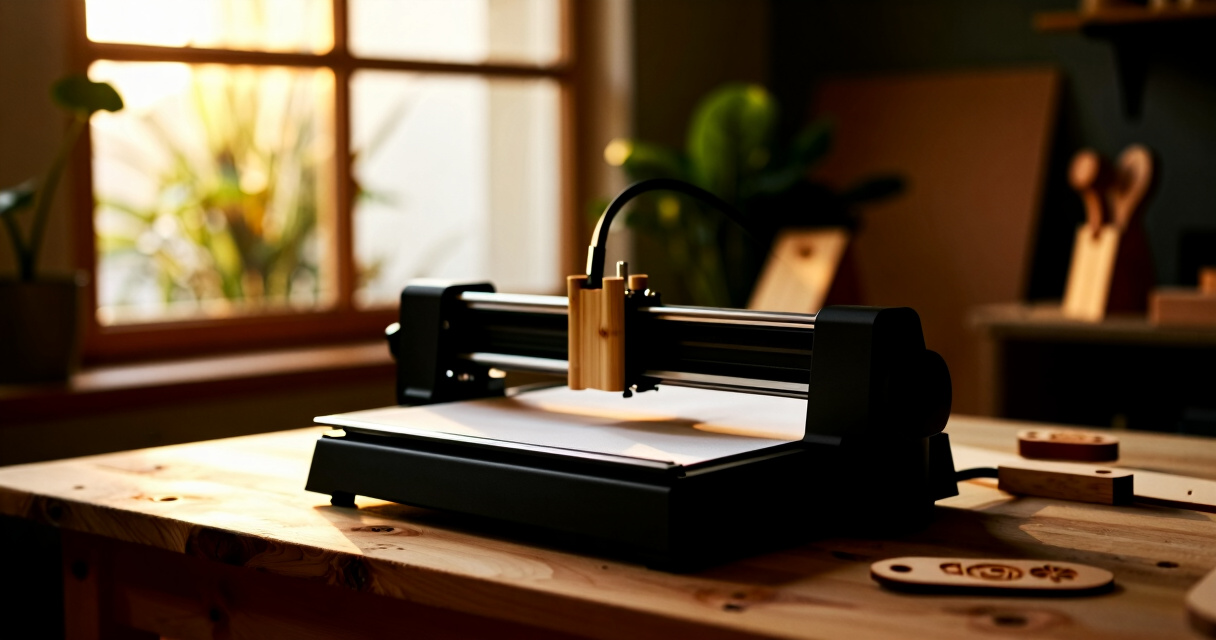

Finding the right laser engraver for home use depends on your needs, space, and budget. The LONGER Ray5 stands out as the best overall for its balance of power, ease of use, and features like offline operation. For those prioritizing high precision, the ACMER Laser Engraver Machine offers impressive cutting accuracy. If portability is key, the T1 Foldable Laser Engraver delivers compact design with solid performance. However, tradeoffs include price, complexity, and size, making it essential to choose an option aligned with your specific goals. Continue reading for a detailed breakdown of each model and what makes them suitable for different types of home users.

Prime made for students and young adults
- Fast, free delivery for dorm and study essentials
- Prime Video and Amazon Music included
- Member-only deals
Key Takeaways
- Power output varies significantly, affecting what materials you can engrave or cut at home.
- Size and portability are critical factors for home spaces; smaller models can fit more easily but may have limitations.
- Ease of use and setup differ widely, with some models designed for beginners and others for experienced hobbyists.
- Price ranges reflect features, power, and build quality, so investing more generally yields better results and longevity.
- Additional features like cameras, WiFi, and offline operation can streamline creative workflows, but often come at a premium.




More Details on Our Top Picks
LONGER Ray5 5W Laser Engraving Machine with 3.5″ Touch Screen, 400x400mm Workspace, Offline Use
The LONGER Ray5 stands out for its combination of speed, precision, and a large 400x400mm workspace, making it a versatile choice for home users tackling larger or more detailed projects. Its 5W laser and 0.01mm accuracy allow for high-detail engraving on a variety of materials, outperforming smaller engravers like the Carverall K15 Pro in workspace size. The inclusion of multiple connectivity options, including WiFi and an app, offers flexible operation—though this also introduces a learning curve for beginners. Compared with the Woxcker L2 MAX, its open design may pose safety concerns, but it compensates with faster speeds and larger capacity. The main tradeoff is that safety precautions are essential due to the laser, and it may require some familiarity with digital tools. Overall, this model makes the most sense for users needing both detailed work and a sizable engraving area.
Pros:- Large 400x400mm workspace for bigger projects
- Fast engraving speed up to 10,000mm/min
- High precision with 0.01mm accuracy
- Multiple connectivity options including WiFi and app control
Cons:- Requires safety precautions due to open laser design
- Learning curve for users unfamiliar with advanced control software
- Limited to 5W laser power, not ideal for cutting thick materials
Best for: Hobbyists or small home workshops that want to create detailed, larger-scale projects with flexible connectivity.
Not ideal for: Beginners unprepared for safety protocols or users seeking a compact, simple device for occasional use.
Bottom line: A strong choice for users seeking high-speed, precise engraving on large surfaces who can prioritize safety.
Woxcker L2 MAX 10W Enclosure Laser Engraver Machine, 300x300mm Bed, High Precision
The Woxcker L2 MAX impresses with its fully enclosed safety design and high-precision 0.01mm engraving, ideal for users who prioritize safety without sacrificing detail. Its 10W laser outperforms many 5W models like the Carverall K15 Pro in cutting thicker materials and achieving finer detail, especially on metals and plastics. The 300x300mm bed strikes a balance between workspace size and enclosure safety, making it suitable for hobbyists and small-scale production. While its setup may challenge beginners due to limited weight info and some technical complexity, its safety features—enclosure, flame sensor, emergency stop—make it a standout for safety-conscious users. The main tradeoff involves a lack of detailed durability data and potential setup complexity. This machine is best for those who want a safe, high-precision device for versatile materials.
Pros:- Fully enclosed safety design with multiple safety features
- High-precision 0.01mm engraving detail
- Fast engraving speeds of 20,000mm/min
- Large 300x300mm working area for versatile projects
Cons:- Limited information on weight and durability
- Setup may be complex for beginners unfamiliar with laser systems
- Some accessories like rotary modules are sold separately
Best for: Hobbyists or educators needing a safe, enclosed laser engraver capable of detailed work on diverse materials.
Not ideal for: Users seeking a portable or ultra-simple device or those with limited technical experience in laser setup.
Bottom line: Ideal for safety-minded hobbyists who need reliable, detailed engraving with a focus on safety.
5W Desktop Laser Engraver with Camera, WiFi & AI, A1 Pro AA Beginner Smart Laser Engraver Machine for Home DIY, Beginners, Personal Gifts
The A1 Pro AA is designed for newcomers, with its compact size, built-in HD camera, and AI-assisted software making it easy to position designs precisely. Its 5W laser and 0.01mm accuracy allow for detailed engraving on thin materials like wood, leather, and paper, outperforming basic models in ease of use. The camera feature simplifies alignment, which can be tricky on other models like the Carverall K15 Pro, especially for beginners. Its fully enclosed, Class 1 safety standard adds peace of mind, though it limits material thickness to about 3mm without accessories. The price is higher, reflecting its user-friendly features, but its portability and smart tech make it appealing for small, creative projects. Tradeoffs include limited power for thicker materials and some software familiarity required for advanced features.
Pros:- Built-in HD camera for precise, easy positioning
- High accuracy with 0.01mm detail
- Fully enclosed, safe Class 1 design
- Supports multiple materials including cylindrical objects
Cons:- Limited to materials under 3mm without additional accessories
- Higher price point compared to entry-level engravers
- Requires some software familiarity for advanced features
Best for: Home hobbyists or beginners looking for an easy-to-use, safety-focused engraver for small-scale, detailed projects.
Not ideal for: Users needing to engrave thicker or larger materials regularly or seeking a low-cost, basic device.
Bottom line: Perfect for beginners wanting a safe, smart, and precise device for small creative projects and gifts.
ACMER Laser Engraver Machine, 7000mW Laser Cutter, 0.01mm Precision, 300×300mm Engraving Area, 10000mm/min Speed
The ACMER Laser Engraver offers a compelling blend of high precision and larger working area, making it suitable for DIYers and semi-professionals. Its 7W laser and 0.01mm accuracy outperform most basic models like the Wizmaker Wand in detail and cutting capability, especially on thicker materials like wood and acrylic. The 300×300mm workspace supports bigger projects, while its 10,000mm/min speed ensures efficient workflow. Compatibility with multiple operating systems and software like LaserGRBL makes it accessible, though assembly and some technical knowledge are required. Safety features depend heavily on correct setup, and optional accessories are sold separately. This model hits a sweet spot for those needing high detail and a decent-sized workspace but willing to handle a slightly steeper learning curve.
Pros:- High-precision engraving and cutting at 0.01mm accuracy
- Large 300×300mm workspace for bigger projects
- Fast engraving speed of 10,000mm/min
- Compatible with multiple software platforms
Cons:- Assembly required, not ideal for complete beginners
- Safety features depend on proper setup and use
- Optional accessories like rotary modules sold separately
Best for: DIY enthusiasts or small workshops seeking high-precision engraving and cutting on diverse materials with a larger work area.
Not ideal for: Beginners or casual users who prefer plug-and-play simplicity or have limited technical skills.
Bottom line: A solid choice for users who need detailed, professional-quality engraving with a generous workspace.
Carverall K15 Pro 5W Laser Engraving Machine for Beginners, Portable CNC Laser Cutter (200x300mm)
The Carverall K15 Pro emphasizes portability and ease of use, making it ideal for those new to laser engraving. Its 5W laser provides 0.01mm detail on small projects, and its 200x300mm working area suits quick, small-scale tasks. Compared with larger, more complex engravers like the Woxcker L2 MAX, its compact size is a major advantage for limited spaces or on-the-go projects. While it supports engraving over 100 surfaces and offers an upgrade path for metal engraving, its power limits thicker or more demanding materials. Setup is straightforward, but some technical knowledge is helpful for upgrades or troubleshooting. This model’s true strength lies in its portability and beginner-friendly design, though it sacrifices workspace size and cutting thickness for convenience.
Pros:- Compact and portable design for easy transport and storage
- High-precision 0.01mm detail suitable for small projects
- Easy setup with included tools and safety gear
- Upgradeable for metal engraving with additional modules
Cons:- Limited to small working area (200x300mm)
- Laser power may be insufficient for thick materials
- Requires some technical knowledge for upgrades
Best for: DIYers or students needing a portable, easy-to-setup laser engraver for small projects and initial experimentation.
Not ideal for: Users who require large working areas or regularly work with thicker or more complex materials.
Bottom line: An excellent choice for beginners or mobile users seeking a portable, precise laser engraver for small projects.
WIZMAKER 12W Laser Engraver Machine, Portable Carving Machine, 300x300mm Carving Area, 0.1mm High-Precision DIY Production
The WIZMAKER 12W stands out for its combination of high-precision engraving and broad material support, making it ideal for hobbyists and small business owners who want a versatile device. Unlike the ACMER S1 with its smaller work area, this model offers a larger 300x300mm workspace suitable for more ambitious projects. Its 0.1mm accuracy balances detail with ease of use, though its 12W power limits cutting thicker materials like heavy metal or deep wood. The WiFi and USB connectivity options add flexibility, but some setup knowledge is needed for optimal operation. The safety features are a plus, though careful attention is advised during use. Overall, this engraver offers a good mix of precision, material variety, and ease of installation, making it well-suited for dedicated makers and small studios.
Pros:- High-precision 0.1mm engraving accuracy
- Supports a wide range of materials including metal and acrylic
- Easy to install and operate within minutes
- Multiple online connectivity options
Cons:- Limited to 12W power, restricting thicker material cutting
- Requires some technical setup for best results
- Safety features demand careful attention during use
Best for: Hobbyists and small-scale creators seeking a versatile and precise engraver with broad material compatibility.
Not ideal for: Users needing to cut or engrave very thick or industrial-grade materials, due to limited power and cutting capacity.
- Power:12W
- Engraving Area:300x300mm
- Positioning Accuracy:0.1mm
- Processing Speed:10000mm/min
- Supported Materials:Wood, metal, acrylic, leather, paper, cork, slate, felt, MDF, coated metal
- Connectivity:WiFi, hotspot, USB
Bottom line: This device makes the most sense for hobbyists and small shops prioritizing versatility and fine detail over heavy-duty cutting.
ACMER S1 Laser Engraver 6000mW, Compact Desktop Engraving & Cutting Machine, 130×130mm Work Area
The ACMER S1 earns its spot as the best for detailed work on small objects thanks to its 6000mW laser and tiny 130×130mm working area. Compared with the Wizmaker Wand, which has a larger workspace, this model focuses on precision, supporting detailed designs with its 0.04mm laser spot. Its lightweight 2kg design makes it portable and quick to set up, but the small work area limits larger projects. The 6000mW laser allows for fine engraving and cutting on materials like wood, leather, and even PCB, yet safety precautions are essential due to its Class 4 laser. Compatibility with popular software like LightBurn and LaserGRBL enhances its flexibility, though users need some familiarity with laser operation. For detailed, small-scale engravings, this model offers excellent precision in a compact form.
Pros:- High-precision 0.04mm laser spot for intricate designs
- Compact, lightweight, and easy to set up
- Supports multiple software platforms like LightBurn and LaserGRBL
- Preassembled for quick start
Cons:- Limited to 130×130mm work area, unsuitable for larger projects
- Requires careful handling because of Class 4 laser safety risks
- Limited power for cutting thick or dense materials
Best for: Small business owners or hobbyists focused on detailed engraving on small items or prototypes.
Not ideal for: Large-scale projects or thicker material cutting, due to its limited work area and power.
- Laser Power:6000mW
- Work Area:130×130mm
- Laser Spot Size:0.04mm
- Engraving Speed:up to 10,000mm/min
- Material Compatibility:wood, bamboo, leather, plastic, rubber, acrylic, MDF, paper, cardboard, PCB, ceramic-coated
- Certifications:NRTL, IEC 60825-1
Bottom line: Ideal for users needing detailed engraving on small items, with a focus on precision over size.
Wizmaker Wand Laser Engraver, 7W Output Power, 300x300mm Processing Area, 10,000 mm/min Speed
The Wizmaker Wand offers a balanced blend of power, size, and speed, making it a strong choice for home users who want a portable yet capable engraver. Its 7W laser supports engraving on a variety of materials, including coated metals and dark acrylics, with a 300x300mm work area providing ample space for small to medium projects. Compared to the T1 Foldable with its smaller 200x150mm area, the Wand is better suited for more diverse projects. Its high speed of 10,000 mm/min allows quick processing, and multiple connection options make it flexible for different setups. The device’s compact size and included safety features make it well-suited to home workshops, though the 7W power may limit deep or thick engraving tasks.
Pros:- Supports a wide range of materials including coated metals and dark acrylic
- High-speed engraving at 10,000 mm/min
- Multiple connection options (USB, WiFi, Hotspot)
- Compact, portable design perfect for home use
Cons:- Limited to a 300x300mm workspace, not suitable for large projects
- Laser power may be insufficient for very deep or heavy-duty engraving
- Requires some setup for optimal software and connection use
Best for: DIY enthusiasts wanting a portable, multi-material engraver for small to medium projects at home.
Not ideal for: Heavy-duty industrial tasks or deep cutting, given its moderate power and size limitations.
- Laser Power:7W
- Processing Area:300x300mm
- Processing Speed:10,000 mm/min
- Supported Materials:wood, leather, coated metal, acrylic, paper, cork, slate, felt
- Connection Methods:USB, WiFi, Hotspot
Bottom line: Best suited for hobbyists and small workshops seeking versatility and portability in a laser engraver.
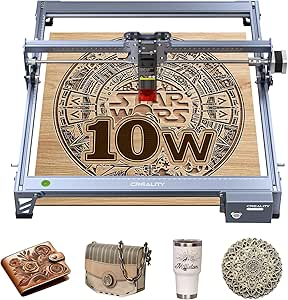
Creality 10W Laser Engraver Machine, 72W DIY Laser Cutter and Engraver, High Precision 0.06mm, 17 x 16 inches
The Creality 10W stands out for its large 17×16 inch work area and high-precision capabilities, making it the best choice for serious hobbyists or small businesses aiming for professional results at home. Its 0.06mm focus spot delivers detailed engraving on wood, leather, glass, and even some metals, surpassing smaller models like the T1 Foldable in size. The robust aluminum frame provides stability during operation, and the adjustable focus enhances precision. While its setup is straightforward, a bit of technical familiarity is helpful for software configuration and safety precautions. The 72W power supply supports deeper cuts, but the device’s size and cost make it less ideal for casual users or those with limited space. This model caters to users seeking a combination of professional quality and larger working dimensions in a home environment.
Pros:- Large engraving area (17″ x 16″) for bigger projects
- High-precision 0.06mm focus spot for detailed work
- Supports metal, glass, and various materials
- Robust aluminum frame for stability
Cons:- Requires some technical knowledge for setup and operation
- Size and price may be prohibitive for casual hobbyists
- Limited to 10W laser power, so very thick materials may need multiple passes
Best for: Small business owners or serious hobbyists wanting a large, high-precision laser engraver for versatile projects at home.
Not ideal for: Beginners or casual users with limited space or budget, due to its size and cost.
- Output Power:10W
- Machine Power:72W
- Cutting Thickness:5mm (basswood), 3mm (acrylic)
- Engraving Area:17″ x 16″
- Focus Spot Size:0.06mm
- Safety Features:Anti-UV filter acrylic
Bottom line: Ideal for users who need a large, high-precision laser engraver capable of professional results at home, with space and budget to match.
T1 Foldable Laser Engraver, Portable 3W Engraving Machine with 0.01mm Accuracy, 200x150mm Work Area
The T1 Foldable Laser Engraver emphasizes portability with its foldable design, making it a natural choice for users who need a compact device for on-the-go projects. Its 3W laser and 200x150mm work area are sufficient for small, detailed engravings on wood, leather, and coated metals, but fall short for larger or deeper cuts. Compared with the Wand, the T1’s foldable feature appeals to those with limited space or who frequently travel. Its pre-assembled setup simplifies initial use, though removing the protective tape before first operation is a necessary step. The 0.01mm accuracy supports fine detail, but the limited power means it isn’t suited for heavy-duty tasks. This engraver is perfect for personal gifting, prototyping, and small crafts, especially when space and portability matter most.
Pros:- Foldable, compact design for easy transport and storage
- Pre-assembled and user-friendly for beginners
- High accuracy of 0.01mm for detailed engraving
- Includes safety features like protective cover and goggles
Cons:- Limited work area (200x150mm), not suitable for large projects
- Laser power may be insufficient for deep engraving or cutting thick materials
- Requires removal of protective tape before use
Best for: DIYers and small businesses needing a portable, space-saving laser engraver for detailed work and quick setup.
Not ideal for: Projects requiring large work areas or deep material cuts, due to size and power limitations.
- Laser Power:3W
- Working Area:200x150mm
- Accuracy:0.01mm
- Material Compatibility:wood, leather, acrylic, coated metal, paper
- Foldable:Yes
- Power Supply:Included
Bottom line: Best suited for hobbyists and professionals needing a portable, precise engraver for small-scale projects on the go.
Twotrees TTS-10 Pro Laser Engraver, 10000mW High Precision Laser Cutter for DIY Projects
The Twotrees TTS-10 Pro stands out for its formidable 10,000mW laser power, making it ideal for cutting thicker materials like 8mm plywood and 5mm acrylic, outperforming smaller laser engravers such as the ACMER Laser Engraver in cutting capacity. Its 300x300mm working area strikes a balance between size and practicality for home projects. The upgraded mainboard ensures faster processing and allows for offline operation, which is a plus for those wanting a seamless workflow. However, the high laser power demands strict safety precautions, and its learning curve may be steep for newcomers unfamiliar with laser software. The limited working area also restricts larger projects, but it’s a strong choice for serious hobbyists needing power and precision.
- Pros: High laser power enables efficient cutting; Compatible with LaserGRBL and Lightburn; Faster processing with upgraded mainboard; Includes air assist nozzle for cleaner cuts
- Cons: Safety precautions necessary due to high power; Steep learning curve for beginners; Limited working area restricts larger projects
Overall, this engraver makes sense for experienced DIYers who need powerful, precise cutting but may be too intense for complete novices.
Pros:- Excellent cutting capacity for thick materials
- Compatible with popular software like LaserGRBL and Lightburn
- Fast processing with upgraded mainboard
- Includes air assist nozzle for improved cut quality
Cons:- Requires strict safety measures due to high laser power
- Learning curve for users new to laser engraving software
- Limited working size may restrict larger projects
Best for: Dedicated hobbyists or small business owners who require high-power cutting and versatile software compatibility.
Not ideal for: Beginners or casual users seeking an easy-to-use, plug-and-play device with larger work areas.
- Laser Output Power:10000mW
- Laser Class:Ⅳ
- Working Size:300x300mm (12×12 inches)
- Main Board:32-bit dual-core MCU
- Cutting Capacity:8mm plywood, 5mm black acrylic
- Machine Dimensions:20.1 x 7 x 7 inches
- Item Weight:7.92 pounds
- Air Assist Nozzle:Metal air assist nozzle included
Bottom line: This laser engraver is best suited for experienced users needing high power and precision in a manageable size.
How We Picked
The products were selected based on a combination of performance, usability, build quality, and value for home users. Priority was given to models that balance power and size, ensuring they are suitable for varied home environments without requiring extensive space or technical expertise. We also considered user reviews, ease of setup, safety features, and versatility—such as ability to engrave different materials. The ranking reflects an overall assessment of how well each engraver meets typical home user needs, with a focus on straightforward operation, durability, and price-to-performance ratio.Factors to Consider When Choosing Laser Engravers For Home
Choosing the right laser engraver for your home involves considering several key factors beyond just initial cost. Understanding these can help you avoid common pitfalls and select a machine that truly matches your project scope, space, and skill level.Power and Material Compatibility
Power output determines what materials you can work with and the speed of engraving or cutting. Lower wattage models are suitable for engraving wood, leather, and acrylic, while higher wattage machines can handle metals and thicker materials. Buyers should match the laser’s power with their intended projects to avoid overpaying for unnecessary capacity or ending up with a machine that can’t handle their desired materials.
Size and Workspace Requirements
Home environments vary greatly in space, so selecting a size that fits comfortably is essential. Smaller, portable models are easier to store and move, but may limit the size of projects. Larger engravers offer more workspace but can be cumbersome and require dedicated setups. Consider your available space and the maximum material size you plan to work with to strike the right balance.
User-Friendliness and Safety
Ease of use is vital, especially for beginners. Features like intuitive controls, clear instructions, and safety mechanisms such as enclosures help prevent accidents. Some models include cameras or WiFi for easier positioning and workflow, but these features add complexity and cost. Assess your comfort with technology and safety requirements before choosing a model that may be too complex or under-equipped for your skill level.
Budget and Long-Term Value
While budget models can be tempting, they often lack durability or power necessary for serious projects. Investing in a slightly more expensive machine can provide better build quality, higher precision, and longer lifespan. Consider not just the initial purchase price but also ongoing costs like replacement parts, maintenance, and potential upgrades to ensure your investment pays off over time.
Additional Features and Accessories
Features like cameras, WiFi connectivity, offline operation, and automatic focusing can significantly enhance usability. However, these features usually come with a higher price tag and potential complexity. Think about which features actually improve your workflow and whether they justify the extra cost, especially if you’re a hobbyist or learning the craft.
Frequently Asked Questions
Can I engrave metal with a home laser engraver?
Engraving metal at home is possible but depends on the laser’s power and type. Most affordable models are better suited for softer materials like wood, leather, and acrylic. For metal engraving, you’ll typically need a higher wattage laser or specialized equipment, which can be more expensive and require additional safety precautions. If metal engraving is a primary goal, consider models explicitly designed for that purpose or plan for an upgrade in the future.
Are laser engravers safe to use at home?
Safety depends on the model and proper usage. Many home laser engravers include protective enclosures, emergency shutoff features, and safety glasses, but users must also follow safety guidelines such as working in well-ventilated areas and avoiding direct exposure to laser beams. It’s important to read the manufacturer’s instructions carefully and invest in safety gear if not included. Proper setup and adherence to safety protocols make it feasible to operate these machines securely in a home environment.
How difficult is it to learn to operate a laser engraver at home?
The learning curve varies with the model’s complexity. Beginner-friendly machines often come with user-friendly interfaces, tutorials, and automated features, making them easier to master. More advanced models might require some technical knowledge about calibration, software, and material handling. Investing in a machine with good support resources and straightforward controls can significantly reduce the time and frustration involved in learning to use it effectively.
What materials can I use with a typical home laser engraver?
Most home laser engravers can handle a variety of materials like wood, leather, acrylic, paper, and sometimes coated metals. The specific capabilities depend on the laser’s power and design. For softer and non-metallic materials, even lower-wattage models perform well. If your projects involve metals or thicker materials, you’ll need a more powerful or specialized laser. Always check the manufacturer’s specifications to ensure compatibility with your intended materials.
Is a higher wattage laser always better for home use?
Not necessarily. While higher wattage lasers can cut and engrave thicker or tougher materials more efficiently, they are often larger, more expensive, and require more safety precautions. For most home projects involving wood, acrylic, and leather, a lower to mid-wattage laser is sufficient and easier to manage. Consider your typical project types and available space before opting for the highest wattage model, as overkill can lead to unnecessary expense and complexity.
Conclusion
For those just starting out or working within limited space, the LONGER Ray5 offers a well-rounded package of power, ease of use, and affordability. Hobbyists seeking high precision and larger work areas should consider the ACMER Laser Engraver Machine or the Twotrees TTS-10 Pro. If portability and compact design are priorities, the T1 Foldable Laser Engraver provides a convenient solution. Budget-conscious buyers can find good value in mid-range models, while advanced users or professionals may prefer premium options with higher wattage and features. Tailor your choice to your project scope, space, and experience level to get the best fit for your home workshop. As an affiliate, we earn on qualifying purchases.Columbus Day / Indigenous Peoples' Day Picks
long weekend sales