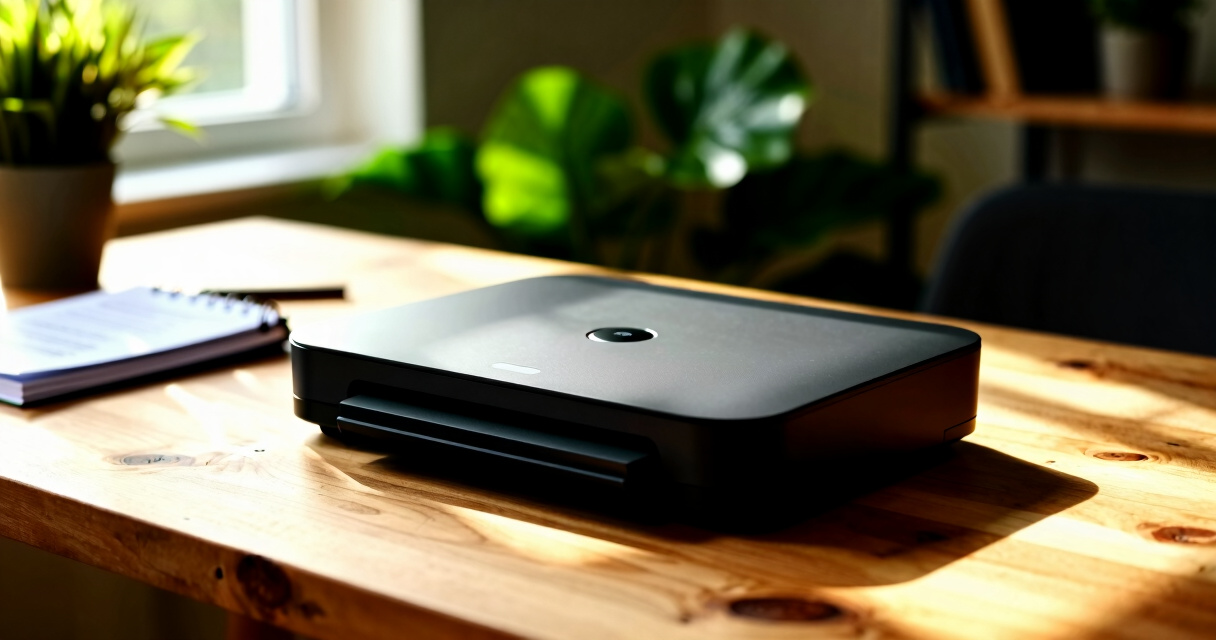

When searching for document scanners, the main challenge lies in balancing speed, portability, and cost. The Epson WorkForce ES-50 stands out as the best overall for its portability and reliability, making it ideal for on-the-go use. For those prioritizing speed and high-volume processing, the Epson WorkForce ES-400 II offers robust performance but at a higher price point. Meanwhile, the Canon imageFORMULA DR-C225 II provides a strong balance of features for office environments. Keep reading to see how these and other options compare to help you find the perfect scanner for your needs.

Prime made for students and young adults
- Fast, free delivery for dorm and study essentials
- Prime Video and Amazon Music included
- Member-only deals
Key Takeaways
- Portability versus speed is the key tradeoff—smaller, portable models excel for mobility, while larger desktop units handle higher volumes more efficiently.
- Price ranges widely; investing in a premium model provides faster scanning and better durability, but budget-friendly options still deliver good value for occasional use.
- Wireless connectivity adds convenience but can introduce setup complexity; wired models tend to be more straightforward and reliable.
- Features like automatic document feeders and duplex scanning significantly boost productivity, especially for office use.
- Build quality and software compatibility are crucial for long-term reliability; cheaper models may lack durability or seamless integration.
| Epson WorkForce ES-50 Portable Sheet-Fed Document Scanner for PC and Mac |  | Best Overall Portable Scanner | Scan Speed: 5.5 seconds per page | Compatibility: Windows and Mac | Maximum Document Size: 8.5 x 72 inches | VIEW LATEST PRICE | See Our Full Breakdown |
| Canon imageFORMULA DR-C225 II Office Document Scanner |  | Best for Office Use and High-Volume Scanning | Pages per minute: 25 | Automatic feeder capacity: 30 sheets | Document types handled: Receipts, photos, business cards, reports, contracts, long documents | VIEW LATEST PRICE | See Our Full Breakdown |
| ScanSnap iX1300 Compact Wireless and USB Double-Sided Color Document Scanner |  | Best for Versatile and Wireless Scanning | Connectivity: Wi-Fi, USB | Scanning Speed: Up to 30 ppm duplex | Color: Color | VIEW LATEST PRICE | See Our Full Breakdown |
| Canon imageFORMULA R40 Office Document Scanner Receipt Edition |  | Best for High-Speed Office Scanning | Scan Speed: up to 40 pages per minute | Document Types: receipts, invoices, various sizes | Connectivity: PC and Mac | VIEW LATEST PRICE | See Our Full Breakdown |
| ScanSnap iX2500 Wireless and USB Document Scanner with 5″ Touchscreen |  | Best for High-Speed, User-Friendly Home or Small Office Use | Scanning Speed: 45 ppm double-sided | Touchscreen: 5 inches | Connectivity: Wi-Fi 6, USB-C | VIEW LATEST PRICE | See Our Full Breakdown |
| ScanSnap iX2500 Wireless and USB Document Scanner with 5″ Touchscreen and 100-Page Feeder |  | Best for Versatile, Cloud-Connected Document Management | Scanning Speed: 45 pages per minute | Touchscreen: 5-inch | Connectivity: Wi-Fi 6, USB-C | VIEW LATEST PRICE | See Our Full Breakdown |
| ScanSnap iX2500 Wireless and USB Document Scanner with 5″ Touchscreen and 100-Page Feeder |  | Best for All-in-One Document Management with Custom Profiles | Scanning Speed: 45 pages per minute | Touchscreen: 5 inches | Connectivity: Wi-Fi 6, USB-C | VIEW LATEST PRICE | See Our Full Breakdown |
| Canon imageFORMULA R10 Portable Document Scanner |  | Best for Mobile Small Office Document Digitization | Power Consumption: 2.5W or less | Suggested Daily Volume: 500 scans | Scanning Speed: up to 12 ppm | VIEW LATEST PRICE | See Our Full Breakdown |
| Epson FastFoto FF-680W Wireless High-Speed Photo and Document Scanner, Black |  | Best for Photo Archiving and Large Batch Scanning | Scan Speed: 1 photo/sec at 300 dpi | Batch Capacity: 36 photos | Maximum Photo Size: 8″ x 10″ | VIEW LATEST PRICE | See Our Full Breakdown |
| Epson WorkForce ES-400 II Color Duplex Desktop Document Scanner with Auto Document Feeder |  | Best for High-Volume Office or Home Use | Product Type: Document Scanner | Connection Type: USB | Resolution: 300 dpi | VIEW LATEST PRICE | See Our Full Breakdown |
| Canon CanoScan LiDE 300 Scanner |  | Best Compact Scanner for Basic Document and Image Scanning | Scanner Type: Document | Connectivity: USB | Auto Scan Mode: Yes | VIEW LATEST PRICE | See Our Full Breakdown |
More Details on Our Top Picks
Epson WorkForce ES-50 Portable Sheet-Fed Document Scanner for PC and Mac
The Epson WorkForce ES-50 stands out as the best portable option thanks to its quick 5.5-second scan speed and compact design, making it ideal for professionals who need to scan on the go. Compared with larger models like the Canon imageFORMULA DR-C225 II, it sacrifices some document handling capacity for portability and ease of use, but its OCR support adds value for creating searchable PDFs. Its USB power means no need for batteries, which can be a drawback for those wanting wireless operation. While it excels at single-page scans of receipts, ID cards, and reports, it’s not suited for batch scanning or handling very thick documents. The lightweight build and quick setup make it perfect for mobile workers, but less so for high-volume office environments.
Pros:- Very fast scanning speed of 5.5 seconds per page
- Highly portable and lightweight for on-the-go use
- Compatible with both Windows and Mac, with OCR capabilities
Cons:- Limited to scanning one sheet at a time, which slows down batch workflows
- No built-in battery, requiring constant USB connection
- Less suitable for very long or thick documents
Best for: Traveling professionals or remote workers needing fast, portable scans of single documents
Not ideal for: Offices with high-volume scanning needs or multiple-page batch workflows
- Scan Speed:5.5 seconds per page
- Compatibility:Windows and Mac
- Maximum Document Size:8.5 x 72 inches
- Power Source:USB powered
- Software:Epson ScanSmart, Nuance OCR
Bottom line: Ideal for mobile professionals who need quick, single-page scans without bulky equipment.
Canon imageFORMULA DR-C225 II Office Document Scanner
The Canon imageFORMULA DR-C225 II excels in busy office environments that require fast, reliable duplex scanning at 25 pages per minute. Its space-saving upright design is a clear advantage over bulkier models like the Epson ES-50, making it suitable for desks with limited space. It supports a wide range of document types, including long documents and business cards, and integrates smoothly with cloud services, which benefits teams managing multiple digital workflows. However, its higher price point and dependency on compatible software can be drawbacks for small or casual users. This scanner is perfect for teams needing consistent, high-volume scanning, but less suited for individual users with light or infrequent scanning needs.
Pros:- Fast duplex scanning at 25 pages per minute
- Supports a broad range of document types and sizes
- Good software integration and cloud support for workflow management
- Compact, space-efficient upright design
Cons:- Higher price may be prohibitive for casual users
- Requires compatible software for full functionality
- Potentially overkill for infrequent or light scanning
Best for: Small to medium-sized office teams requiring high-speed, reliable document processing
Not ideal for: Home users or casual users with low-volume scanning needs due to its cost and complexity
- Pages per minute:25
- Automatic feeder capacity:30 sheets
- Document types handled:Receipts, photos, business cards, reports, contracts, long documents
- Connectivity:Windows, Mac, TWAIN driver
- Warranty:3 years
Bottom line: Best suited for busy offices that need fast, reliable, and versatile document scanning solutions.
ScanSnap iX1300 Compact Wireless and USB Double-Sided Color Document Scanner
The ScanSnap iX1300 makes a compelling case for users seeking a versatile, space-efficient scanner that handles various document types, including photos and plastic cards, at up to 30 pages per minute. Its wireless capability allows for flexible placement and quick sharing across devices, unlike the Epson ES-50 which relies solely on USB. The software, ScanSnap Home, simplifies organization, but setup can be a hurdle for less tech-savvy users. While its speed and wireless features are strengths, it’s limited to certain document types and may require users to troubleshoot setup issues. This model is ideal for small offices or home users who want a balance of speed, convenience, and multi-device compatibility, but less suitable for those needing ultra-simple or plug-and-play solutions.
Pros:- Space-saving design fits small workspaces
- Fast duplex scanning at up to 30 ppm
- Wireless and USB connectivity for versatile use
- User-friendly software for organization
Cons:- Setup may be complex for some users
- Limited to specific document types, not ideal for thick or very long documents
Best for: Small offices or home users needing a flexible, wireless scanner for diverse documents
Not ideal for: Users requiring a simple, plug-and-play device for occasional, light scanning
- Connectivity:Wi-Fi, USB
- Scanning Speed:Up to 30 ppm duplex
- Color:Color
- Document Handling:Documents, photos, cards, thick items, plastic cards
- Software:ScanSnap Home
Bottom line: Perfect for users who want a compact, wireless scanner that handles a variety of documents efficiently.
Canon imageFORMULA R40 Office Document Scanner Receipt Edition
This scanner stands out for its impressive 40 pages per minute speed, making it ideal for busy office environments. Compared with the smaller Epson ES-50, the R40 handles larger volumes more efficiently, but it isn’t suited for industrial-scale scanning or heavy-duty workflows. Its automatic data extraction feature streamlines bookkeeping tasks, especially when integrated with QuickBooks Online, though setup can be a bit complex for casual users. The auto document feeder and duplex scanning support multiple document types, providing versatility for typical office needs. However, it’s more expensive than entry-level models and requires software configuration, which could be a hurdle for those seeking plug-and-play simplicity.
Pros:- High-speed scanning of up to 40 pages per minute
- Automatic data extraction simplifies workflow
- Supports various document types and sizes
- Easy to connect with PC and Mac
Cons:- Requires software setup, not fully plug-and-play
- Limited to office and home use, not industrial-grade
Best for: Small to medium-sized offices needing fast, reliable document digitization and data processing.
Not ideal for: Casual users or home archivists seeking a budget-friendly or plug-and-play scanner without data extraction features.
- Scan Speed:up to 40 pages per minute
- Document Types:receipts, invoices, various sizes
- Connectivity:PC and Mac
- Features:Auto Document Feeder, Color Duplex Scanning
- Setup:Requires software installation
- Price:Higher than basic models
Bottom line: This pick is perfect for busy offices prioritizing speed and automation over casual use or budget constraints.
ScanSnap iX2500 Wireless and USB Document Scanner with 5″ Touchscreen
This scanner excels with its 45 pages per minute speed and a large 5-inch touchscreen, making it ideal for users who value both efficiency and ease of use. Compared to the Canon R40, the ScanSnap offers more advanced connectivity options including Wi-Fi 6 and cloud integration, plus a longer 4-year protection plan, making it suitable for those who want reliability and future-proof features. Its support for a broad range of devices and automatic optimizations makes managing diverse documents simple, though its price might be prohibitive for casual or infrequent users. The large footprint and feature set can be overwhelming for beginners or those with limited desk space, but for heavy users, the investment pays off in speed and convenience.
Pros:- Fast double-sided scanning at 45 pages per minute
- Large, intuitive 5-inch touchscreen
- Supports Wi-Fi 6, USB-C, and cloud services
- Includes a 4-year protection plan
Cons:- Expensive compared with basic models
- Large size may require dedicated space
- Complex features can be intimidating for beginners
Best for: Small offices or tech-savvy home users seeking fast, connected, and easy-to-operate document scanning.
Not ideal for: Casual users on a tight budget or those with limited space who prefer compact, straightforward scanners.
- Scanning Speed:45 ppm double-sided
- Touchscreen:5 inches
- Connectivity:Wi-Fi 6, USB-C
- Document Capacity:100 sheets
- Protection Plan:4 years
- Supported Devices:Mac, PC, mobile devices
Bottom line: This model is best suited for users demanding high speed, connectivity, and ease of operation, willing to invest in advanced features.
ScanSnap iX2500 Wireless and USB Document Scanner with 5″ Touchscreen and 100-Page Feeder
This version of the ScanSnap iX2500 emphasizes versatile connectivity and automatic features, making it ideal for busy professionals managing diverse documents. Its 45 pages per minute speed, combined with a large touchscreen, facilitates quick operation, especially with the 100-page automatic document feeder. Compared to the earlier model, the addition of customizable profiles and multi-feed sensors enhances productivity, but the setup can be daunting for less experienced users. Its support for cloud services and mobile device compatibility broadens its usability, though its size and price may deter casual or space-constrained users. Overall, this scanner suits those prioritizing automation, speed, and multi-device support in a single device.
Pros:- Fast double-sided scanning at 45 ppm
- Large 5-inch touchscreen for easy control
- Supports cloud services and mobile devices
- Automatic optimizations and multi-feed sensor
Cons:- Higher cost for infrequent use
- Complex setup process for non-technical users
- Size may be too large for small desks
Best for: Professionals and small teams needing fast, flexible, and cloud-compatible scanning solutions.
Not ideal for: Infrequent scanner users or those seeking a budget-friendly, compact device for occasional use.
- Scanning Speed:45 pages per minute
- Touchscreen:5-inch
- Connectivity:Wi-Fi 6, USB-C
- Document Feeder:100 pages
- Features:Automatic optimizations, multi-feed sensor
- Device Support:Mac, PC, mobile
Bottom line: This scanner is an excellent choice for users who need speed, smart features, and cloud integration, despite its higher price and size.
ScanSnap iX2500 Wireless and USB Document Scanner with 5″ Touchscreen and 100-Page Feeder
This model closely mirrors the B0FJSH5MJD but emphasizes customizable profiles and multi-feed detection to optimize diverse workflows. Its 45 ppm speed and 5-inch touchscreen make it user-friendly and quick for high-volume tasks. Compared with the Canon R40, it offers more advanced features like multi-feed sensors and cloud support, but it is also more complex to set up. Its support for multiple device types and automatic sorting makes it versatile for professionals juggling various document types. Nonetheless, the higher price and larger footprint mean it’s better suited for dedicated office environments rather than casual use or limited spaces.
Pros:- High-speed scanning at 45 ppm
- Large touchscreen for straightforward operation
- Supports cloud, mobile, and PC/Mac connectivity
- Features automatic optimizations and multi-feed detection
Cons:- Cost may be high for occasional users
- Setup can be complex for non-technical users
- Size may be unsuitable for small desks
Best for: Professionals needing a flexible, fast scanner with customizable workflows and cloud support.
Not ideal for: Casual or infrequent users who prefer simple, budget-friendly scanning solutions with minimal setup.
- Scanning Speed:45 pages per minute
- Touchscreen:5 inches
- Connectivity:Wi-Fi 6, USB-C
- Document Feeder:100 pages
- Features:Automatic optimizations, multi-feed sensor
- Supported Devices:Mac, PC, mobile
Bottom line: Ideal for busy professionals seeking a high-speed, customizable scanner with broad device support, despite its complexity and cost.
Canon imageFORMULA R10 Portable Document Scanner
The Canon imageFORMULA R10 stands out for its portability and ease of use, especially when compared to bulkier scanners like the Epson WorkForce ES-400 II. It offers duplex scanning and a 20-sheet automatic feeder, making quick work of routine document digitization. However, it is limited to standard documents and cannot handle high-resolution photo scans, which makes it unsuitable for photographers or archiving images. Its lightweight design and broad system compatibility make it perfect for mobile workers or small offices that need fast, reliable scanning on the go—yet it’s not meant for high-detail photo projects or large-volume scanning.
Pros:- Lightweight and portable for easy transport
- Fast duplex scanning with an automatic feeder
- Compatible with Windows and Mac systems without extra software
Cons:- Not suitable for scanning photographs or detailed images
- Limited to document types, not high-resolution photo scanning
Best for: Small business owners or mobile professionals needing quick, portable document scans
Not ideal for: Photographers or users needing high-resolution photo scans or color-rich images
- Power Consumption:2.5W or less
- Suggested Daily Volume:500 scans
- Scanning Speed:up to 12 ppm
- Media Types:Receipts, business cards, reports
- Connectivity:USB
- Compatibility:Windows and Mac
Bottom line: Ideal for mobile users and small offices seeking a reliable, portable document scanner for everyday needs, but not for high-resolution photo work.
Epson FastFoto FF-680W Wireless High-Speed Photo and Document Scanner, Black
The Epson FastFoto FF-680W is designed for rapid batch scanning of photos and documents, surpassing typical document scanners like the Epson WorkForce ES-400 II in speed. It handles up to 36 photos at once and offers powerful photo restoration and enhancement features, making it a favorite for preserving memories. Wireless connectivity simplifies sharing and backup, but this comes with a higher price and larger footprint, requiring dedicated space. The app setup can be a hassle, but once configured, it’s a fast, feature-rich choice for those digitizing large photo collections or important documents—though it’s less suitable for casual or infrequent scanning needs.
Pros:- Fast batch scanning with high speed of 1 photo per second
- Advanced image enhancement and restoration features
- Wireless connectivity for easy sharing and backup
Cons:- Relatively high price point
- Bulky design requiring dedicated space
Best for: Photographers or family archivists wanting to digitize and restore large batches of photos quickly
Not ideal for: Users seeking a compact or budget-friendly scanner for occasional document use
- Scan Speed:1 photo/sec at 300 dpi
- Batch Capacity:36 photos
- Maximum Photo Size:8″ x 10″
- Document Scan Speed:up to 45 ppm
- Connectivity:USB and wireless
- DPI Options:300, 600, 1200 dpi
Bottom line: This is perfect for serious photo archivists and memory preservation projects, but less so for casual document scanning or tight spaces.
Epson WorkForce ES-400 II Color Duplex Desktop Document Scanner with Auto Document Feeder
The Epson WorkForce ES-400 II is a high-speed, feature-rich scanner designed for demanding environments. It surpasses smaller or slower models like the Canon CanoScan LiDE 300 with its 35 pages per minute speed and 50-sheet auto feeder, ideal for busy offices. The inclusion of OCR and seamless cloud integration makes it a strong choice for converting paper into editable digital files. However, its larger footprint and reliance solely on USB connectivity make it less suited for small, cluttered desks or casual users. It’s a solid investment for those who need fast, high-volume scanning regularly, but overkill for occasional use or space-constrained setups.
Pros:- High-speed scanning up to 35 pages per minute
- Automatic duplex scanning with a 50-sheet feeder
- Supports OCR and easy document editing
Cons:- Relatively large and heavy for small desks
- Limited to USB connection without wireless options
Best for: Small businesses or home offices with high daily scanning volume and need for quick turnaround
Not ideal for: Fewer users or those with limited desk space seeking compact or wireless options
- Product Type:Document Scanner
- Connection Type:USB
- Resolution:300 dpi
- Sheet Capacity:50 sheets
- Paper Size:8.5 x 11 inches
- Dimensions:14.5″D x 10″W x 11.25″H
Bottom line: This scanner is best for high-volume users who prioritize speed and automation, but not for casual or space-limited environments.
Canon CanoScan LiDE 300 Scanner
The Canon CanoScan LiDE 300 is a straightforward, space-saving scanner that excels for light-duty tasks. Its compact, lightweight design makes it ideal for small desks or occasional use, especially when compared to larger models like the Epson ES-400 II. The Auto Scan Mode simplifies operation by automatically detecting document types, which benefits casual users or students. However, this simplicity comes with limitations: it only supports basic document and image scans and lacks wireless connectivity, making it less suitable for busy offices or users needing frequent, high-volume scans. This scanner suits those with basic needs and limited space but falls short for high-demand environments.
Pros:- Compact and lightweight for easy storage
- Automatic detection simplifies operation
- USB connectivity for quick setup
Cons:- Limited to document and image scans
- No wireless or advanced features
Best for: Students or home users with occasional scanning needs and limited space
Not ideal for: Professionals requiring advanced features, high-volume workflows, or wireless connectivity
- Scanner Type:Document
- Connectivity:USB
- Auto Scan Mode:Yes
Bottom line: A practical choice for light, infrequent scanning in tight spaces but not for heavy-duty or wireless needs.
How We Picked
I based the rankings on key factors that matter most to document scanner buyers: scanning speed, document capacity, ease of use, build quality, connectivity options, and value for money. I evaluated each model’s performance through available specifications and user feedback, focusing on real-world applicability rather than promotional claims. The goal was to identify options that excel in different use cases—whether for portable scanning, high-volume office work, or budget-conscious purchasing—so that every buyer can find a suitable choice. This approach ensures the list highlights models that truly stand out in their respective categories, with transparent tradeoffs explained clearly.Factors to Consider When Choosing Document Scanners
Choosing the right document scanner involves more than just comparing specs. Consider how much volume you’ll process daily, whether portability matters, and what connectivity options suit your workflow. Understanding these factors helps prevent overspending on features you won’t need or buying a model that can’t handle your typical workload. Here are key considerations that go beyond the specs to guide your decision.Scanning Speed and Capacity
Speed and capacity directly impact productivity, especially in busy office environments. Look for models with high pages-per-minute rates and automatic document feeders if you handle large volumes regularly. However, for occasional use, a slower, more affordable model may suffice. Balancing speed with capacity helps avoid bottlenecks and reduces the need for manual intervention.
Portability vs. Desktop Power
Deciding between a portable scanner and a desktop unit hinges on your primary use case. Portable models excel for mobile professionals or remote work, but often have lower capacity and fewer features. Desktop scanners typically offer faster speeds, larger document feeders, and more robust features, ideal for high-volume tasks. Consider where you’ll primarily use the scanner to choose the right form factor.
Connectivity Options
Wired USB connections are simple and reliable, making setup straightforward. Wireless scanners add flexibility, enabling scanning from multiple devices or locations, but can sometimes be tricky to configure. If you value ease of setup and consistent performance, a wired model might be best. For shared or mobile environments, wireless options improve convenience despite potential setup challenges.
Ease of Use and Software Compatibility
User-friendly interfaces and reliable software are vital for smooth operation, especially for those new to scanning. Look for models with intuitive controls and good software support that integrates with your operating system and document management workflows. Cheaper units may lack polish or updates, leading to frustration, so factoring in software reliability is worth the investment.
Build Quality and Long-Term Value
Durability matters if you plan to use your scanner frequently or over many years. Cheaper models often compromise on materials and internal components, risking breakdowns. Investing in a well-built model can save money over time, especially if it includes warranty support. Consider the total cost of ownership, including maintenance and potential repairs.
Frequently Asked Questions
Is a portable scanner suitable for high-volume office use?
Portable scanners are designed primarily for convenience and mobility. They typically have lower capacity and slower speeds, making them less suited for high-volume office environments. For frequent, large-scale scanning, a desktop model with an automatic document feeder and duplex capabilities offers faster processing and greater reliability. However, if your office tasks are occasional or involve mobile work, a portable scanner can still be a practical choice.
Do I need a wireless scanner, or is USB enough?
Wireless scanners offer flexibility by allowing multiple devices to connect without cables, which is useful in shared workspaces or for mobile use. However, they can be more complex to set up and may encounter connection issues. USB-only models tend to be more straightforward, with fewer setup hassles and more stable connections. If you value simplicity and reliability, a wired scanner might be the better fit, unless wireless connectivity is a priority for your workflow.
What is the importance of duplex scanning?
Duplex scanning allows you to scan both sides of a document in a single pass, significantly speeding up workflows that involve double-sided papers. If you frequently process double-sided documents, choosing a scanner with duplex capability saves time and effort. However, duplex models are often more expensive, so consider whether your typical document types justify the added cost. For light or occasional use, single-sided scanners may be sufficient.
Are higher page-per-minute speeds worth the extra cost?
Faster scanners can handle large volumes more efficiently, reducing waiting times and increasing productivity. But the cost often rises with speed. If your daily volume is modest, a slower, more affordable model might meet your needs without overspending. Conversely, if you process hundreds of pages daily, investing in a high-speed scanner can pay off by saving time and reducing frustration.
How important is software support and compatibility?
Good software support ensures smooth scanning workflows and seamless integration with your existing systems. Reliable drivers and scanning applications reduce setup time and prevent crashes. Cheaper or older models may lack updates or compatibility with newer operating systems, leading to frustration over time. Investing in a scanner with solid software support enhances long-term usability and productivity.
Conclusion
For most users, the Epson WorkForce ES-50 offers the best blend of portability and reliability, making it ideal for mobile professionals or those with light scanning needs. The Epson WorkForce ES-400 II is better suited for heavy-duty office use, with fast speeds and high capacity, though at a higher price. Budget-conscious buyers should consider models like the Canon CanoScan LiDE 300, which deliver decent performance at a lower cost. Beginners and infrequent users will benefit from simple, straightforward models, while those with high-volume requirements should invest in robust, feature-rich scanners like the ScanSnap iX1300 or EPSON DS-4100. Ultimately, your choice depends on your specific workflow, volume, and budget constraints.Fall Picks
fall essentials
As an affiliate, we earn on qualifying purchases.