
TL;DR
Prebuilt AI workstations now often match or beat DIY builds on price due to market shortages and bulk discounts. Choosing between build or buy depends on your time, control, and workload needs—not just cost. Support and upgradeability also tip the scales in this complex decision.
Imagine powering up a new AI workstation that’s ready to run in minutes, not weeks. You’re not just saving time—you’re avoiding headaches, compatibility issues, and the guesswork of assembling the perfect rig. The question isn’t just about cost anymore. It’s about control, support, and what you really need to succeed in the AI field today.
In 2026, the old rule — build cheap, buy fast — no longer holds. The market has shifted. Components cost more, and prebuilt systems have become smarter, more reliable, and sometimes even cheaper. So, how do you choose? We’ll break down the real tradeoffs, with real-world examples, so you can decide whether building or buying makes sense for your AI projects.
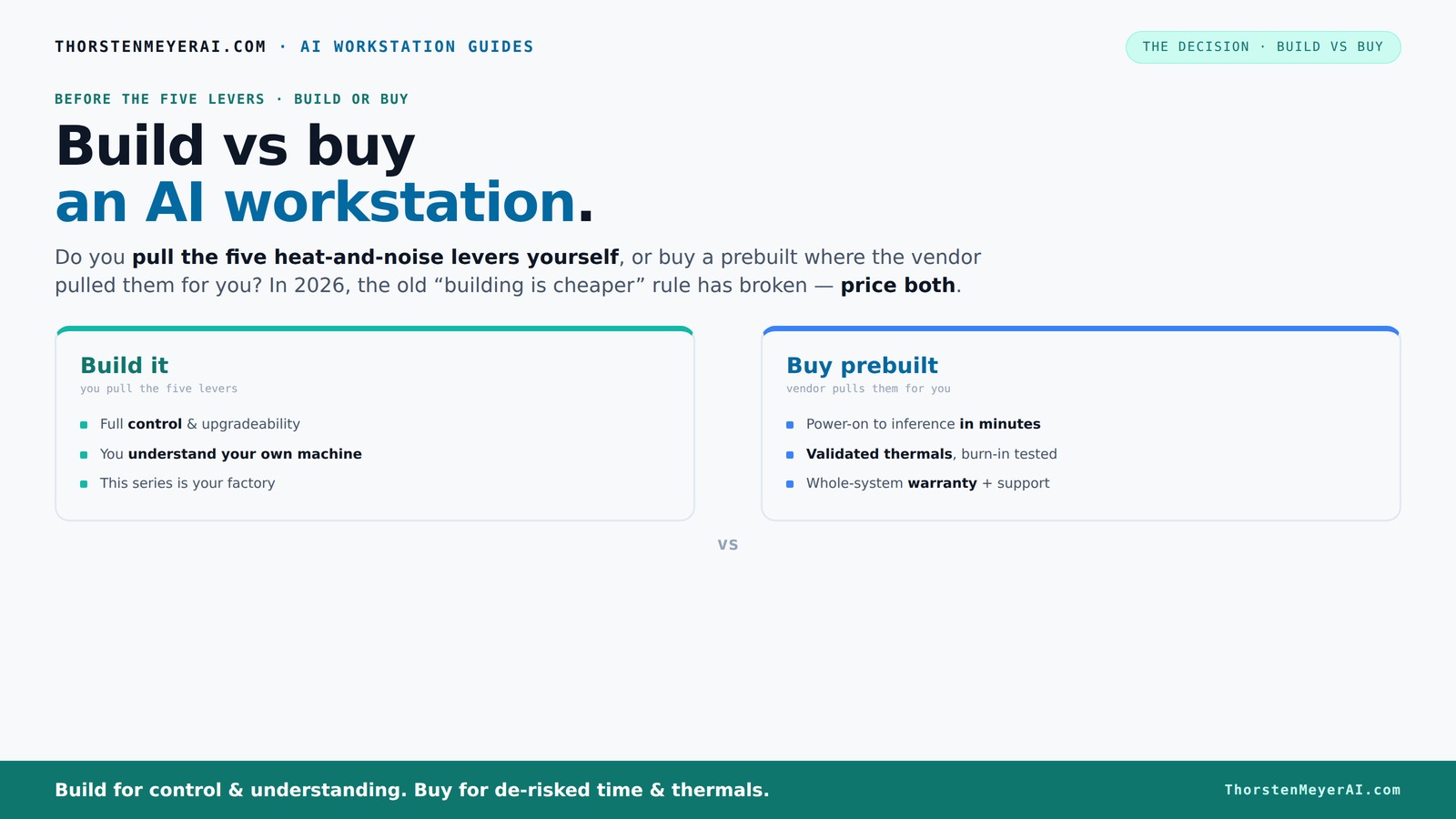
Build vs buy
an AI workstation.
The real question behind this whole series: do you pull the five heat-and-noise levers yourself, or buy a prebuilt where the vendor pulled them for you? And in 2026, the old “building is cheaper” rule has broken. Match your situation in Part 3.
Key Takeaways
- In 2026, prebuilt AI workstations often match or beat DIY costs due to market shortages and bulk discounts.
- Support, warranties, and validated thermals make prebuilts a safer choice for quick deployment and long-term reliability.
- Pulling the thermal levers yourself offers customization but requires expertise, time, and patience.
- Choose a prebuilt if you prioritize plug-and-play, support, and minimal setup; build if you want control and upgradeability.
- Always price both options for your specific needs — market conditions can surprise you.

WIWB Gaming PC Desktop Core I9-14900HX, RTX 5060 Ti 8G, 1TB NVME SSD
- Powerful Processor: Intel Core i9-14900HX with 24 Cores
- High-Performance Graphics: GeForce RTX 5060 Ti 8GB GDDR7
- Fast Memory & Storage: 16GB DDR5 RAM, 1TB NVMe SSD
As an affiliate, we earn on qualifying purchases.
As an affiliate, we earn on qualifying purchases.
Why the old build-is-cheaper rule no longer applies in 2026
Building your own AI workstation used to be the straightforward way to save money. But today, hardware shortages and demand spikes have pushed prices sky-high. A DIY system that used to cost $1,000 now easily hits $1,250+ before adding software and setup time.
Meanwhile, major manufacturers like Dell and Lambda buy components in bulk, locking in lower prices and offering prebuilt rigs at prices that match or beat DIY options. The decades-old idea that you always save by building has cracked — now, it’s a matter of comparing specific costs for your exact setup. You can learn more about build vs buy decisions here.
This shift means you need to price both options carefully, considering not just parts but also time, support, and risk. The game changed, and building isn’t automatically cheaper anymore.

AI Systems Performance Engineering: Optimizing Model Training and Inference Workloads with GPUs, CUDA, and PyTorch
As an affiliate, we earn on qualifying purchases.
As an affiliate, we earn on qualifying purchases.
The five levers: who tunes the machine better — you or the vendor?
Make no mistake: cooling your AI workstation is a delicate dance. It’s like tuning a race car for a track day. Pulling the right levers — undervolting GPUs, matching coolers, optimizing airflow, tuning fans, and placing the system in the right spot — can make a huge difference.
Buy a prebuilt → the vendor pulls all these levers, validating thermals and noise levels before shipping. Companies like Lambda and BIZON run extensive burn-in tests, tune fan curves, and sometimes even include water-cooling for whisper-quiet operation.
Build it yourself → you get to control every detail. You choose a quiet GPU, pick a cooler, optimize airflow, and set up your case for silence. This gives you a machine perfectly tuned to your needs — but it requires knowledge, time, and patience. The heat and noise management is entirely in your hands.
Understanding who does a better job depends on your expertise. Vendors invest heavily in thermals and acoustics testing, which can be hard to replicate on your own without significant experience. Conversely, DIY tuning offers customization but at the risk of suboptimal performance if not done correctly. The tradeoff is control versus consistency.

Xidax Professional AI Workstation | AMD Radeon AI Pro R9700 64-Core CPU | Ryzen Threadripper 9980X 32GB GPU | 128GB DDR5 ECC RAM | 2TB NVMe SSD | Window 11 Professional | Assembled & Tested in the USA
- Powerful Processor: AMD Ryzen Threadripper 9980X 64-Core
- Professional Graphics: AMD Radeon AI Pro R9700 32GB GDDR6
- Massive Memory & Storage: 128GB DDR5 ECC RAM + 2TB NVMe SSD
As an affiliate, we earn on qualifying purchases.
As an affiliate, we earn on qualifying purchases.
When a prebuilt makes your life easier — and when it doesn’t
If you’re short on time or tech skills, a prebuilt system is a no-brainer. It arrives with the OS, drivers, and AI stacks ready to roll. You power it on, load your models, and start training or inference in minutes.
Support and warranty matter too. Reputable vendors run extensive testing, ensuring your system won’t throttle under load. If something breaks, they fix it — often with 24/7 support and up to 5-year warranties, like prebuilt options.
But if you want maximum control, or plan to upgrade over time, building your own might be better. Proprietary parts and limited upgrade paths can turn some prebuilts into black boxes, making future tweaks more challenging. The tradeoff here is between convenience and flexibility: prebuilts offer immediate reliability, but DIY allows you to adapt and evolve your system as your needs change.

fanxiang 1TB PCIe 5.0 NVMe M.2 SSD,Up to 14000 MB/s,High Performance Solid State Drive for 8K Video Editing, AI Training,Gaming, PC, Laptop
- PCIe 5.0 Performance: Up to 14000 MB/s read speed
- Ideal for High-Performance Tasks: Supports 8K video, gaming, AI, and more
- AI & Multi-Tasking Optimized: Enhanced AI response and multitasking
As an affiliate, we earn on qualifying purchases.
As an affiliate, we earn on qualifying purchases.
Cost showdown: build vs buy today — what does the real math say?
In 2026, the common wisdom that DIY is cheaper no longer holds true across the board. A comparison table helps illustrate this:
| Build Cost | Prebuilt Cost | Notes |
|---|---|---|
| $1,250+ (parts + assembly + troubleshooting) | $1,400 (ready-to-go, tested, supported) | Market shortages push prices higher for parts |
| Time investment: 10–20 hours | Minutes to setup | Support and warranty reduce time spent fixing issues |
Always price your specific config, including the cost of your time, to see what’s smarter today. Remember, the true cost includes not just parts but also the value of your time, potential troubleshooting, and the peace of mind that comes with vendor support. For more guidance, visit this resource.
What parts matter most for an AI workstation — and what to spend on
When designing or choosing an AI machine, some parts matter more than others. GPU power, RAM capacity, and cooling are king. For detailed advice, see statistical analysis and tech recommendations.
- GPU: 24–48 GB VRAM, like NVIDIA A100 or RTX 4090, for large models. The GPU determines how much data your system can process simultaneously and how quickly training can proceed. Investing in a high-end GPU can significantly reduce training times and enable larger models.
- RAM: at least 64 GB DDR5 for heavy datasets and multitasking. Sufficient RAM prevents bottlenecks that slow down processing and allows for smoother multitasking during complex workflows.
- Cooling: robust airflow or water-cooling to prevent throttling during long runs. Effective cooling maintains performance consistency, reduces thermal throttling, and extends hardware lifespan. For tips on heat and noise management, check this guide.
- Power supply: reliable, high-capacity units to support multiple GPUs. A stable power supply ensures consistent power delivery, preventing crashes and hardware damage during intensive workloads.
Matching parts prevents bottlenecks. A mismatched CPU and GPU or insufficient cooling can ruin your day — and your models’ performance. Investing wisely in these key components ensures your system runs efficiently and reliably, maximizing your AI productivity. Skimping on cooling or power can lead to thermal issues and instability, which are often more costly than the initial investment.
Check out the quiet GPU options for efficient, low-noise power.
Support, warranty, and upgrade paths — what to watch out for
Prebuilt systems often come with a single point of contact — the vendor. That means if something goes wrong, you call support and get help fast. Many offer multi-year warranties, covering parts and labor, which can save you from costly repairs. These warranties often include on-site support, replacement parts, and dedicated support lines, which are invaluable when dealing with complex hardware issues.
In contrast, building your own offers more upgrade flexibility but less streamlined support. Proprietary parts in some prebuilts can limit future upgrades, especially for motherboards or power supplies. Confirm what upgrade options are available before buying. It’s essential to understand whether your system allows for easy component swaps or if you’re locked into specific brands or models that could become obsolete quickly.
Think about your long-term plans. If you want to grow your AI farm, a custom build with open standards might serve you better. But for immediate, reliable performance, a well-chosen prebuilt delivers peace of mind. Upgradability is a key factor; systems with standardized components and accessible designs tend to be more future-proof, allowing incremental upgrades without replacing the entire machine.
Who should choose a prebuilt, and who should build?
If your priority is quick deployment, hassle-free support, and guaranteed thermals, a prebuilt is your best bet. It’s perfect for professionals deploying AI models in production or researchers who need reliable, ready-to-run hardware.
On the other hand, if you love tinkering, want maximum control, or plan to upgrade over time, building your own gives you that flexibility. Hobbyists, students, or those on a tight budget often find DIY more satisfying and cost-effective — if they have the skills. Building your own allows you to tailor every component to your specific workload, but it requires a good understanding of hardware and potential troubleshooting.
Remember, in 2026, the decision isn’t just about saving a few dollars. It’s about how much time, control, and peace of mind you value. The tradeoff is between convenience and customization — pick what aligns best with your priorities and expertise.
Frequently Asked Questions
Is a prebuilt AI workstation worth it?
Yes, especially if you need a system ready to run immediately, want reliable thermals, and prefer support. Prebuilts reduce setup time and risk, making them ideal for professionals and fast deployment scenarios.
Is it cheaper to build or buy?
Not always. In 2026, component shortages have driven up DIY costs, sometimes making prebuilts equally or more affordable. Always compare your specific configuration’s total cost, including time and support.
What specs matter most for AI workloads?
The GPU (VRAM and compute power), RAM capacity, and cooling are critical. A powerful GPU with 24+ GB VRAM and ample RAM ensures smooth training and inference, while proper cooling maintains performance during long runs.
Will a prebuilt system limit my future upgrades?
It depends. Some prebuilts use proprietary parts, limiting upgrade options. Always check the motherboard, power supply, and case compatibility if you plan to expand or upgrade later.
Are OEM prebuilts reliable for long-term workloads?
Reputable vendors validate their systems through extensive testing and offer warranties, making them reliable for continuous AI work. Beware of cheaper, less-validated options that might throttle or fail under sustained load.
Conclusion
In the AI era of 2026, the build-vs-buy decision isn’t just about saving money. It’s about what kind of control, support, and certainty you want. The right choice depends on your workload, skills, and how much you value time versus customization.
Think of your workstation as a tool — whether you tune it yourself or let a vendor do the work, make sure it’s tuned for your needs. Your AI journey is just beginning, and the right system can accelerate your progress more than ever before.