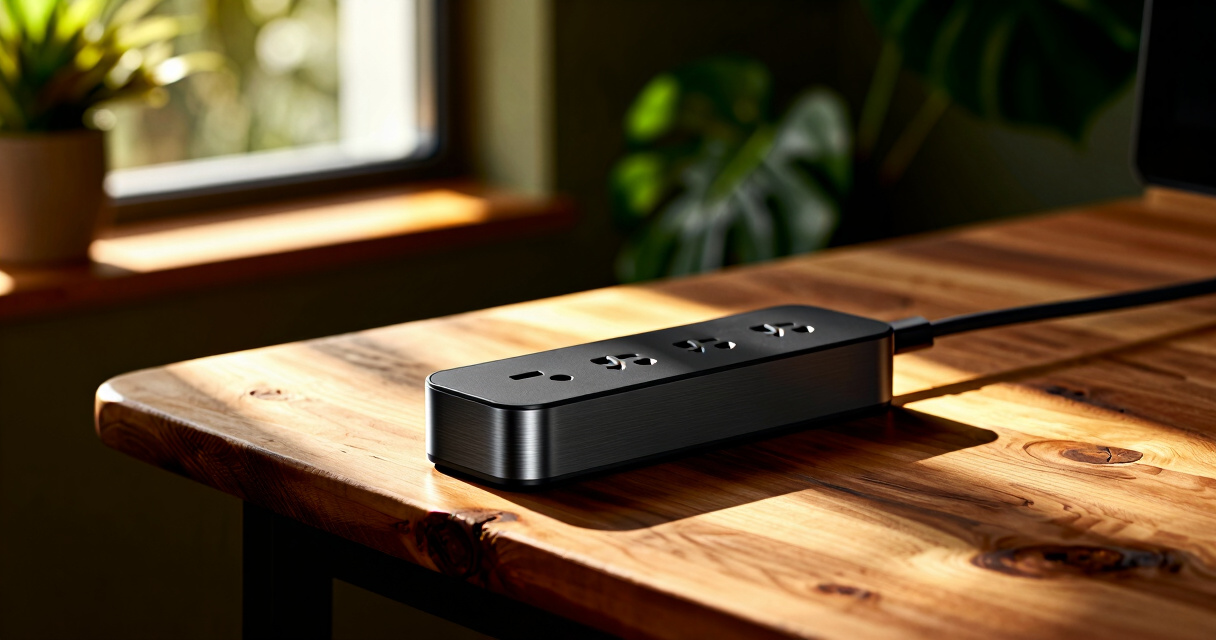

Smart power strips offer a convenient way to control multiple devices remotely, monitor energy use, and integrate with your smart home ecosystem. The best models combine reliable Wi-Fi connectivity, surge protection, and user-friendly controls. The Tapo Smart Wi-Fi Power Strip stands out as the overall best for its Matter compatibility and comprehensive features. Meanwhile, options like the Amazon Basics Smart Plug Power Strip provide excellent value, and the Kasa HS300 offers individually controllable outlets for advanced automation. The main tradeoffs revolve around compatibility, price, and feature set—more affordable options may lack certain smart integrations or energy monitoring. Keep reading for a detailed breakdown of the top choices to find the best fit for your needs.

Prime made for students and young adults
- Fast, free delivery for dorm and study essentials
- Prime Video and Amazon Music included
- Member-only deals
Key Takeaways
- The most versatile models combine energy monitoring with multiple outlets and USB ports, but often come at a higher price.
- Compatibility with major smart home platforms like Alexa, Google, and Matter is a key factor for seamless automation.
- Individually controllable outlets are ideal for automating specific devices, though they tend to be more expensive.
- Wider extension cords and surge protection features add convenience but may introduce bulk and cost.
- Price varies significantly based on the number of outlets, smart features, and build quality—balance your needs with your budget.


More Details on Our Top Picks
Tapo Smart Wi-Fi Power Strip – Matter Compatible, Energy Monitoring, Surge Protection, 6 Outlets & 3 USB Ports
The Tapo P316M stands out for its comprehensive smart home compatibility, supporting voice control via Alexa, Google Assistant, Siri, and Bixby. Its Matter certification ensures broader device interoperability, making it easier to integrate with existing systems. Compared with the Kasa KP303, it offers energy monitoring and scheduling for better power management, but this adds complexity and a higher price. The Tapo’s surge protection and overcharge prevention boost safety, though it relies on a Wi-Fi connection for remote access, which could be a hurdle in less stable networks. Its 6 outlets and 3 USB ports provide flexibility, but the setup process can be challenging for less tech-savvy users. This pick makes the most sense for those seeking a future-proof, fully integrated smart power strip with advanced features.
Pros:- Supports control of up to 9 devices simultaneously
- Energy monitoring and scheduling features for power efficiency
- Supports multiple voice assistants including Siri and Bixby
- Surge protection and overcharge prevention for safety
Cons:- Requires Wi-Fi connection for remote control, which may be unreliable in some homes
- Setup process can be complex for beginners
- Limited to 125V/15A capacity, not suitable for heavy-duty appliances
Best for: Homeowners with a compatible smart home ecosystem who want control of multiple devices with energy monitoring.
Not ideal for: Users with limited Wi-Fi stability or those seeking a simple, plug-and-play solution without setup complexity.
- Number of Outlets:6 individually controlled AC outlets
- USB Ports:3 USB ports (5V 2.4A)
- Power Cord Length:37 inches
- Maximum Voltage:125V
- Maximum Current:15A
- Wi-Fi Compatibility:2.4 GHz
- Dimensions:16.2 x 4.8 x 1.9 inches
- Operating Temperature:32°F – 104°F
- Humidity Range:10% – 90%
Bottom line: This is the best choice for smart home users looking for a versatile, feature-rich power strip with future-proof connectivity.
Amazon Basics Smart Plug Power Strip with 6 Outlets and 3 USB Ports, WiFi, Alexa Compatible
The Amazon Basics Smart Power Strip offers a straightforward way to add smart control with minimal fuss. Its 6 outlets and 3 USB ports are individually controllable via the Alexa app, making it an attractive option for those already invested in Amazon’s ecosystem. Unlike the Kasa KP303, it does not support Google Assistant directly, limiting flexibility for multi-platform smart homes. The setup is simple, with no hub required, which appeals to users seeking quick installation. However, its reliance on 2.4 GHz Wi-Fi may limit range and stability, especially in larger homes. While lacking advanced features like energy monitoring found in premium options, it delivers reliable basic control at a lower price point. This makes it suitable for users who want a budget-friendly, Alexa-compatible power strip without extra bells and whistles.
Pros:- Individually controllable outlets for flexible device management
- Easy setup with Alexa app and WiFi connectivity
- No hub needed for operation
- Affordable price point
Cons:- Limited to 2.4 GHz WiFi networks, which can affect range
- Does not support other voice assistants like Google Assistant
- Lacks energy monitoring and scheduling features
Best for: Amazon Alexa users seeking an affordable, easy-to-install smart power strip for basic device control.
Not ideal for: Users wanting Google Assistant compatibility or advanced energy management features.
- Number of Outlets:6
- USB Ports:3 (2 USB-A, 1 USB-C)
- WiFi Compatibility:Yes, 2.4 GHz
- Hub Required:No
- Color:White
Bottom line: This is a practical choice for Alexa users seeking an inexpensive, straightforward smart power strip for basic needs.
Smart Power Strip with 6 Smart Outlets and 4 USB Ports, 5FT Flat Plug Extension Cord
This power strip features 8 outlets (including 6 smart outlets and 2 regular outlets) plus 4 USB ports, providing extensive device management options. Its 5-foot flat plug extension makes it ideal for cluttered or tight spaces, unlike bulkier models. Compared with the GHome power strip, this offers a more versatile setup with additional outlets and USB ports, but it requires app setup and Wi-Fi, which could be a barrier for some. Its surge protection (1200 Joules) adds safety for sensitive electronics, though it only supports 2.4GHz Wi-Fi, limiting its connectivity in some environments. The device suits users who want broad control and safety features for multiple devices but are comfortable with app-based setup and Wi-Fi dependency.
Pros:- Multiple outlets and USB ports for extensive device management
- Includes surge protection for safety
- 5FT flat plug cord for flexible placement
- Remote control and scheduling via app
Cons:- Requires Wi-Fi setup, which can be challenging in some networks
- Limited to 2.4GHz Wi-Fi, affecting connectivity stability
- Complex installation for less tech-savvy users
Best for: Home or office users needing a large, flexible power strip with surge protection and remote control capabilities.
Not ideal for: Those in regions with unstable Wi-Fi or users preferring a plug-and-play device without app setup.
- Number of Outlets:12
- Voltage:125V
- Total USB Ports:4
- Maximum Current:15 Amps
- Surge Protection Rating:1200 Joules
- Power Cord Length:5FT
- Compatible Devices:Laptop, PC, Printer, Router, Smartphone, Smartwatch
- Smart Home Compatibility:Yes
Bottom line: This pick is suited for users who need a large, feature-rich power strip with safety and remote management, and are comfortable with setup complexity.
GHome Smart Plug Outlet Extender, 3 WiFi Outlets & 3 USB Ports, Surge Protector, Compatible with Alexa & Google Home, 15A/1800W, Black
The GHome Smart Plug Outlet Extender combines a compact, wall-mountable design with versatile device control, featuring three WiFi outlets and three USB ports. Its space-saving form factor makes it ideal for tight spaces or cluttered outlets, contrasting with bulkier models like the Tapo P316M. It supports voice control via Alexa and Google Home, along with surge and safety protections, making it suitable for managing multiple devices efficiently. However, it only supports 2.4GHz WiFi, which could limit connectivity in larger or Wi-Fi-challenged environments. Its regional voltage of 230V makes it less suitable for North America, and app setup is necessary for full control. Overall, this device is perfect for those needing a compact, safe, and remotely controllable power solution for multiple devices in a small footprint.
Pros:- Space-saving wall mountable design
- Supports voice control with Alexa and Google Home
- Multiple safety protections including surge and fire resistance
- Remotely controllable via app
Cons:- Limited to 2.4GHz WiFi, which may affect connection stability
- Requires app setup and Wi-Fi configuration
- Regional voltage compatibility (230V) may not suit all regions
Best for: Users in regions with 230V power who want a space-efficient, voice-controlled outlet extender for multiple devices.
Not ideal for: North American users or those seeking a device compatible with 5G Wi-Fi networks or expecting plug-and-play simplicity.
- Current Rating:15 Amps
- Operating Voltage:230V
- Wattage:1800W
- Number of Outlets:3 WiFi outlets, 3 USB ports
- Control Protocols:Wi-Fi, Alexa, Google Assistant
- Connectivity:2.4GHz Wi-Fi
- Surge Protection:Yes
- Mounting:Wall mountable
Bottom line: This compact, multi-device control solution is ideal for those needing space efficiency and safety in a smart outlet extender, especially in regions with 230V power.
Kasa Smart Plug Power Strip KP303, Surge Protector with 3 Smart Outlets and 2 USB Ports
The Kasa KP303 offers a straightforward way to control three outlets and two USB ports independently, making it suitable for small setups. Its compatibility with Alexa and Google Home provides flexibility, but it lacks the extensive features of higher-end models like the Tapo P316M or GHome. The setup process via the Kasa app is simple, yet it requires a stable Wi-Fi connection, and it doesn’t support energy monitoring or scheduling. Its surge protection, certified by ETL, protects devices but doesn’t include advanced safety features like overcharge prevention. Compared to the Amazon Basics model, it offers better app control and voice integration, but it is limited to fewer outlets and ports. Overall, this makes sense for users wanting a reliable, basic smart power strip with surge protection for everyday devices.
Pros:- Individually controllable outlets for flexible device management
- Supports voice commands with Alexa and Google Assistant
- ETL-certified surge protection for safety
- Remote control and scheduling via app
Cons:- Limited to 3 outlets and 2 USB ports, less flexible for larger needs
- Requires Wi-Fi connection for full features
- No energy monitoring or advanced automation
Best for: Users seeking a simple, reliable, and safe smart power strip for home or light office use with voice control.
Not ideal for: Those needing advanced energy monitoring or more outlets for larger setups.
- Number of Outlets:3 smart outlets
- USB Ports:2 USB ports
- Surge Protection:ETL-certified
- Voice Assistant Compatibility:Alexa & Google Home
- Control Method:Kasa app, voice control
Bottom line: This is a solid choice for users wanting a simple, safe, and controllable power strip for small-scale applications.
GHome Smart Power Strip 15A WiFi Surge Protector with 6 Outlets and USB Ports
The GHome Smart Power Strip stands out for its combination of flexibility, safety, and remote control features. It offers six outlets and three USB ports with fast charging, making it a strong choice for those needing to power multiple devices in a single location. Compared with the Kasa HS300, this model provides a longer 7.18 ft flat extension cord, which is more adaptable for arranging devices across a room. However, it only supports 2.4GHz WiFi networks, which can limit connectivity if your network is dual-band and not configured properly. Its safety features, including fireproof materials and surge protection, appeal to users prioritizing device security. The need for app setup can be a hurdle for less tech-savvy users, and the limited 15A capacity means high-power appliances are out of scope. This pick makes the most sense for home or office users who want reliable remote control and safety features without needing high current support.
Pros:- Supports remote control via app and voice assistants
- Includes scheduling, timers, and energy monitoring
- Flexible 7.18 ft flat extension cord
Cons:- Limited to 2.4GHz WiFi networks, which may cause connectivity issues
- Requires app setup to access full features
- Maximum current capacity of 15A restricts high-power device use
Best for: Homeowners or office users needing flexible remote control and safety with a long extension cord
Not ideal for: People with high-power appliances or those on dual-band WiFi networks who require seamless connectivity
- Maximum Current:15A
- Total Power:1800W
- USB Ports:2 USB A, 1 USB C (30W fast charging)
- Cord Length:7.18 ft
- WiFi Compatibility:2.4GHz
- Material:PC+ABS
- Certifications:FCC
Bottom line: Ideal for users seeking a versatile, safety-focused smart power strip with remote control and a long extension cord for flexible placement.
Kasa Smart Plug Power Strip HS300, Surge Protector with 6 Individually Controlled Smart Outlets and 3 USB Ports
The Kasa HS300 offers a compelling option for users who need to control multiple devices independently. Its six outlets are individually switchable, allowing for tailored power management—something the GHome lacks, as all outlets are controlled collectively. It also features three USB ports with 5V/2.4A output, making it convenient for charging multiple smartphones or tablets. Compared with the GHome model, this strip emphasizes local device control over app-based scheduling, which is ideal for those who prefer quick manual toggling. The surge protection and ETL certification provide peace of mind for safeguarding electronics, but the device requires a Wi-Fi connection to enable remote control—something that might be problematic in unstable networks. Its 15A maximum load is standard but limits high-power appliances, so it’s better suited for electronics and small devices. This product is best for users who want precise control over individual outlets and seamless voice assistant integration.
Pros:- Individually controlled outlets for flexible device management
- Built-in USB ports for charging multiple devices
- Surge protection with ETL certification
Cons:- Limited to 15A maximum load, unsuitable for high-power appliances
- Requires Wi-Fi for remote control, which can be unreliable in poor networks
- No long extension cord included, less flexible in room setup
Best for: Home or office users who need to independently control multiple devices and prioritize voice control integration
Not ideal for: Users with high-power appliances or unstable Wi-Fi who need reliable remote control without connectivity issues
- Number of Outlets:6
- USB Ports:3
- Surge Protection:Yes, ETL certified
- Energy Monitoring:Yes
- Input Voltage:100-125V, 60Hz
- Maximum Load:15A, 1875W
- USB Output:5V/2.4A each
- Plug Type:3-prong
Bottom line: Best suited for users wanting precise, independent outlet control combined with surge protection and voice assistant compatibility.

How We Picked
These products were evaluated based on their overall smart functionality, ease of use, build quality, and compatibility with popular smart home platforms. We prioritized models that offer reliable Wi-Fi connectivity, energy monitoring capabilities, and surge protection. Cost-effectiveness and user feedback also played a significant role, especially in distinguishing between premium features and value options. Our ranking aims to highlight balanced choices that suit different user priorities, from basic automation to comprehensive energy management.Factors to Consider When Choosing Power Strips Smart
When selecting a smart power strip, it’s important to consider several factors that can impact usability, compatibility, and value. Understanding these considerations helps avoid common pitfalls like choosing incompatible devices or sacrificing essential features for lower cost. Below are key aspects to keep in mind to make a well-informed decision.Compatibility With Smart Home Ecosystems
Check whether the power strip supports platforms like Alexa, Google Assistant, or Matter, which ensures seamless integration with your existing smart home setup. Some models require dedicated apps or hubs, adding complexity or cost. Compatibility can significantly influence ease of use and automation possibilities, so prioritize this based on your preferred voice assistants and ecosystem preferences.
Number of Outlets and USB Ports
The total outlets and USB ports determine how many devices you can control simultaneously. Consider your current and future needs—more outlets provide flexibility, but may increase the unit’s size and cost. USB ports are handy for charging smartphones and tablets without occupying outlet space, making them valuable for clutter-free setups.
Smart Features and Control Options
Look for features like individual outlet control, energy monitoring, scheduling, and remote access. These enhance automation and energy efficiency. However, more advanced features often come with higher prices and potential setup complexity. Balance your desire for automation with ease of use, especially if you’re new to smart home devices.
Build Quality and Surge Protection
Durability and safety features are critical, especially if you plan to use the power strip long-term or in high-traffic areas. Surge protection guards your devices against voltage spikes, but not all models include this feature. Check for certifications and reviews to gauge reliability and safety standards.
Price and Value
Prices vary widely based on features, outlets, and brand reputation. While premium models offer more control and monitoring, budget options can suffice for basic remote control. Consider whether the added features justify the cost for your specific use case, and watch for hidden costs like subscription fees or required hubs.
Frequently Asked Questions
Can I control a smart power strip without a smart home hub?
Many smart power strips can be controlled directly via their companion apps over Wi-Fi, eliminating the need for a separate hub. Features like voice control with Alexa or Google Assistant are typically integrated through these apps. However, some advanced models or those with specific ecosystems may still require hubs or additional setup steps for full functionality.
Are smart power strips safe to leave plugged in all the time?
Yes, most smart power strips are designed for continuous use, especially those with surge protection and quality certifications. Regularly check for signs of wear or damage, and ensure they are used within their rated capacity. For safety, avoid daisy-chaining multiple power strips or overloading outlets beyond their specified limits.
Do I need to pay extra for energy monitoring features?
Energy monitoring is often included in higher-end models, but some budget options omit this feature. If energy tracking is important for your goals, prioritize models that explicitly list this capability. Keep in mind that more comprehensive monitoring may also require compatible apps or subscriptions for detailed insights.
Can I schedule individual outlets on a smart power strip?
Yes, many advanced models allow scheduling for each outlet, enabling automation based on time or device usage. This feature is especially useful for managing appliances like lamps or chargers independently. Confirm this capability before purchase if precise automation is a priority for you.
What should I consider regarding the size and placement of a smart power strip?
Assess the physical footprint and cord length to ensure the power strip fits your space without causing clutter. Some models have wider designs to accommodate multiple outlets, which might block adjacent outlets on your wall or power strip. If space is limited, opt for compact or flat plug designs that minimize bulk.
Conclusion
For general home automation, the Tapo Smart Wi-Fi Power Strip offers the best balance of features, compatibility, and reliability, making it ideal as the overall top choice. Budget-conscious users should consider the Amazon Basics Smart Plug Power Strip, which provides solid functionality at a lower price. Those seeking advanced control, such as individually managed outlets, will benefit from the Kasa HS300 or the GHome Smart Power Strip. Beginners or less tech-savvy buyers should prioritize models with simple app controls and broad compatibility, while power users aiming for energy monitoring and detailed automation may prefer premium options with extensive features. Your ideal pick depends on your specific needs and how much you want to invest in smart home convenience.
Halloween Picks

12-Foot Inflatable Pumpkin Halloween Archway with LED Lights

Pumpkin Halloween Fog Machine with 12-Color LED Lights, Bluetooth Speaker, and Remote

Star Wars Yoda and R2-D2 Inflatable Halloween Decor, 6 ft with LEDs, Indoor/Outdoor
As an affiliate, we earn on qualifying purchases.