
When searching for the best network attached storage (NAS), you’re looking for a device that balances performance, ease of use, expandability, and value. The top pick for overall performance is the Synology DiskStation DS223j, known for its user-friendly interface and reliable software. For small teams or home offices, the UGREEN NAS DXP2800 offers impressive hardware features like M.2 NVMe slots and 4K HDMI output, but it comes at a higher price point. The main tradeoffs in this category involve balancing capacity, speed, and simplicity—more advanced setups often cost more and require technical know-how. Keep reading for a detailed breakdown of these options to find the best fit for your storage needs.

Prime made for students and young adults
- Fast, free delivery for dorm and study essentials
- Prime Video and Amazon Music included
- Member-only deals
Key Takeaways
- The best NAS options vary widely in hardware features, with some emphasizing enterprise-grade expandability and others focusing on simplicity for home use.
- Performance factors such as CPU power, RAM, and network ports are key to choosing the right device for data-intensive tasks.
- Many top models now include remote access and AI features, but these often come with higher costs and complexity.
- Capacity scaling remains a critical consideration; some devices support dozens of terabytes while others are better suited for smaller, local backups.
- Ease of setup and management can be more important than raw specs for beginners or less technical users.


More Details on Our Top Picks
Synology DiskStation DS223j (Diskless) 2-Bay NAS Storage
The Synology DS223j stands out for its ability to create a secure, private cloud environment, making it ideal for households or small offices that prioritize data privacy. Compared with the UGREEN NAS DXP2800, it offers a more streamlined setup with built-in surveillance features, though it’s less expandable with only 2 bays. Its energy-efficient design and quiet operation make it suitable for continuous use, but the need for initial configuration might challenge less tech-savvy users. The absence of pre-installed drives means additional setup time and cost. This NAS excels for users seeking a reliable, secure storage solution with multi-platform access, but it’s less suited for those needing high expansion or plug-and-play simplicity.
Pros:- Creates a private, secure cloud for data sharing
- Energy-efficient and operates quietly
- Supports multi-platform device access
- Includes intelligent surveillance tools
Cons:- Requires setup and configuration with DSM
- Limited to 2 storage bays, restricting expansion
- No pre-installed drives, adding to initial setup
Best for: Small business owners or home users who need secure, private cloud storage with surveillance capabilities.
Not ideal for: Users wanting large-scale expansion or plug-and-play simplicity, as setup requires some familiarity with Synology DSM.
- Product Type:System Cabinet
- Model:DS223j
- Storage Bays:2
- Dimensions:6.5 x 3.94 x 8.9 inches
- Weight:0.87 kg
- Compatible Devices:Android, Desktop, Laptop, iPhone
Bottom line: Best suited for users who prioritize data security and privacy over maximum storage scalability.
UGREEN NAS DXP2800 2-Bay Desktop All-Round NAS for Small Teams with Intel N100, 8GB DDR5, 2.5GbE, M.2 NVMe Slots, 4K HDMI, Diskless
The UGREEN NAS DXP2800 offers a compelling mix of processing power, large capacity, and fast network connectivity, making it ideal for small teams, content creators, or enthusiasts who need local data management with media streaming. Its powerful Intel N100 processor and 8GB DDR5 RAM outpace the Synology DS223j in raw performance, especially for tasks like media editing or multi-user access. Compared to the DS223j, it supports up to 76TB of storage and features 2.5GbE networking for quicker transfers. However, the need to purchase drives separately and some technical setup requirements could be barriers for less experienced users. This NAS is best for those who want a robust, expandable solution but are comfortable with technical setup.
Pros:- Supports up to 76TB of storage with third-party drives
- Fast data transfer with 2.5GbE network port
- Powerful Intel N100 processor and 8GB DDR5 RAM
- Supports M.2 NVMe SSD caching for performance
Cons:- Drives are sold separately, increasing initial cost
- Requires technical setup and familiarity with NAS configuration
- Limited to 2 drive bays, restricting future expansion
Best for: Small teams or creative professionals who need high-speed local storage and media capabilities.
Not ideal for: Beginners or users seeking a ready-to-go, no-setup storage system, as it demands some technical knowledge for optimal use.
- Processor:Intel N100 Quad-core
- RAM:8GB DDR5
- Network:2.5GbE
- Storage Slots:2 x M.2 NVMe
- Max Storage Capacity:76TB
- Connectivity:4K HDMI
Bottom line: Ideal for professionals seeking high-performance local storage with media streaming, willing to handle initial setup complexity.
UGREEN NAS DH2300 2-Bay Desktop NAS with 64TB Support, AI Photo Tagging, Remote Access, and 4GB RAM
The UGREEN NAS DH2300 is tailored for users new to NAS, offering a straightforward setup and user-friendly interface. Its AI photo tagging and remote access features simplify personal data organization, making it ideal for home users managing photos and videos. Compared to the more advanced DXP2800, it provides a more simplified experience but with less power and expandability, suitable for casual users. Its 64TB capacity and 4GB RAM strike a balance between ease of use and performance, though it doesn’t support Docker or virtual machines. For those seeking a simple, secure, and intelligent way to manage personal files, this NAS makes data organization accessible without overwhelming complexity.
Pros:- Easy to set up and use, ideal for beginners
- Supports up to 64TB of storage
- Includes AI photo tagging and organization
- Secure remote access capabilities
Cons:- Limited performance for server or virtualization tasks
- Wi-Fi requires an external USB adapter
- Does not support Docker or advanced virtual environments
Best for: Home users or beginners who want easy remote access and AI-powered photo management.
Not ideal for: Power users or those needing virtual machine support or high-performance media editing.
- Capacity:Supports up to 64TB
- RAM:4GB LPDDR4X
- Network:1GbE Ethernet
- Video Output:4K HDMI
- Dimensions:5.94 x 3.86 x 8.39 inches
- Supported Drives:Western Digital, Seagate, Toshiba
Bottom line: Perfect for home users seeking simple, intelligent storage with remote access and photo management features.
Synology DiskStation DS124 (Diskless)
The Synology DiskStation DS124 stands out for its compact design and robust data management features, making it ideal for small offices or tech-savvy users who want a centralized backup solution. Compared with the BUFFALO LinkStation 210, it offers more advanced private cloud capabilities and multi-platform support, though it requires some technical knowledge to assemble and set up. Its single-bay configuration limits expandability, so users with larger storage needs should consider multi-bay options. The DS124’s focus on security and scalability makes it a strong choice for those prioritizing data protection in a small footprint, but it isn’t suited for users needing extensive storage or RAID redundancy.
Pros:- Compact and lightweight for easy placement
- Supports private cloud setup and multi-platform access
- Built-in data protection and backup options
- Scalable surveillance capabilities
Cons:- Requires assembly and technical setup knowledge
- Limited to 1-bay storage, needing multiple units for larger capacity
- No included hard drives
Best for: Small business owners or tech enthusiasts seeking a secure, scalable, and space-efficient data hub.
Not ideal for: Home users with large media libraries or those wanting plug-and-play simplicity without assembly.
- Product Type:System Cabinet
- Compatible Devices:Desktop, Laptop, Server, Smartphone
- Color:Black
- Enclosure Material:Alloy Steel
- Dimensions:2.8 x 6.54 x 8.82 inches
- Warranty:2 Years
Bottom line: This NAS is best suited for users who value security and scalability in a small, manageable form factor.
Yxk Zero1 2-Bay Desktop NAS, Maximum 60TB (Diskless), User-Friendly Home NAS Storage, Private Security & Remote Access, Silent, 4GB RAM, 2.5GbE Port, 4K HDMI
The Yxk Zero1 makes a strong impression for its user-friendly design and substantial storage capacity, especially compared with the smaller capacity BUFFALO LinkStation 210. Its 2-bay configuration supports up to 60TB, offering more flexibility for growing home media collections or backups. The device’s straightforward setup, remote access, and quiet operation make it ideal for non-technical users who want an efficient private cloud. However, the two-bay limitation reduces expandability compared to larger multi-bay systems, and additional drives cost extra. Its focus on ease of use and scalability makes it suitable for home users looking for a reliable, expandable storage solution without complexity.
Pros:- Easy setup with mobile and desktop apps
- Secure private cloud with encryption and permissions
- Quiet operation suitable for home environments
- Supports scalable storage and automated backups
Cons:- No included drives, additional cost for storage
- Limited to 2 bays, less expandable than larger NAS solutions
- Requires network connection for remote access
Best for: Home users needing a scalable, easy-to-use NAS for media, backups, and remote access.
Not ideal for: Power users requiring virtual machines or enterprise features, as it lacks advanced virtualization support.
- Maximum Storage Capacity:60TB (diskless)
- Number of Bays:2
- RAM:4GB
- Network Ports:2.5GbE
- Video Output:4K HDMI
- Compatible Devices:iPhone, Android Mobile, Mac OS, Windows PC
Bottom line: This NAS is ideal for home users seeking straightforward, scalable storage with remote access capabilities.
BUFFALO LinkStation 210 2TB 1-Bay NAS Network Attached Storage with HDD Included
The BUFFALO LinkStation 210 offers a straightforward, plug-and-play solution for users who want an immediate, no-fuss backup device. Compared to more advanced options like the Yxk Zero1, it provides a simple 2TB capacity with included hard drive, making setup almost instant. Its compatibility with Windows and macOS, along with SSL encryption for security, makes it a practical choice for basic home or small-office storage. The main tradeoff is its limited capacity and single-bay design, which means no RAID options or expansion. This device works well for users with modest storage needs who prioritize simplicity and affordability over scalability.
Pros:- Easy setup for centralized storage and backups
- Secure file sharing with access restrictions
- Includes hard drive and warranty, no extra costs
- No monthly fees for personal cloud access
Cons:- Limited to 2TB capacity
- Only one drive bay, no RAID support
- Compatibility limited to macOS 15 and earlier
Best for: Home users or small offices needing quick, reliable backup with minimal setup.
Not ideal for: Power users or those with large media libraries who require more storage or expandability.
- Capacity:2TB
- Number of Bays:1
- Included Drives:HDD included
- Compatibility:Windows, macOS
- Encryption:SSL
- Warranty:2 years
Bottom line: This NAS is perfect for users seeking a basic, secure storage device with no fuss or additional hardware costs.
UGREEN NASync DH4300 Plus 4-Bay Desktop NAS, Supports 128TB Capacity, Remote Access, AI Photo Album, 8GB RAM, 2.5GbE, 4K HDMI
The UGREEN NASync DH4300 Plus excels with its impressive 128TB capacity and high-end features, making it a compelling choice for media-heavy households or small creative teams. Its 4-bay design provides far more expandability than the Yxk Zero1, especially for users with extensive photo, video, or document libraries. The inclusion of AI photo management, remote access, and 4K HDMI output emphasizes multimedia and personal data organization. However, the absence of virtual machine support and unspecified processor details mean it may not suit power users seeking advanced virtualization or enterprise features. Its large capacity and multimedia focus make it attractive for users prioritizing media sharing and personal archives.
Pros:- Massive 128TB storage capacity
- User-friendly setup with remote access
- AI photo recognition and duplicate removal
- Supports 4K HDMI for media viewing
Cons:- Disks are not included, additional purchase needed
- Limited to Docker support, no VMs
- Processor details are unspecified, affecting performance expectations
Best for: Home media enthusiasts or small creative teams needing massive storage and AI-powered photo management.
Not ideal for: Users who need virtual machine support or enterprise-level virtualization capabilities.
- Capacity:128TB
- Number of Bays:4
- Processor:High-performance (unspecified)
- RAM:8GB LPDDR4X
- Network:2.5GbE
- Video Output:4K HDMI
Bottom line: This NAS is best for users who need large-scale media storage combined with AI-driven organization and multimedia output.
How We Picked
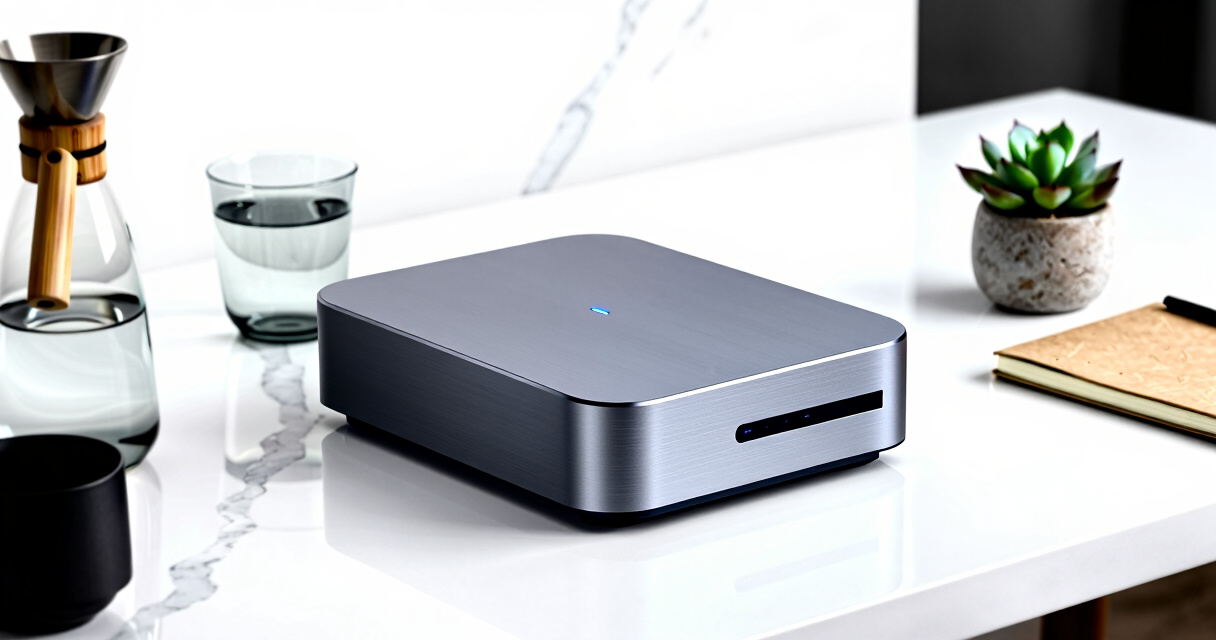
Our evaluation process focused on key criteria that impact real-world use: hardware performance, software usability, build quality, expandability, and value for money. We prioritized models that balance high performance with straightforward setup, especially for small businesses and home users. Devices with advanced features like AI tagging or multiple drive bays were rated higher if they offered meaningful benefits without excessive complexity or cost. The ranking reflects a combination of hardware capabilities, software ecosystem strengths, and overall user experience, ensuring that each pick serves a distinct need in the NAS market.
Factors to Consider When Choosing Network Attached Storage
Choosing the right NAS involves more than just comparing specs; understanding your specific needs and potential tradeoffs is essential. Consider capacity requirements carefully—larger capacities typically mean higher costs but greater flexibility. Network connectivity, including port speeds and Wi-Fi options, influences transfer speeds and remote access. Ease of use is crucial for less technical users, while expandability and hardware quality matter for future-proofing. Reliability and support are often overlooked but can save a lot of headaches down the line. Keep these factors in mind to make a smarter buying decision.
Capacity and Scalability
Assess how much storage you need now and in the future. Some NAS devices support only a few drives or limited total capacity, while others, like the UGREEN NASync DH4300 Plus, support dozens of terabytes across multiple bays. Think about your growth plans—buying a device with more bays or higher maximum capacity can save money and hassle later. Also, consider if the device supports expanding storage via external drives or networked options, which can be a cost-effective way to scale up without replacing the entire unit.
Performance and Hardware
Performance hinges on factors like CPU power, RAM, and network interfaces. For media streaming, backup tasks, or running multiple users, a faster processor and more RAM make a noticeable difference. Devices with 2.5GbE or 10GbE ports will handle data transfers more smoothly, especially over gigabit networks. Cheaper models often sacrifice CPU and RAM, limiting multitasking and speed. Balancing your workload with hardware capabilities ensures the NAS performs reliably without bottlenecks.
Ease of Use and Management
Some NAS brands, like Synology, excel in intuitive interfaces and simplified setup, making them ideal for beginners. More advanced models may offer extensive customization but can be daunting for novices. Features like app ecosystems, remote management, and automatic updates improve reliability and ease of use. Consider your comfort with technology—if you’re new to NAS, prioritize user-friendly software and strong customer support. For experienced users, more complex systems may unlock additional capabilities but require a steeper learning curve.
Connectivity and Remote Access
Reliable network connectivity is vital for accessing your data seamlessly. Look for models with multiple Ethernet ports, support for Wi-Fi, or built-in VPN features. Remote access is increasingly essential, so check whether the NAS supports secure cloud integration or direct VPN setup. Devices with HDMI output or multimedia features, like the Yxk Zero1, are better suited for media servers or direct connection to screens, but they often come with extra costs and setup complexity. Evaluate your network infrastructure to avoid bottlenecks and ensure smooth remote use.
Price and Total Cost of Ownership
Budget constraints are real, but the cheapest NAS might not deliver the best long-term value. Cheaper models often have fewer bays, slower hardware, or limited support, which can lead to upgrades or replacements sooner. Conversely, premium models with advanced features cost more upfront but may save money by reducing maintenance and expanding capabilities. Consider ongoing costs like drives, energy consumption, and support when comparing options. A higher initial investment can be justified if it offers durable hardware and more features aligned with your needs.
Frequently Asked Questions
Do I need a high-performance NAS for basic backups?
For simple backups and occasional file sharing, a modest NAS with lower specs often suffices. Devices with basic processors and 1-2 drive bays can handle these tasks effectively. However, even for light use, investing in a slightly more capable model can improve speed and reliability, especially if multiple users access files simultaneously. The key is matching the device’s capabilities to your actual workload—over-specifying can lead to unnecessary costs, while under-specifying may cause slowdowns or failures during backups.
Is it worth paying extra for a NAS with AI features or multimedia capabilities?
Features like AI photo tagging and 4K HDMI output are appealing if you plan to use your NAS as a media hub or for advanced media organization. These capabilities add convenience, but they also come with higher costs and increased complexity. For users with basic storage needs, these features might be overkill. If media management or remote streaming is a priority, investing in a model with these features can streamline your workflow and enhance media experiences, making the added expense worthwhile.
How important are drive bays versus total capacity?
The number of drive bays determines how many disks you can install and, consequently, your maximum capacity. A 2-bay NAS like the Synology DS223j is suitable for smaller setups, but it offers limited scalability. Larger models like the UGREEN NASync DH4300 Plus support more drives and higher capacities, which is advantageous for growing data needs. Consider your current storage requirements and future expansion plans—buying a device with more bays than you need now can avoid costly replacements later.
Should I prioritize brands with extensive app ecosystems?
Brands like Synology and QNAP with rich app ecosystems provide added flexibility for tasks such as media streaming, surveillance, and file management. These ecosystems simplify setup and maintenance, especially for non-technical users. However, they can also lead to higher costs and potential dependence on proprietary software. If your needs are straightforward, a less complex device might be sufficient. For advanced use cases, a robust app ecosystem can significantly enhance your NAS’s functionality.
Is hardware RAID necessary, or can I rely on software solutions?
Many modern NAS devices offer hardware RAID options that help protect data against drive failures and simplify management. While software RAID can provide similar functionality, hardware solutions tend to be faster and more reliable, especially during rebuilds. For critical data, hardware RAID reduces the risk of data loss and minimizes downtime. However, hardware RAID setups are more expensive and require compatible drives and controllers. For casual users, software RAID might suffice, but for business-critical storage, investing in hardware RAID provides added peace of mind.
Conclusion
For general home users or small offices seeking reliable, easy-to-manage storage, the Synology DiskStation DS223j offers a balanced combination of performance, usability, and support. Those with larger data needs or advanced media use may find the UGREEN NAS DH4300 Plus or Ugreen NAS DXP2800 better suited, despite their higher complexity. Budget-conscious buyers should consider simpler models like the BUFFALO LinkStation 210, but keep in mind capacity limitations. For newcomers, a model with an intuitive interface and strong customer support is essential, while power users should prioritize expandability and hardware specs. Each choice depends on your specific storage needs, technical comfort level, and budget constraints.